17 Best Event Check-In Apps & Software (Free + Paid, 2026 - 2027)
This page is a comparison of 17 event check-in apps and event check-in software solutions for US conferences, corporate events, and trade shows. Event check-in apps are the fastest way to eliminate registration bottlenecks at the door. The average conference loses 8–12 minutes per 100 attendees at a manual check-in desk. At a 500-person event, that translates to roughly 45 minutes of cumulative queue time before anyone hears a keynote. To fix this, you need a professional event check-in system built for speed, offline reliability, and real-time syncing. Whether you call it an event check-in app, event check-in software, or an event check-in system, the job is the same: get every attendee through the door in seconds.
The right check-in app replaces clipboard sign-ins with QR code event check-in, automates on-demand badge printing, and gives you real-time attendance data. The question is which one fits your event type, budget, and operational requirements.
This guide covers the 17 best event check-in apps and software platforms, free and paid, including mobile event check-in apps for iPad and iPhone, with honest assessments of what each does well and where it falls short.
What separates a good check-in app from a mediocre one
Before looking at specific vendors, here are the nine capabilities that separate the best event check-in app from a mediocre check-in app for events:
- Scan speed. QR code event check-in should complete in under 3 seconds. Anything more than ~4 seconds per attendee creates bottlenecks, queues, and lobby congestion during peak arrival.
- Badge printing. Pre-printed badges mean wasted stock from no-shows and last-minute changes. On-demand badge printing at check-in solves both problems by integrating directly with professional printers.
- Offline mode. Venue WiFi fails at the worst moments, especially when thousands of smartphones hit the local tower at the same time. Your app needs a local data cache that keeps scanning without WiFi and syncs automatically when connectivity returns.
- Walk-in handling. At most events, 5–15% of attendees are walk-ins. The app should register and badge them on the spot, not force a workaround.
- Real-time reporting. Knowing how many people have arrived, which VIPs are in the building, which sessions are filling, and who hasn't shown up is operationally useful during the event.
- Self-service kiosk mode. The software should be able to turn an iPad into a self-service check-in kiosk for attendee check-in. Kiosks divert traffic away from staffed desks and reduce headcount.
- Multi-device sync across entrances. If you have volunteers at several entrances, a check-in at Door A must instantly show on the device at Door B to prevent duplicate ticket use or capacity breaches.
- Pricing transparency. Is the pricing model clear? You should know whether a tool charges per scan, per event, or via an annual subscription, rather than hiding it behind enterprise sales calls.
- Ease of setup and scale. See our event check-in best practices for staffing and layout. Volunteers cancel or change at the last minute, so a new staff member should be trainable in under 5 minutes. And a lightweight app that works for 100 people often stalls when searching a database of 10,000 rows.
Quick comparison table
The 17 event check-in apps compared side by side, with free event check-in app tiers marked.
| App | Best for | Standout feature | Badge printing | Offline mode | iPad kiosk | Free tier | Starting price |
|---|---|---|---|---|---|---|---|
| Micepad | On-site check-in + badges | ~2.8s average check-in | Yes (on-demand) | Yes | Yes | Yes (≤50 attendees) | Free; paid from USD $300/event (verified) |
| vFairs | Hybrid events + expos | 3D virtual expo environments | No | Limited | Yes | No | Custom |
| Eventify | Small conferences | Drag-and-drop registration builder | No | No | No | Yes | Custom |
| Cvent | Enterprise programs | Deep ecosystem integration | Via partners | Yes | No | No | Custom quote |
| Whova | Conference networking | Built-in engagement app | Yes (verified) | Not documented | Yes (verified) | No | Quote-based* |
| Attendium | Simple attendance tracking | Unique QR codes per attendee | No | Limited | No | Yes | Free |
| Certain | Mid-size corporate | VIP arrival SMS alerts | Limited | No | No | No | Custom |
| Splash | Marketing events | Branded event landing pages | Yes (verified, Pro plan) | No | No | No | Custom (verified) |
| Eventbrite | Public ticketed events | Consumer-familiar app | No | Not documented | No | Yes (free events only) | 3.7% + $1.79/ticket* |
| CrowdPass | RFID/NFC access control | RFID floor maps | No | No | No | No | Custom |
| RingCentral Events (formerly Hopin) | Virtual/hybrid events | Virtual event tools | Yes (Pro+ and above, verified) | No | Yes (Pro+ and above, verified) | No (30-day trial) | $99/organizer/mo, annual (verified) |
| Eventdex | Trade shows | Clone past event setups | Limited | No | No | No | Custom |
| Stova | Mid-market events | Mobile app + check-in | No | No | No | No | Custom |
| Event Farm | Brand activations | Vinyl/PVC badges | Vinyl/PVC only | No | No | No | Custom |
| EventX | APAC conferences | Face ID check-in | Yes | Limited | Yes | No | Custom |
| OneTap | Simple attendance tracking | Apple Wallet passes | No | No* | Yes (verified) | Yes | $49.99/mo, billed yearly (verified) |
| RSVPify | Registration + check-in bundle | Guest data visible at the door | Beta (Brother printers) | No | Enterprise plan only | Yes (≤100 guests, no check-in) | Check-in from $125/mo ($89/mo annual) on Plus (verified) |
* Reported pricing; confirm on the vendor's site. “Verified” = read from the vendor's own pricing page on September 20, 2026.
1. Micepad
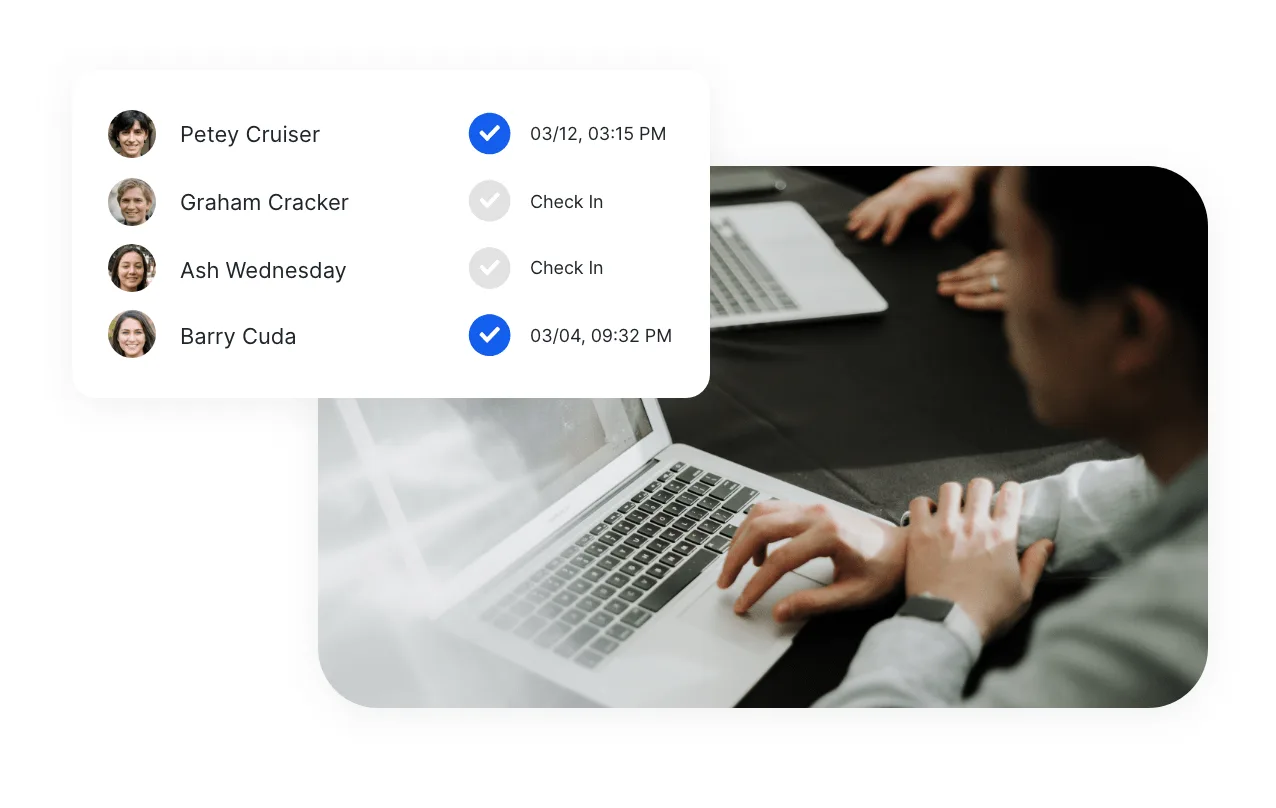
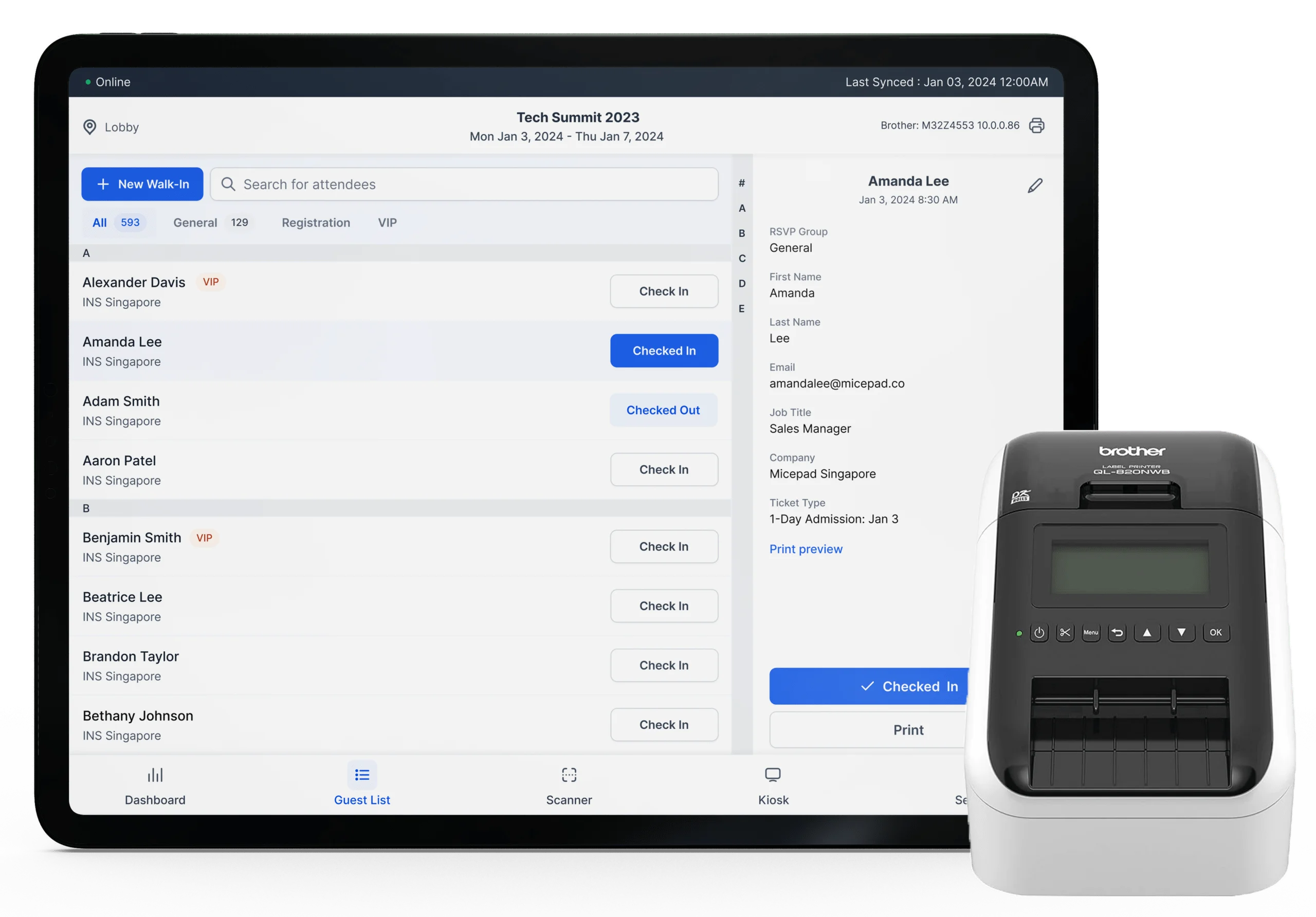
Micepad is built specifically around the event check-in app and badge printing workflow. Attendees scan a QR code or search their name at a kiosk, the system finds their record, and a badge prints in under 10 seconds. No separate print queue, no pre-sorted badge boxes. It has powered simultaneous check-ins for 15,000+ attendees across 10 APAC cities.
Standout features: Self-service SmartKiosk check-in with QR scan and name search; on-demand badge printing on Zebra ZD421 and Brother QL-820NWB printers; walk-in registration with instant badge output; full offline mode that caches data locally and syncs when connectivity returns; real-time attendance dashboard across multiple stations.
Performance: Average check-in time ~2.8 seconds; badge in hand in under 10 seconds.
Pricing: Free for events up to 50 attendees. Starter from USD $300 per event (tiers up to 250, 500 or 1,000 attendees, includes the custom badge designer). Pro from USD $500 per event (adds registration forms and kiosk mode). Full details are on the Micepad pricing page. No per-attendee fees, no annual contract. Enterprise plans start at 3,000 attendees.
Where it fits: An event check-in system for corporate conferences, trade events, and any event where badge printing and check-in speed are operational priorities. Organizations including MongoDB, Standard Chartered, and KPMG have used Micepad for events ranging from 50 to 15,000 attendees.
Limitations: No mobile event app or attendee networking features. If you need a full conference app with agenda, Q&A, and networking, pair Micepad with a platform like Whova. And if you only need a basic barcode scanner for a 10-person internal meeting, the feature set is more than you need.
2. vFairs
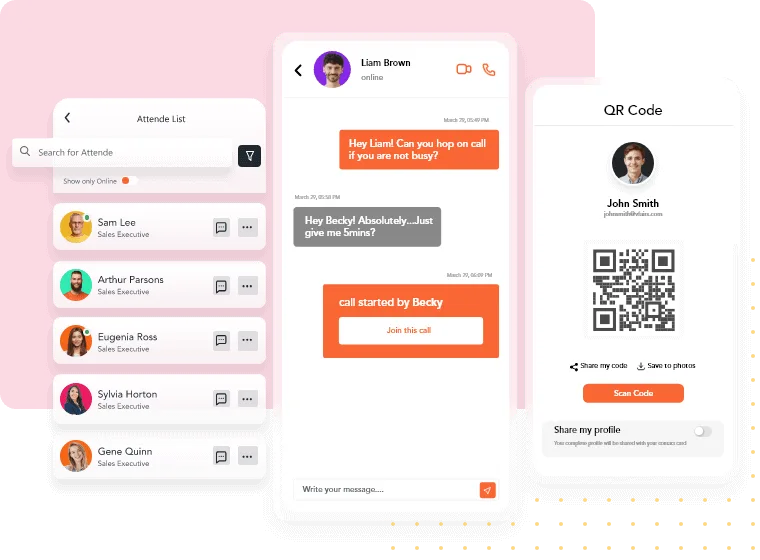
vFairs is an all-in-one event platform that started in virtual events and expanded to hybrid and in-person. Its QR-based check-in syncs with online registration, so ticket payment status is verified automatically at the door.
Standout features: QR code check-in via self-service kiosks; registration-to-check-in data sync (payment verification built in); real-time reporting and data visualization dashboards; 3D virtual expo environments for hybrid events.
Pricing: Custom pricing per event. Not publicly listed.
Where it fits: Event check-in software for hybrid events, virtual expos, and career fairs where the virtual component is as important as the physical one.
Limitations: The platform's strength is virtual; on-site check-in tools are functional but not as deep as dedicated on-site platforms. No on-demand badge printing. Setup typically requires working with a vFairs project manager.
3. Eventify
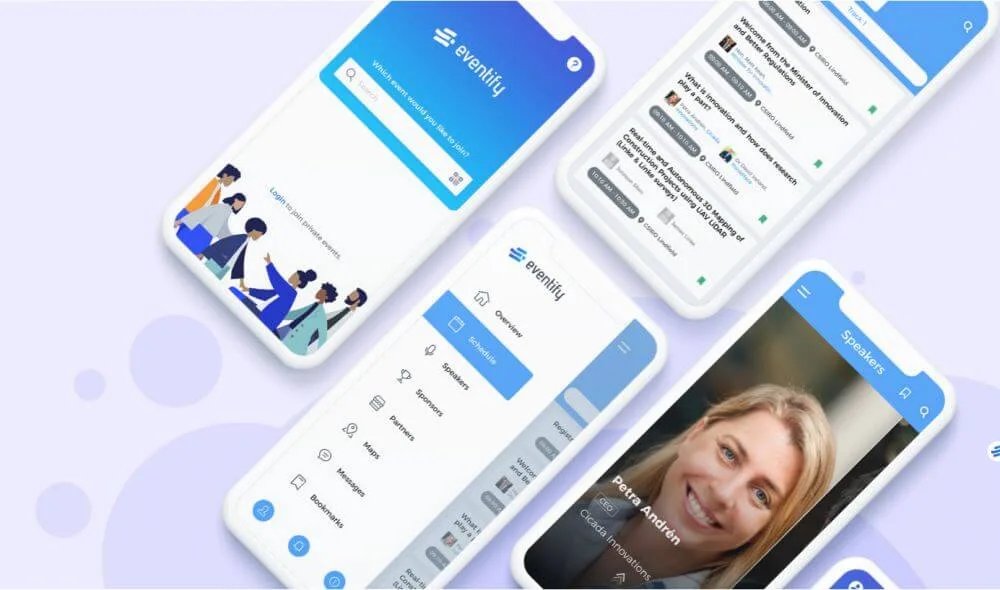
Eventify is a cloud-based event management tool focused on registration automation and attendee experience. Its drag-and-drop form builder makes it straightforward to set up custom registration for different attendee roles.
Standout features: Customizable registration forms with drag-and-drop builder; separate registration flows for attendees, exhibitors, speakers, and sponsors; white-label mobile app option; agenda management with session tracking.
Pricing: Custom pricing. Available by request.
Where it fits: Small to mid-size conferences and corporate events that need a clean registration-to-check-in flow from one event check-in app without enterprise complexity.
Limitations: Users report the app slows down noticeably when participant counts exceed a few hundred. No native badge printing. Edge cases in the backend can require workarounds.
4. Cvent
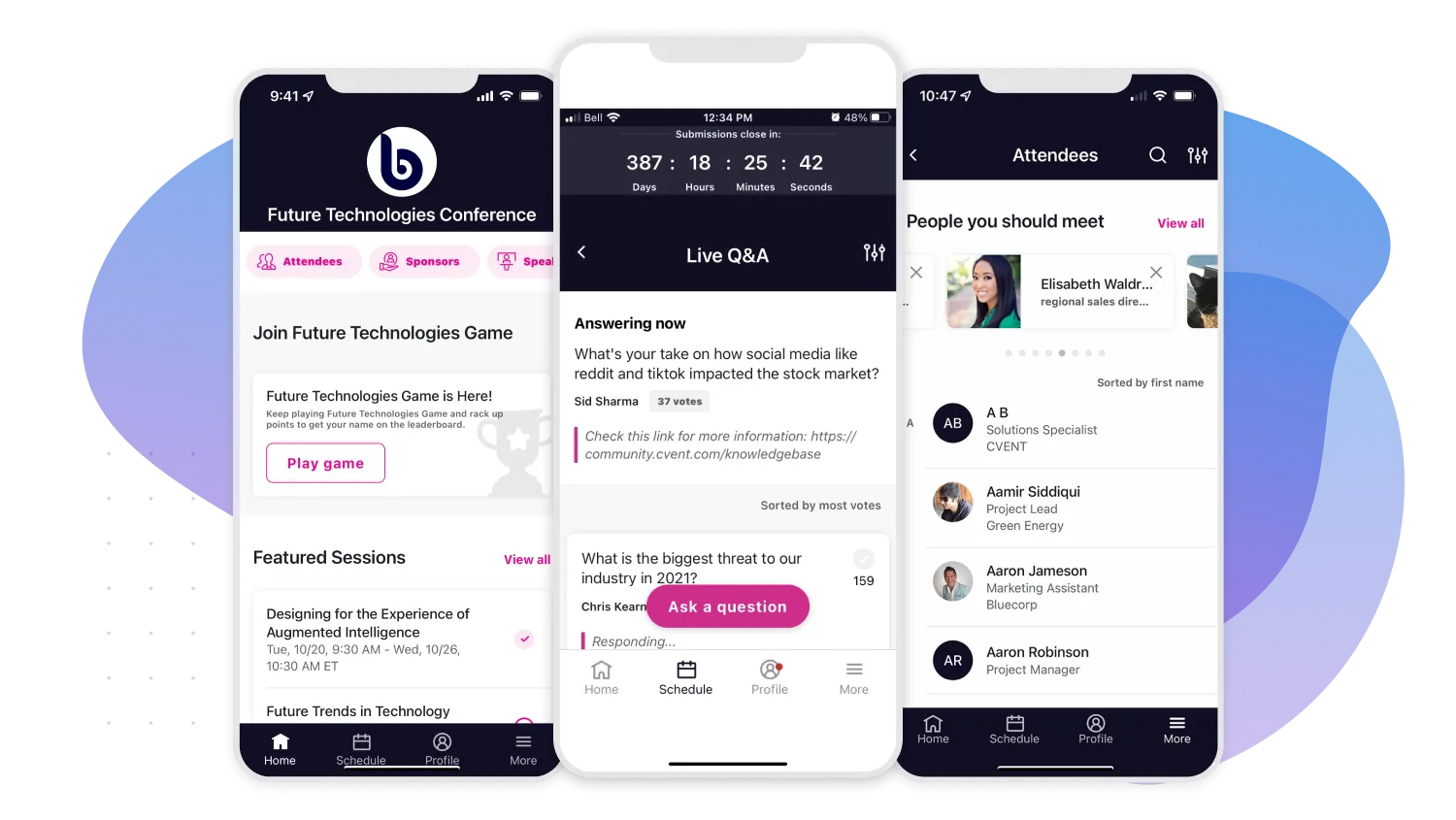
Cvent is one of the largest event management platforms globally, covering venue sourcing, registration, hotel room blocks, mobile apps, check-in (via Cvent OnArrival), and post-event analytics. It handles complexity that smaller platforms cannot.
Standout features: Full event lifecycle management from venue sourcing to post-event; complex registration with conditional logic and multi-track sessions; badge printing via integrated hardware partnerships, plus RFID/NFC scanning and hardware rentals for large convention centers; CEU credit logging; integration with major enterprise systems (Salesforce, Marketo).
Pricing: Enterprise pricing with annual contracts. Custom quote only — Cvent does not publish pricing.
Where it fits: Enterprise event check-in software for organizations running complex, high-budget events: global sales kickoffs, multi-day conferences with thousands of attendees, multi-site event programs. See our Cvent alternative comparison.
Limitations: The primary barrier is cost and complexity. Implementation requires weeks and often a professional services engagement. For events under 1,000 attendees, the overhead is difficult to justify. Reviewers frequently cite a steep learning curve and slow support.
5. Whova
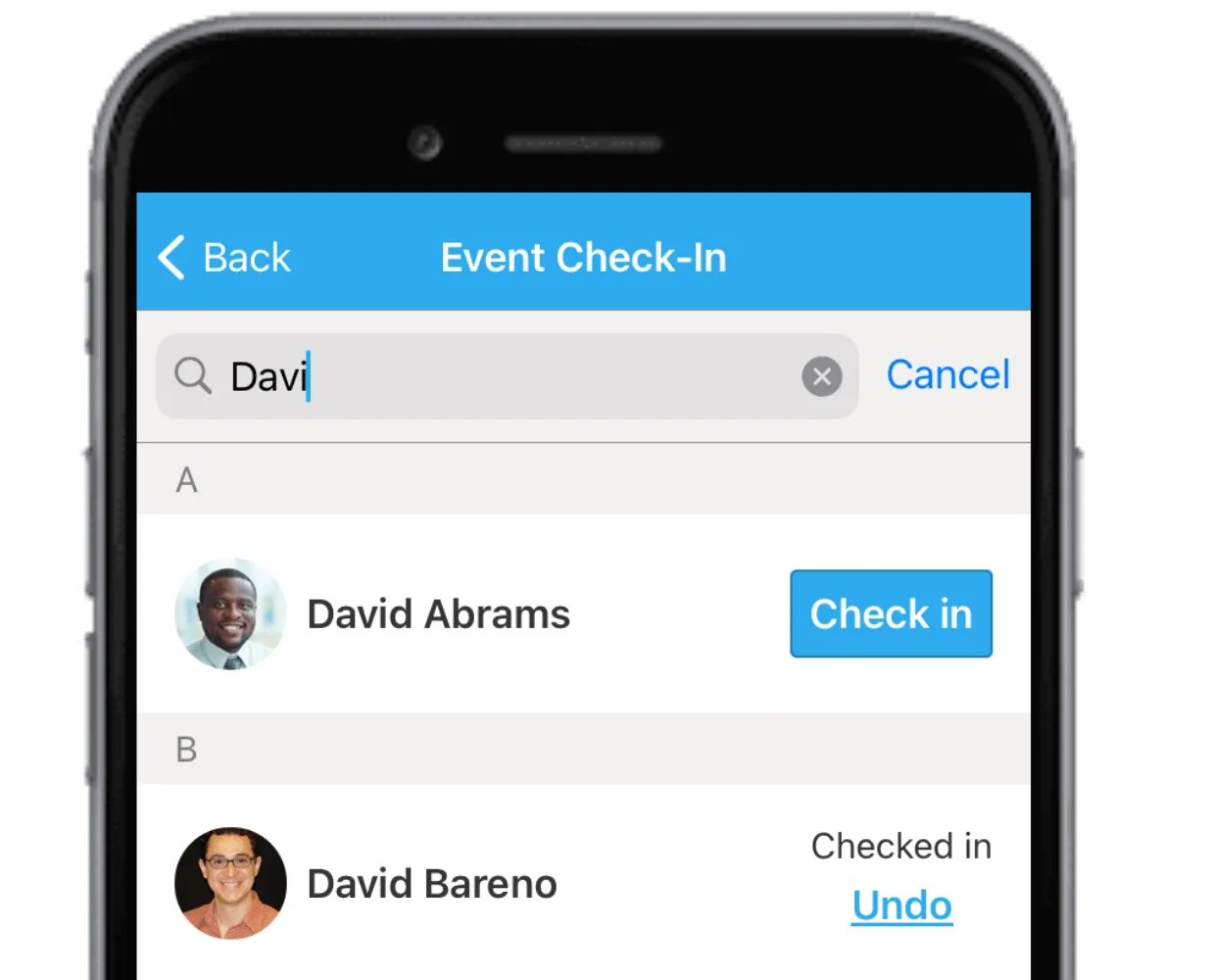
Whova is a full conference app where check-in is one feature among many. Its real strength is attendee networking, session Q&A, community boards, and sponsor engagement: the post-check-in experience.
Standout features: Attendee networking with profile matching and in-app messaging; digital agenda with session tracking and reminders; QR code check-in via staff, self-service kiosk, or attendee self-scan; instant badge printing at kiosks or via connected printers; real-time event analytics and attendance tracking; exhibitor and sponsor management portal.
Pricing: Custom pricing. Generally $1,000–$3,000+ per event depending on attendee count (reported). Annual plans required for full features.
Where it fits: Conference check-in for academic conferences, industry associations, and multi-day events where attendee-to-attendee networking is a primary value driver.
Limitations: Check-in is secondary to the networking features. Offline check-in is not documented. The attendee-facing features require attendees to download the Whova app, which adds friction. Self-service setup is limited; many plans require a sales conversation. See our Whova alternative comparison.
6. Attendium
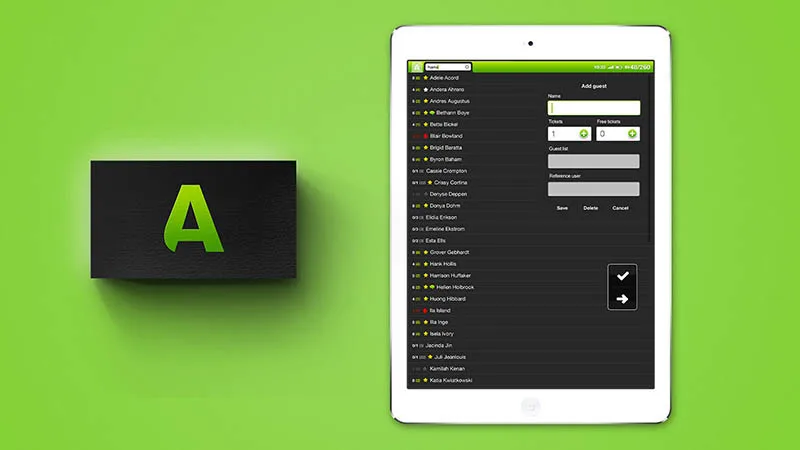
Attendium is a lightweight check-in app focused on simplicity. Search by name, list, or custom field. Check people in. Export the report. That's the core proposition, and for events that just need basic attendance tracking, it works.
Standout features: Search and check-in by name, list, or custom fields; unique QR codes per attendee; real-time attendance reports; guest list export for post-event reporting.
Pricing: Free tier available. Paid plans for larger events.
Where it fits: A lightweight check-in app for events such as small corporate events, training sessions, and meetings where you need attendance records without a full event platform.
Limitations: No badge printing, no kiosk mode, no session tracking. This is a check-in tool, not an event management platform. For events over a few hundred people, the feature set may feel thin.
7. Certain Check-In
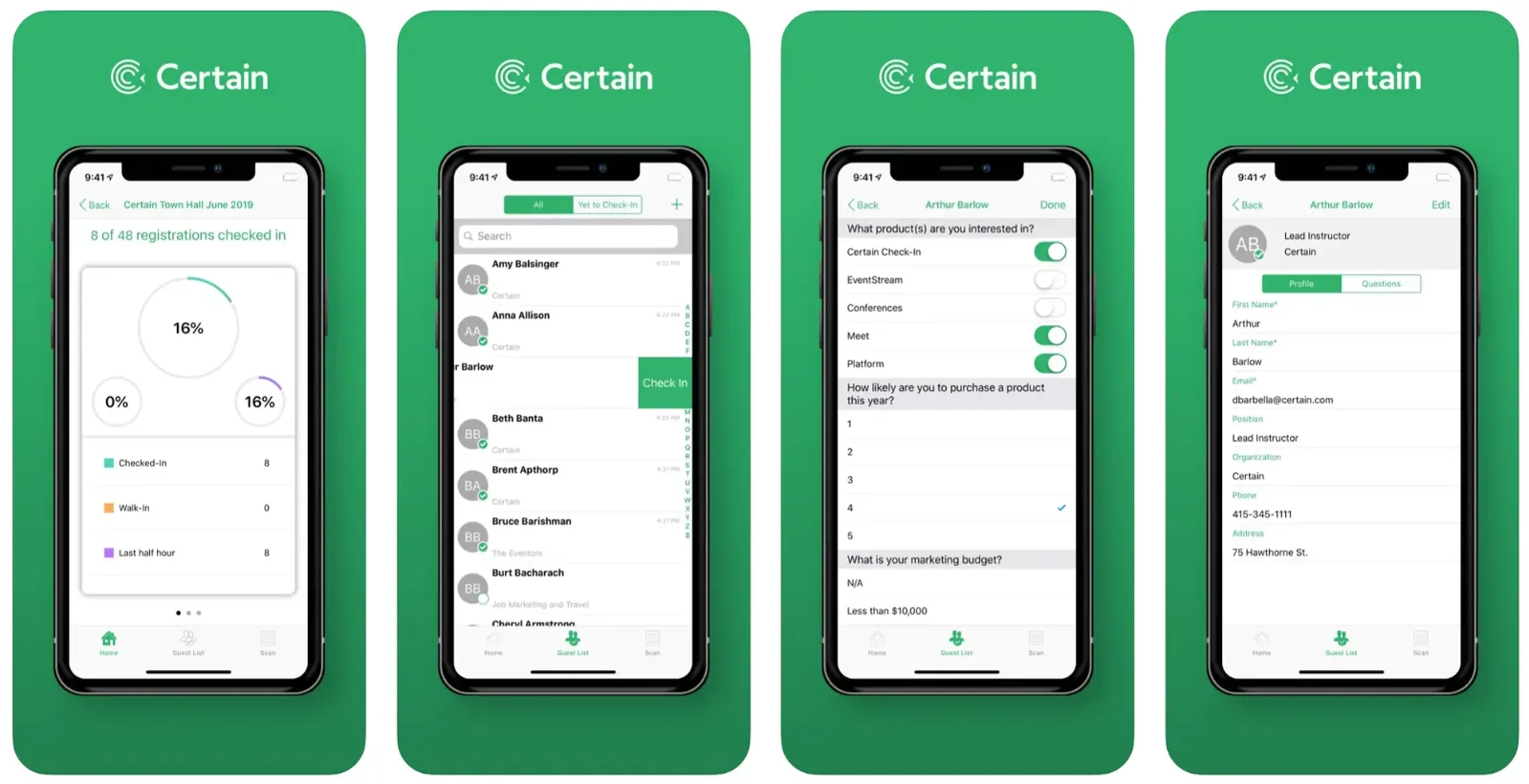
Certain offers check-in as part of a broader event management suite covering registration, engagement, data capture, and follow-up. The check-in tool integrates with the full platform, so attendee data flows through the entire event lifecycle.
Standout features: Multi-functional dashboard for all event operations; real-time SMS notifications when pre-identified VIP attendees arrive; personalized notes and checklists for post-event follow-up; integration with Touchpoint mobile app platform.
Pricing: Custom pricing. Not publicly listed.
Where it fits: Mid-size corporate events where the event check-in system needs to integrate tightly with registration and post-event workflows.
Limitations: The platform has limited API functionality and no native streaming capabilities. Abstract management and call-for-speakers features are not available. Users report low staff turnover in support (a positive) but some feature gaps compared to newer platforms.
8. Splash
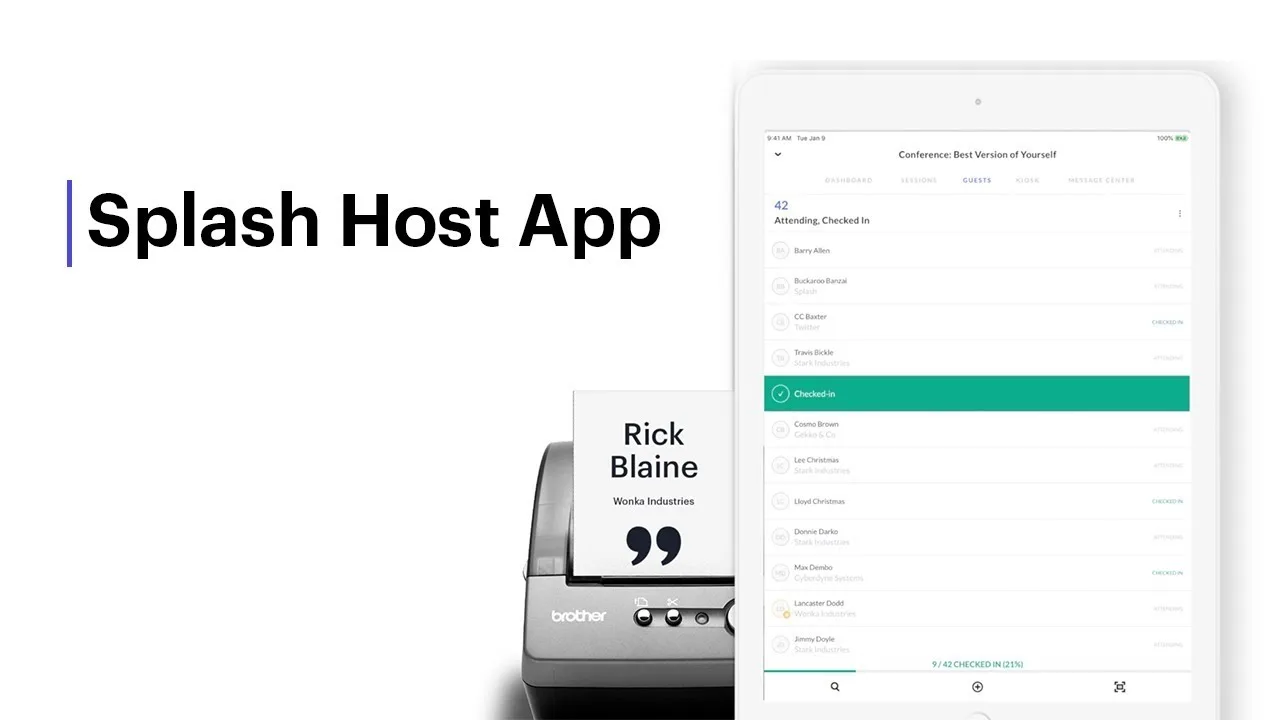
Splash (now part of Cvent) is an event marketing platform where check-in is one component of a brand-focused experience. Its real strength is event page design, email invitations, and RSVP management: the pre-event marketing flow.
Standout features: Branded event landing pages with strong design tools; RSVP management with guest tiers and waitlists; mobile check-in app with real-time check-in count across synced devices; on-site custom badge printing (Pro plan); integration with CRM and marketing automation (Salesforce, Marketo, HubSpot).
Pricing: Two plans, Pro and Enterprise, both priced on request. No free plan is currently listed. Phone support requires a paid support plan.
Where it fits: An event check-in platform for marketing teams running product launches, VIP dinners, field events, and brand activations where design polish and RSVP tracking matter more than on-site logistics.
Limitations: Check-in is guest-list management, not conference-grade throughput. No kiosk mode. Check-in across multiple devices can become challenging. Support response times are slower without a paid support plan.
9. Eventbrite
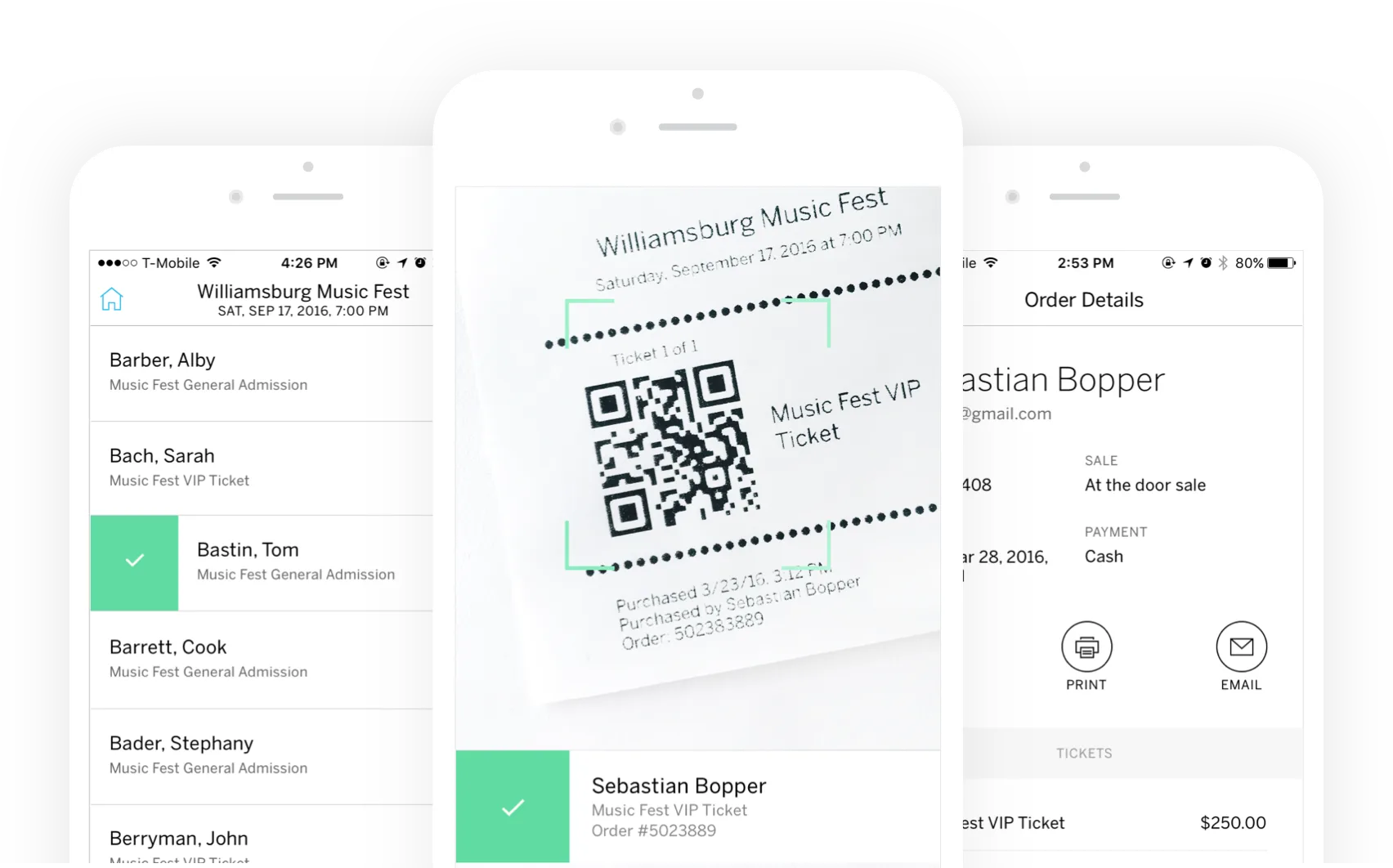
Eventbrite is the dominant platform for public ticketed events. Its check-in app is built around ticket validation: scan the QR code on the ticket, confirm it's valid, let them in. Simple and integrated with Eventbrite's ticketing and payment system.
Standout features: Custom tickets with unique QR codes for secure check-in; real-time analytics and attendee tracking; integrated ticketing and payment processing; marketplace discoverability (attendees find events on Eventbrite); the Eventbrite Organizer app turns any smartphone into a scanner, and a volunteer can be trained in about a minute.
Pricing: Free for free events. 3.7% + $1.79 per paid ticket on the basic plan (reported). Flex plan at ~$9.99/month caps fees. Professional plans available.
Where it fits: A mobile event check-in app for public-facing ticketed events: community gatherings, workshops, concerts, charity fundraisers, meetups. See our Eventbrite check-in alternative page.
Limitations: Check-in is basic. No on-demand badge printing, no kiosk mode, no walk-in registration workflow. Offline mode is not documented in Eventbrite's help center. The consumer-facing branding can feel off-brand for corporate events. Ticketing fees add up at volume; a $50 ticket carries roughly $3.64 in fees.
10. CrowdPass
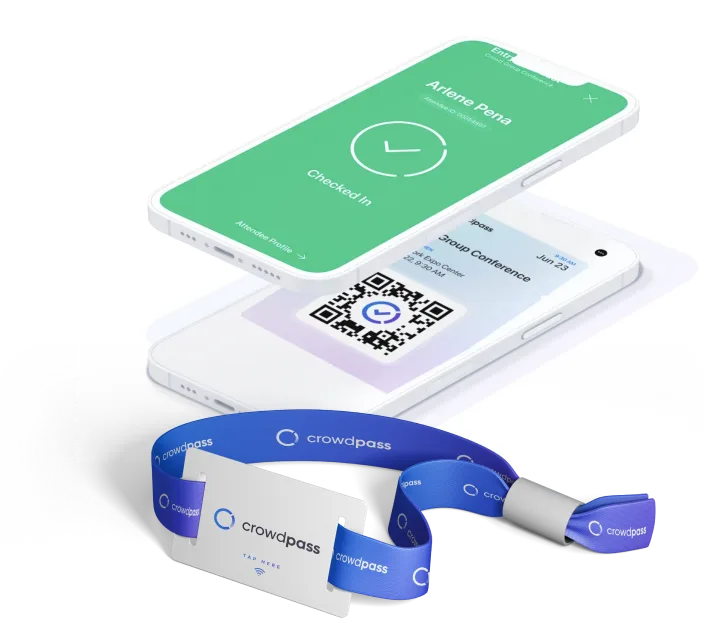
CrowdPass uses NFC and RFID technology for check-in and attendee tracking. Its differentiator is real-time location tracking: RFID floor maps and door frame antennas can show where attendees are within a venue.
Standout features: RFID floor maps and door frame antennas for real-time attendee tracking; automatic check-in via NFC wristbands or badges; no self-scan required; walk-through detection eliminates queues; real-time attendance data updated automatically.
Pricing: Custom pricing. Requires hardware rental for NFC/RFID infrastructure.
Where it fits: Large festivals, trade shows, and events where zone-based access control and hardware-based attendee check-in and real-time crowd tracking are requirements.
Limitations: Hardware-dependent. You need CrowdPass RFID infrastructure at the venue. No integration with most external registration systems. Setup requires working with CrowdPass directly. Cost is higher than software-only check-in solutions.
11. RingCentral Events (formerly Hopin)
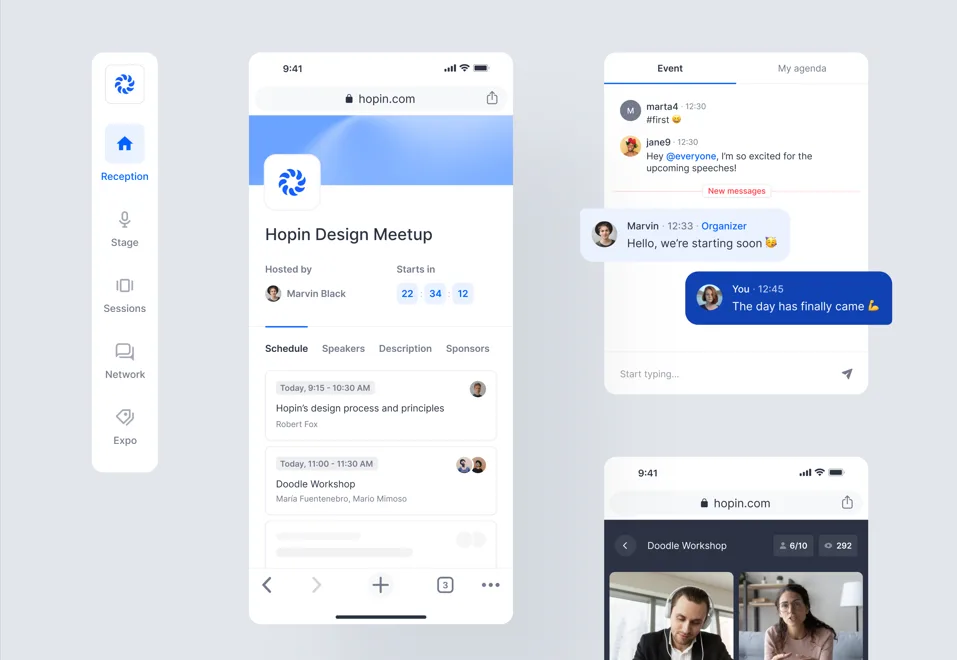
RingCentral Events built its name as Hopin, a virtual event platform, during 2020–2021. It now covers hybrid and in-person events, with check-in as one module of a broader virtual-first platform.
Standout features: Virtual event tools: expo halls, breakout rooms, live streaming; check-in areas and access control, kiosk mode (self check-in), and badge printing with a badge designer on Pro+ and Enterprise plans; real-time attendance tracking across virtual and physical sessions; session recording and video content management.
Pricing: Per organizer, billed annually: Events Pro $99/organizer/month (webinars and virtual events only); Events Pro+ $199/organizer/month (adds onsite features); Events Enterprise $299/organizer/month. Monthly billing is $119 / $239 / $359. No free plan; a 30-day free trial includes 10 organizer seats and 1,000 registrations.
Where it fits: Event check-in software for virtual and hybrid events, webinar series, and online conferences where the digital experience is the primary focus.
Limitations: On-site check-in tools are secondary to the virtual platform and are locked behind the Pro+ tier, which doubles the per-organizer price. Users report the platform has become more complex since the RingCentral acquisition.
12. Eventdex
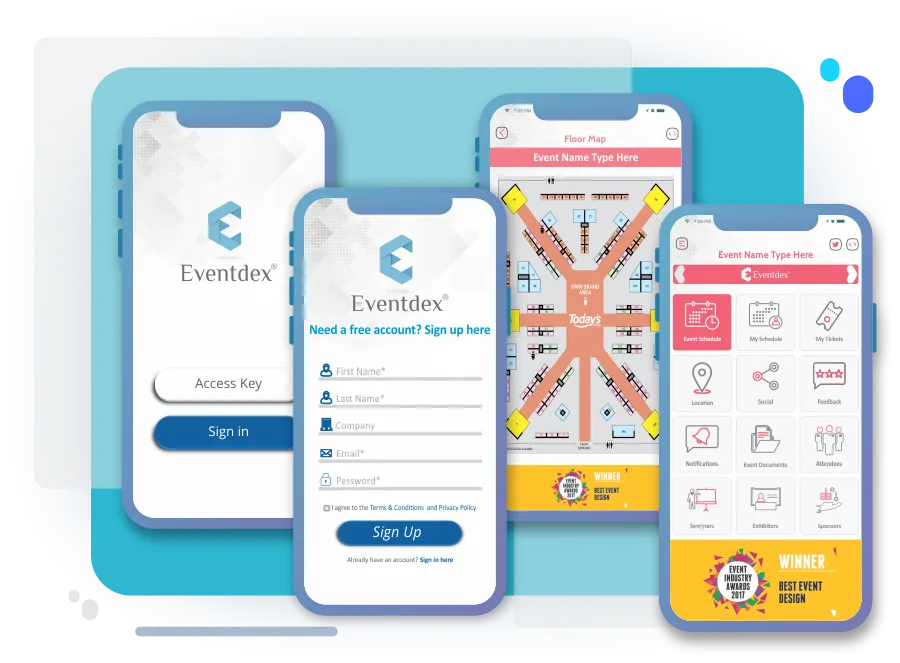
Eventdex covers ticketing, registration, check-in, and lead retrieval in a single platform. A useful feature: you can clone previously built event configurations for recurring events, and check-in lists update automatically.
Standout features: Quick attendee search by name for fast check-in; automatic attendance marking on the registration list; system cloning for recurring events; integration with previously used registration systems.
Pricing: Flexible pricing with no setup fees, no cancellation fees. Contact sales for specific packages.
Where it fits: An event check-in app for trade shows and recurring corporate events where cloning past configurations saves setup time.
Limitations: The breadth of features can overwhelm first-time users. The help section has limited self-help documentation. Navigation requires a learning curve, though support is responsive.
13. Stova
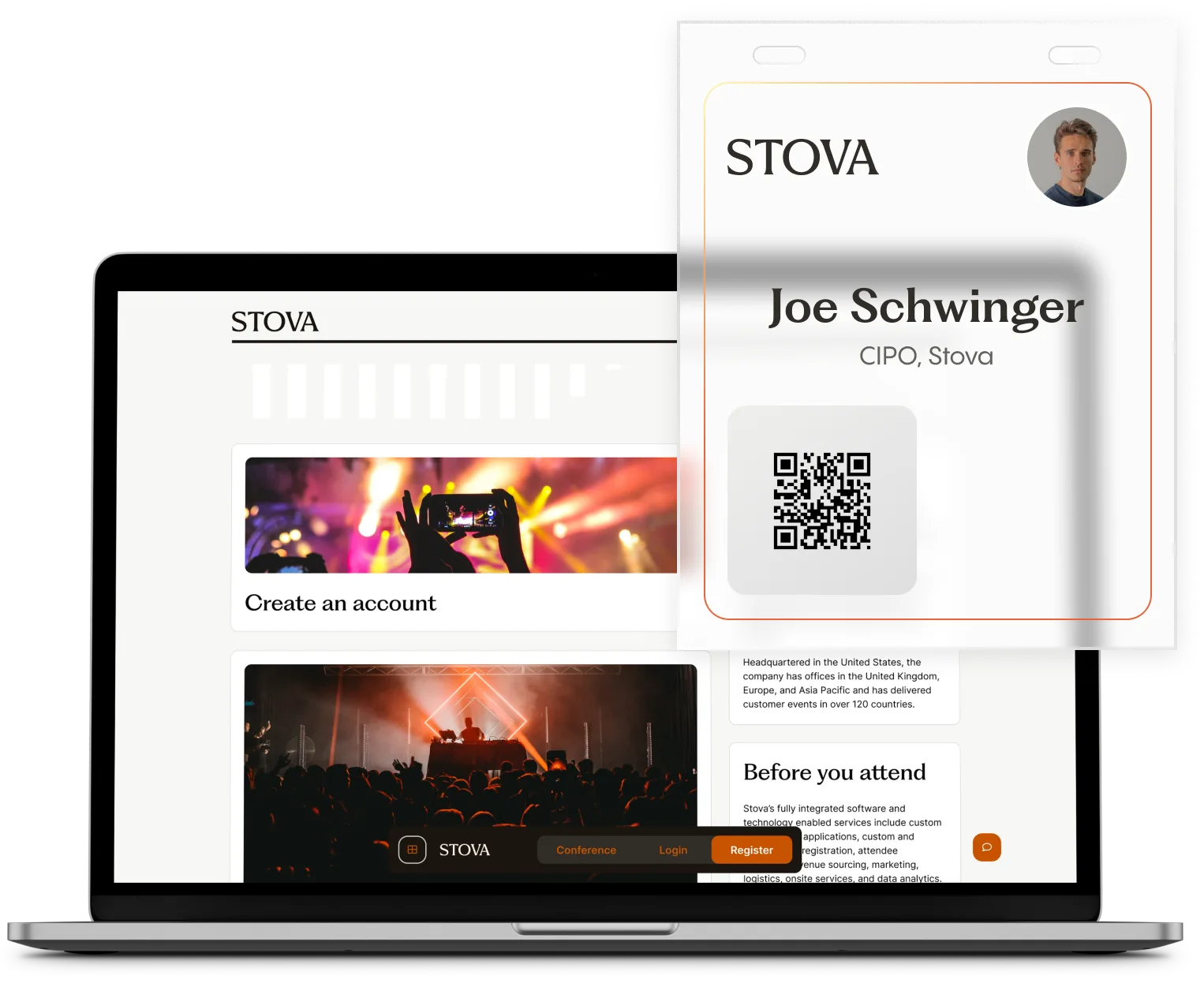
Stova (formerly Aventri + MeetingPlay) offers a mobile event app with check-in, session navigation, networking, and engagement tools. QR-based contactless check-in is the primary on-site feature.
Standout features: QR-based contactless check-in; real-time analytics dashboards; mobile app for event navigation and networking; session tracking and attendance certificates.
Pricing: Custom pricing. Not publicly listed.
Where it fits: Mid-market corporate events and association conferences that need a mobile event app alongside conference check-in.
Limitations: The platform has gone through multiple acquisitions (Aventri → MeetingPlay → Stova), and users report uncertainty about product direction. Customer support quality has varied since the merges. Payment integrations (particularly PayPal) have caused issues.
14. Event Farm
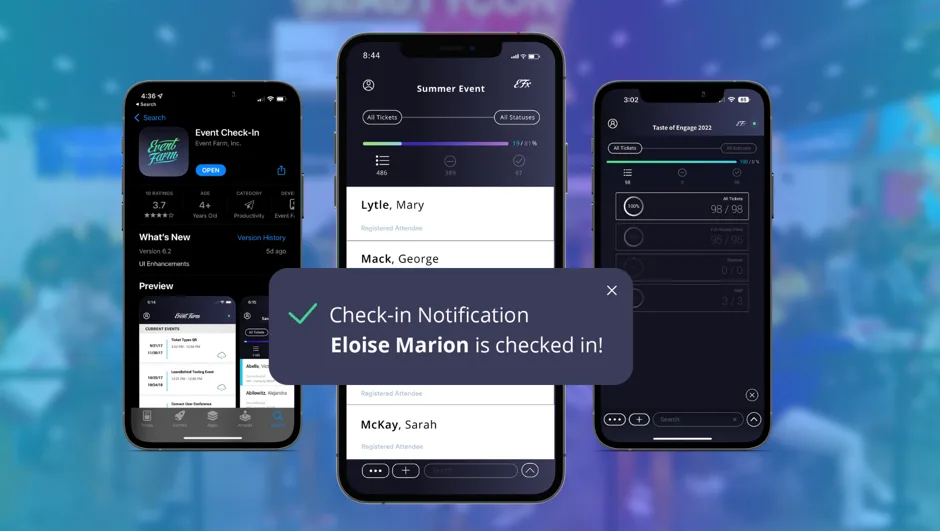
Event Farm is an event marketing platform covering registration, analytics, and check-in. Its distinguishing feature is on-site vinyl and PVC badge printing, a premium look compared to standard thermal badges (see our badge size guide for standard formats).
Standout features: Real-time sync of registration data across all devices; welcome text messages to attendees upon check-in; on-spot walk-in addition; vinyl and PVC badge printing for premium events.
Pricing: Custom pricing. Higher than standard check-in tools due to premium badge materials.
Where it fits: An event check-in system for brand activations, executive events, and any event where badge quality is part of the attendee experience.
Limitations: The premium badge printing adds cost. Users report low click-through rates on check-in communications and limited post-event analytics. The design functionality is less flexible than some alternatives. Pricing is above average for the category.
15. EventX
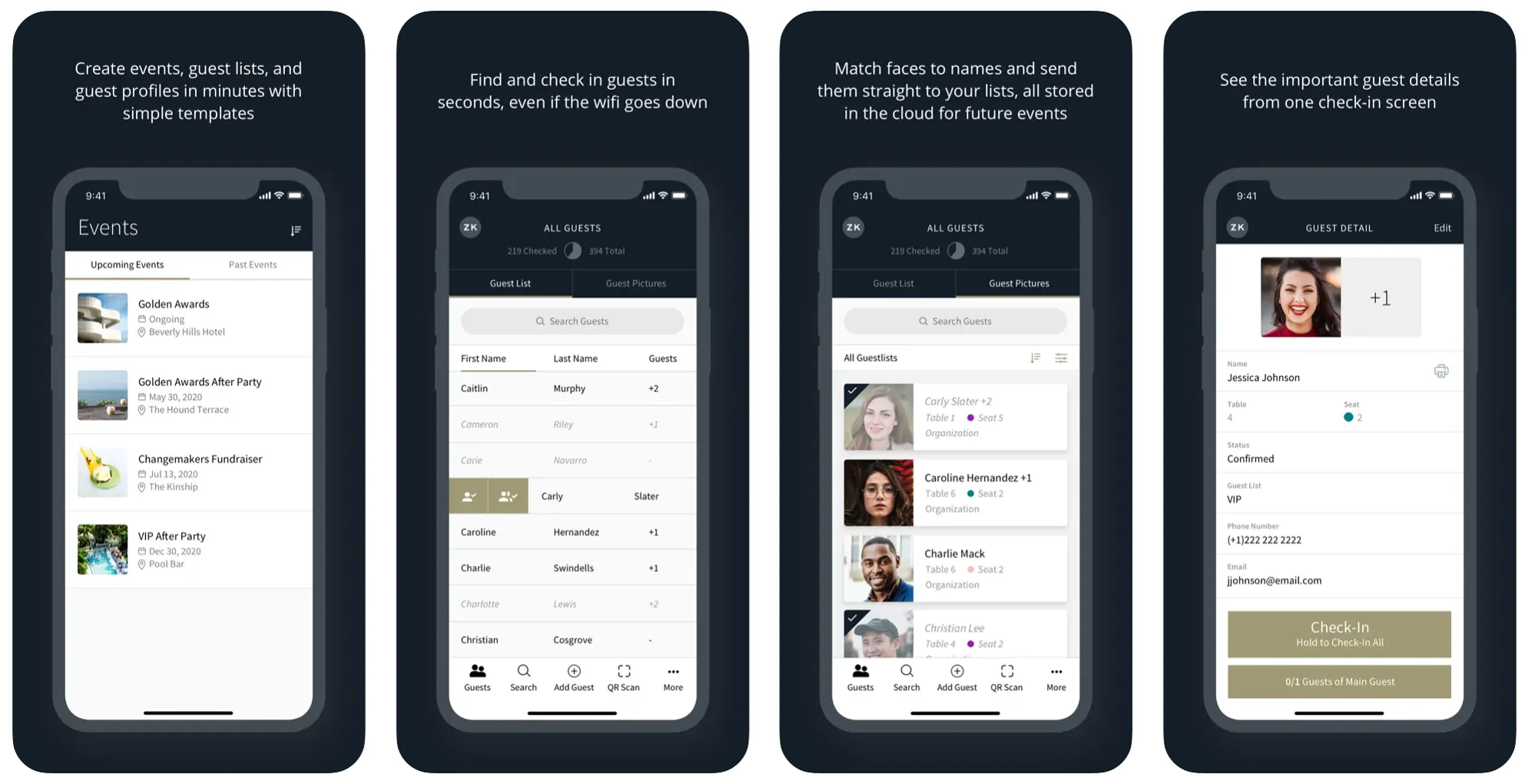
EventX is an APAC-focused event platform with QR check-in, face ID verification, self-service kiosks, and on-demand badge printing. It's one of the few platforms on this list with facial recognition as a check-in option.
Standout features: Multiple check-in methods: QR code, Face ID, name search, self-service kiosk; on-demand badge printing (via iPad + portable printer setup); mobile event app with agenda and networking; strong presence in Asia-Pacific markets.
Pricing: Custom pricing. Not publicly listed.
Where it fits: Event check-in software for APAC-based conferences and corporate events, particularly those that want facial recognition as a check-in option.
Limitations: Magic link registration can confuse attendees who don't complete the flow, requiring manual list imports. Multiple steps required for calendar integration with corporate email. Management features could be more intuitive.
16. OneTap
OneTap is exactly what it sounds like: a focused application designed solely to track attendance. It bypasses the features of full event platforms to deliver a fast, dedicated check-in tool for organizers who just need to know who walked through the door.
Standout features: Fast setup: create an event, upload a spreadsheet of attendees, and start scanning in about 15 minutes; Apple Wallet passes issued directly to attendees for QR check-in at the door; iPad Kiosk app and web kiosk for self check-in; check-in via the iOS app, kiosk, or a shareable QR code / check-in link.
Pricing: Free Forever plan (20 unique visitor profiles). Standard $49.99 per month and Pro $69.99 per month, both billed yearly.
Where it fits: A simple check-in app for events that only need attendance tracking: recurring classes, internal training, and small networking events.
Limitations: Because OneTap is strictly attendance-focused, it is light on event-management features. If your event requires complex ticketing logic, integrated payments, or on-demand corporate badge printing, you will quickly outgrow it.
17. RSVPify

RSVPify started as a digital invitation tool and has evolved into an end-to-end event platform favored by galas, corporate parties, and nonprofits. It is designed to take an attendee from the initial email invite all the way to the front door.
Standout features: Unified guest management: dietary restrictions and custom questionnaire answers submitted during registration are visible to door staff; Check-in Suite with QR scanning, search-based lookup, and real-time attendance tracking; ticketing, donations, and badge printing (beta) on supported Brother printers or PDF badge templates.
Pricing: Free plan for up to 100 guests (no check-in). Starter $39/month ($24/month billed annually) also excludes check-in. Event check-in starts on Plus at $125/month ($89/month billed annually) with 500 check-in credits and 3 day-of door staff; Professional $409/month ($299 annually) raises that to 2,000 credits and 4 staff; Enterprise (custom) adds unlimited credits, custom staff counts, and the self check-in kiosk.
Where it fits: An event check-in platform bundled with registration, especially galas, dinners, and corporate parties where table assignments and meal preferences matter more than badge speed.
Limitations: Check-in is one module of a larger RSVP system and only unlocks on the Plus tier and above. Door staff are capped at 3–4 below Enterprise, and the self check-in kiosk is Enterprise-only. If you already use a different registration tool and simply want a hardware-integrated system for the door, RSVPify may not be the optimal fit.
Attendee check-in: self-service vs staffed desks
A key operational decision in on-site event check-in is whether to run fully staffed entry desks, self-service tablet kiosks, or attendee self-check-in through a mobile app.
Staffed scanning desks keep attendee check-in in human hands and offer a high-touch experience suited to VIP arrivals and complex badge handling, but they need more volunteers and create queues if not scaled to the arrival curve.
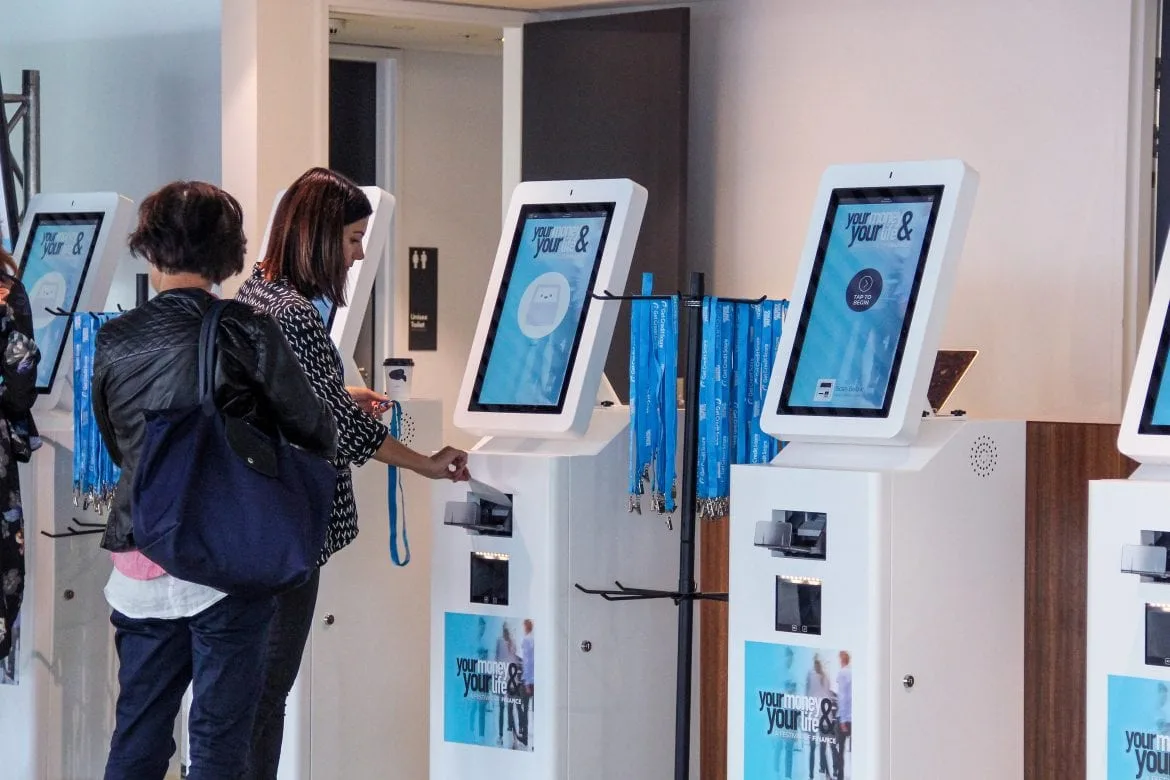
Self-service iPad kiosks move attendee check-in off the desk and divert heavy traffic quickly. With a setup like Micepad's SmartKiosk, an attendee walks up to a locked iPad, scans their own QR code or searches their name, and collects an instantly printed badge. This cuts headcount while speeding up entry; our event kiosk setup guide covers hardware, stands, printers, and throughput planning.
Attendee self-check-in through a mobile event check-in app (the Whova model) asks attendees to scan in from their own phone. It is convenient for post-check-in networking and community engagement, but adds friction at the door if guests haven't installed the app before they arrive.
Also worth knowing
Two more platforms come up regularly in evaluation conversations, even though they are positioned outside the core check-in category.
Bizzabo
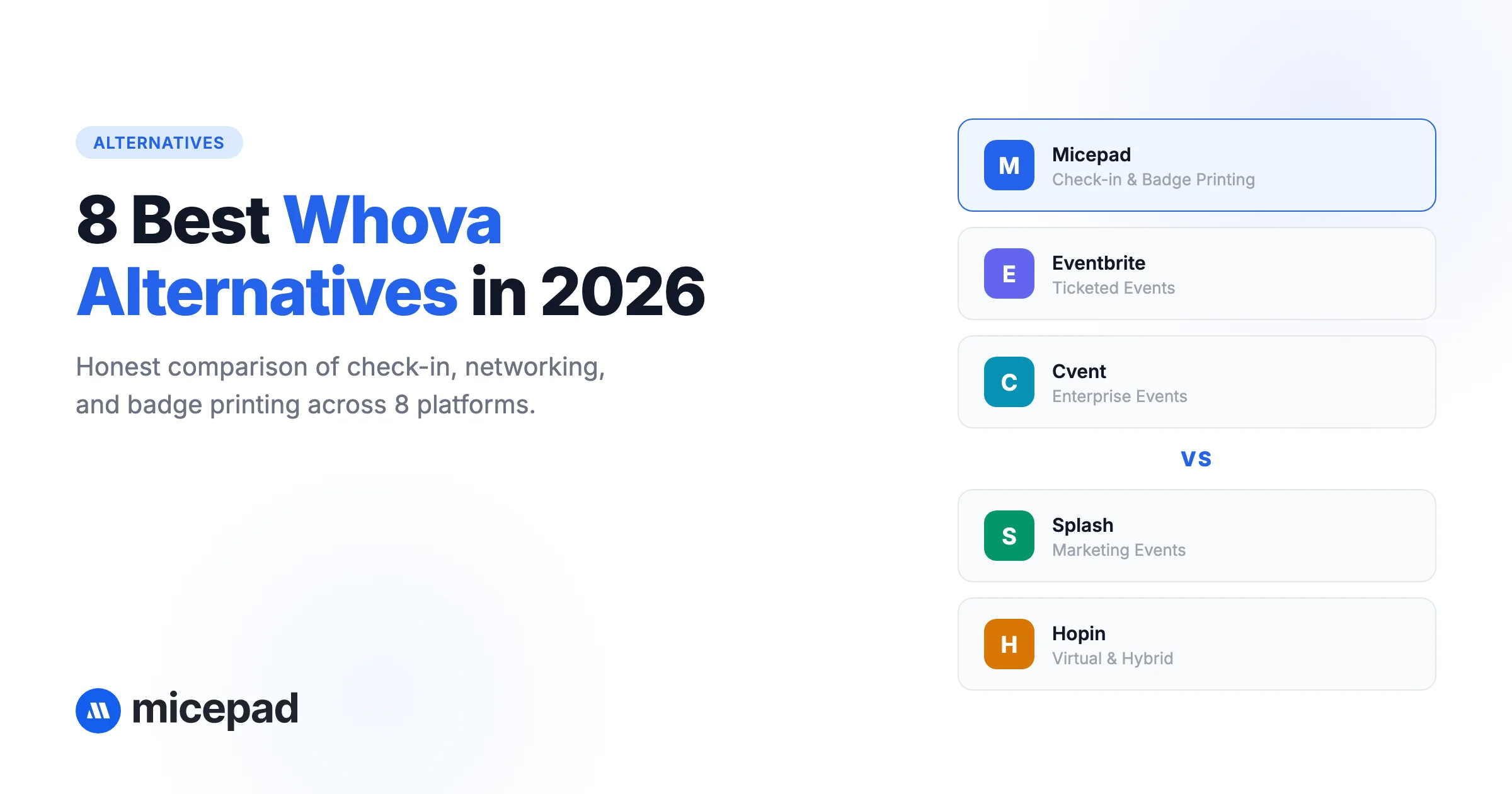
Bizzabo is an enterprise event platform covering registration, event websites, email marketing, session management, exhibitor portals, and analytics, with check-in as one module of a broader system. The CRM integrations (Salesforce, HubSpot, Marketo) are genuinely useful for enterprise teams where event attendance data needs to flow into sales and marketing workflows automatically. Bizzabo also acquired Klik, whose smart badges allow passive session tracking and let attendees exchange contact details by tapping badges together on the floor. Implementation takes weeks, not hours, and pricing is enterprise-level. Best for companies running a coordinated event program across multiple events, geographies, and teams. See our Bizzabo alternative page.
Zkipster
Zkipster is a guest management and check-in platform built for high-end events: galas, awards ceremonies, charity dinners, fashion events, and VIP brand events. Its focus is managing a curated, invited guest list with precision: RSVP tracking, seating charts, table management, and multi-door companion apps. Not designed for open registration, walk-ins, or badge printing. Pricing starts around $199 per event (reported). Best for galas and exclusive events with pre-screened guest lists.
How to choose the right check-in app
The right event check-in app depends on what your event actually requires, not which platform has the longest feature list. If you need the wider platform, not just the door, see event management software compared.
If badge printing matters: Micepad and EventX have native, integrated on-demand badge printing built around the check-in flow. Whova, Splash (Pro), RingCentral Events (Pro+) and RSVPify (beta) now offer badge printing as part of a larger platform. Cvent offers it through hardware partnerships at enterprise pricing.
If you need virtual or hybrid: RingCentral Events and vFairs are purpose-built for this. CrowdPass handles physical access control with RFID if your hybrid event needs zone tracking.
If budget is tight: Micepad, Attendium, OneTap, and Eventbrite each offer a free event check-in app tier. Micepad's free tier is the most capable for professional events; it includes QR check-in and badge printing for events up to 50 attendees.
If you are running a ticketed public event: Eventbrite. The integrated ticketing and marketplace discoverability are unmatched for consumer-facing events.
If enterprise features matter more than check-in: Cvent or Bizzabo. Both require significant budget and implementation time, but handle the full event lifecycle for large organizations.
If you are running a VIP or gala event: Zkipster is purpose-built for curated guest lists, seating, and discreet check-in. RSVPify also bundles RSVP collection and door entry.
If design and branding matter most: Splash. Its event page builder and invitation tools are the most polished in this category.
Which check-in app fits your event type
Large conferences and trade shows: Conference check-in at scale needs hardware integration, rapid processing, offline reliability, and multi-device sync. Micepad fits here with its ~2.8s average check-in, SmartKiosk setups, and native Zebra/Brother printer integration. With an enterprise budget and complex logistics, Cvent or Bizzabo are the traditional premium alternatives.
Galas, dinners, and VIP events: High-speed badge printing matters less than table assignments, plus-ones, and meal preferences. RSVPify and Zkipster let door staff see table numbers and dietary notes as guests arrive.
Consumer festivals and public workshops: Low friction and discoverability win. Eventbrite is the standard for simple ticket scanning, assuming you don't need corporate name badges on site.
Recurring classes or simple attendance: For internal training or a small networking night where you just need to know who showed up, OneTap or Attendium give you a fast, no-frills QR scanner.
The check-in desk is a 15-minute window that shapes the entire event experience. Spending time choosing the right tool for that window is worth it.
Free event check-in apps: what you actually get
Several platforms advertise a free event check-in app, but the limits differ. Here is what the free tiers in this guide include:
| App | Free tier | Main limitation | iPad kiosk on free tier |
|---|---|---|---|
| Micepad | Free for events up to 50 attendees | Attendee cap; larger events move to per-event plans | Yes |
| OneTap | Free Forever plan | 20 unique visitor profiles | Yes |
| Attendium | Free tier | Basic attendance lists; no badges or kiosk | No |
| Eventbrite | Free for free events | Paid tickets incur per-ticket fees; check-in is basic | No |
| RSVPify | Free up to 100 guests | No check-in on the free plan (starts on Plus) | No |
Splash and RingCentral Events no longer list a free plan; RingCentral Events offers a 30-day trial instead.
Frequently asked questions
What is the best free event check-in app?
For professional events, Micepad is the best event check-in app with a free tier: it covers QR check-in, walk-in registration, and badge printing for events up to 50 attendees. OneTap's Free Forever plan works for small attendance-only use cases. Eventbrite is free only for free events, and its check-in features are basic. Attendium also has a free tier suited to small attendance lists.
Do event check-in apps work offline?
Not all of them. Micepad and Cvent have documented offline modes. Whova, Bizzabo, and Eventbrite do not document offline check-in. If your venue has unreliable WiFi, which most venues do during peak arrival, prioritize apps with proven offline support.
Can I print badges with an event check-in app?
Micepad and EventX integrate on-demand badge printing directly into the check-in workflow. Whova, Splash (Pro plan), and RingCentral Events (Pro+ plan) include badge printing within a broader platform, RSVPify offers it in beta, and Cvent supports it via hardware partnerships, which adds cost and setup time. Most other tools on this list do not print badges.
How much does event check-in software cost?
Event check-in software costs vary widely. Micepad is free for small events, with paid plans from USD $300 per event. OneTap starts at $49.99 per month; RSVPify's check-in starts on its $125 per month Plus plan; RingCentral Events starts at $99 per organizer per month (with onsite features from $199). Eventbrite charges per ticket. Whova, Bizzabo, Cvent, and Splash use custom pricing with annual contracts. Zkipster is priced per event starting around $199. For most mid-size corporate events, Micepad's per-event pricing is significantly lower than the enterprise alternatives.
What is the difference between an event check-in app and a full event management platform?
A check-in app focuses narrowly on getting attendees through the door: QR scanning, badge printing, walk-in handling, and live attendance reporting. A full event management platform covers the entire lifecycle: marketing, registration, ticketing, the event app, sessions, networking, sponsors, and post-event analytics. For most operational events, a focused check-in tool delivers a faster, cleaner experience than a heavy platform where check-in is one of fifty features.
What is event check-in?
Event check-in is the process of verifying an attendee's registration at the venue, recording their arrival, and issuing credentials such as a name badge. It is the first touchpoint of the on-site experience, and our event check-in best practices guide covers how to keep it fast.
Do guests need to download an app to check in?
Usually not. Guests present a QR code from a confirmation email or a digital wallet pass, and only organizers and door staff run the check-in app. Platforms built around attendee networking, such as Whova, encourage attendees to install the event app, but it is rarely mandatory just to get through the door.
What is a good average check-in time per attendee?
Under 3 seconds from scan to confirmed entry is a good target. Anything over roughly 4 seconds per attendee creates bottlenecks during peak arrival (more benchmarks in our event check-in statistics). Micepad averages about 2.8 seconds per check-in.
What is the best ticketing app for events?
The best event ticketing app depends on your event format, budget structure, and whether you are an organizer or a buyer.
For event organizers (hosting events)
- Best for B2B & corporate conferences: Micepad handles professional events with multi-tier ticket sales, customized registration workflows, and automated QR-code email confirmations that link directly to rapid on-site badge printing.
- Best for social & independent events: Partiful operates like a social network for parties, allowing guests to see who is attending, RSVP via text, and invite friends.
- Best for low fees & customization: Ticket Tailor is preferred by independent organizers and mid-size venues for its flat per-ticket pricing and white-label checkout flow without heavy platform branding.
- Best for nonprofits: Zeffy is 100% free for registered nonprofits, bypassing standard transaction fees by utilizing an optional donor-tip model.
- Best for public discovery: Eventbrite lists your event on a massive public marketplace to drive organic ticket sales, though its service and processing fees are significantly higher.
For ticket buyers (attending events)
- Best for no service fees: TickPick guarantees $0 hidden buyer fees at checkout for concerts, sports, and theater tickets.
- Best for last-minute deals: Gametime specializes in mobile-friendly, heavily discounted tickets for live entertainment right before the event starts.
- Traditional standard: Ticketmaster holds the primary inventory for major stadium tours and global shows, but expect high service and dynamic pricing fees.
What is the best app to check-in clients?
The optimal check-in app depends entirely on your industry setting and expected door traffic.
Top client check-in apps by use case
- Corporate events & conferences: Micepad is engineered for high-volume entry, featuring 2.8-second QR code scanning, self-service iPad kiosks, unbreakable offline modes, and on-demand badge printing for professional B2B events.
- Gyms and fitness studios: OneTap provides fast digital roll calls, Apple Wallet passes, and simple visitor tracking. Mindbody is the industry standard if you require full booking, payment processing, and staff management alongside check-in.
- Marketing events & galas: Splash delivers rapid guest list syncing, branded VIP flows, and real-time attendance analytics. RSVPify offers unified guest management where dietary restrictions or custom data are instantly visible to door staff.
- Walk-in businesses & salons: WaitQ and WaitWell digitize the waiting room, handling client queues, SMS text notifications, and dynamic waitlists smoothly.
- Office lobbies & appointments: Envoy and SwipedOn secure front desks with daily visitor management, digital NDA signing, automated host notifications, and repeat visitor recognition.
What is the difference between an event check-in app and event check-in software?
An event check-in app is the mobile application on a phone or tablet that scans QR codes at the door. Event check-in software is the wider system behind it: the attendee database, real-time sync across entrance devices, offline caching, reporting, and integrations with registration platforms and badge printers. Most vendors in this guide provide both.
The check-in desk is a 15-minute window that shapes the entire event experience, and the right event check-in app for that window is worth choosing carefully. Start free with Micepad for events up to 50 attendees, or contact us for a demo to see high-speed kiosk check-in and badge printing in action.
Not sure which alternative fits your event?
Browse our side-by-side comparisons vs Whova, Bizzabo, Cvent, and more — or talk to our team.