Introducing Micepad Agents — AI that runs your event ops. Meet the agents

Best Event Check-In Apps in 2026 (Tested & Compared)

Micepad Team 14 min read
1,000+
Events powered
500K+
Attendees Engaged
2.8s
Avg check-in time
APAC
Regional coverage
Best Event Check-In Apps in 2026 (Tested & Compared)

You've spent six months planning the perfect event. The speakers are prepped, the catering is immaculate, and the stage looks incredible. But right now, none of that matters, because your attendees are stuck in a 45-minute line wrapping around the venue lobby.

The venue Wi-Fi is crawling. A VIP's name is mysteriously missing from the printed spreadsheet. Your staff is frantically scrolling through an Excel file on a cracked phone screen while frustrated guests check their watches.

If you organize events, you know the check-in desk is where the first impression is forged—and where it most often falls apart.

To fix this, you need a professional event check-in app. Not just a basic barcode scanner bolted onto a ticketing platform, but a robust event check in system built for speed, offline reliability, and real-time syncing. We evaluated the current landscape of event check-in software to help you find the right tool for your specific operations in 2026. Whether you are running a 50-person seminar or checking in 15,000 attendees across a multi-day tradeshow, this guide breaks down the best event check-in apps on the market based on actual on-site performance.

How we evaluated these check-in apps

Before looking at specific vendors, you need to know how to judge an event check in system. The difference between a consumer-grade scanner and professional event check-in software comes down to how it handles the realities of a live event floor.

We evaluated the platforms on this list using the following operational criteria:

Check-in Speed: How many seconds does it take from QR scan to successful entry? Every second counts at the door. Anything over 4 seconds per attendee inevitably creates bottlenecks and lobby congestion.

Offline Mode: Venue Wi-Fi is notoriously unreliable, especially when thousands of smartphones hit the local tower at the same time. The best event check-in apps continue scanning and caching data locally, automatically syncing to the cloud the second a connection is restored.

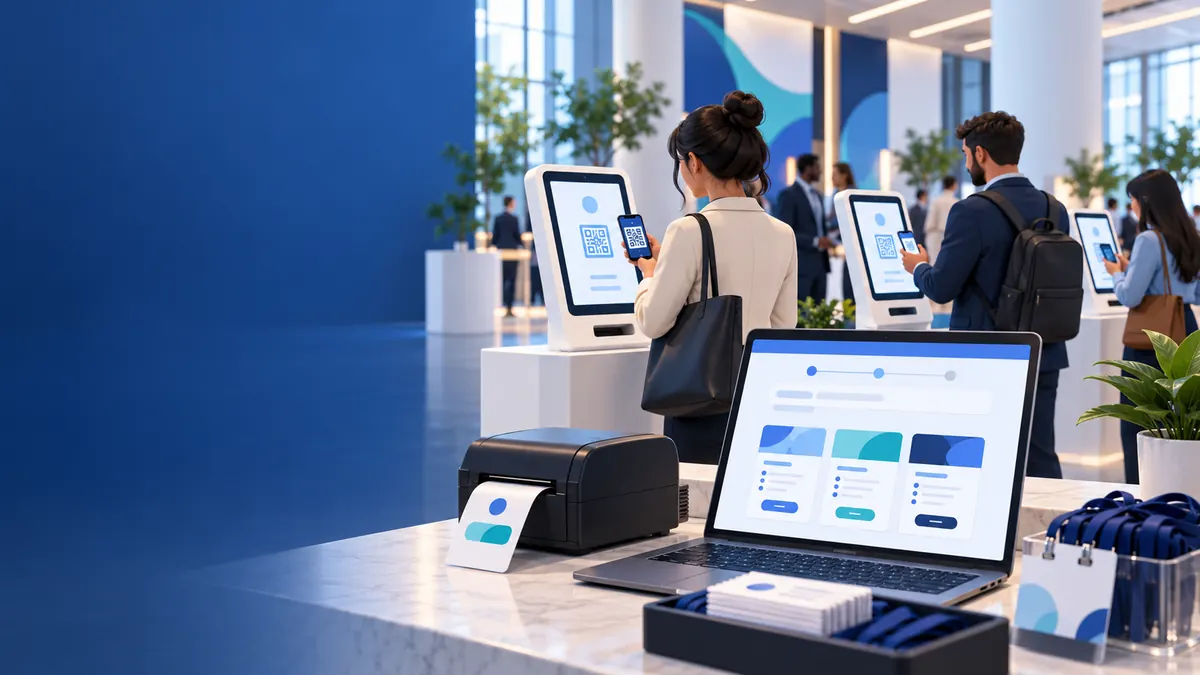
Self-Service Kiosks: Can the software convert an iPad into a self-service check-in terminal? Kiosks allow you to divert traffic away from fully staffed desks and reduce your overall headcount.

On-Demand Badge Printing: Pre-printing name badges is a logistics nightmare that results in wasted materials for no-shows and forces staff to dig through alphabetized lanyards. We looked for software that integrates directly with professional printers to print personalized name badges instantly upon scan.

Multi-Device & Staff Syncing: If you have 10 volunteers at 10 different entrances, a check-in at Door A must instantly reflect on the device at Door B to prevent duplicate ticket sharing or capacity breaches.

Real-Time Reporting: Event organizers need a live dashboard. You should be able to see exactly how many people have arrived, which VIPs are currently in the building, and identify peak arrival times to reallocate staff.

Pricing Transparency: Is the pricing model clear, or is it hidden behind opaque enterprise sales calls? We evaluated whether the tools charge per scan, per event, or via an annual subscription.

Ease of Setup: Event volunteers often cancel or change at the last minute. You need an app that is intuitive enough to train a new staff member in under five minutes.

Scale: A lightweight app that works perfectly for 100 people will often freeze or crash when searching a database of 10,000 rows. We evaluated database limits and large-scale deployment capabilities.

The best event check-in apps in 2026 at a glance

App Best For Standout Feature Offline Badge Print Free Tier Starting Price
Micepad APAC events & large-scale conferences ~2.8s scan-to-print speed Yes Yes Yes Custom / Contact Sales
OneTap Simple, fast attendance tracking Apple Wallet integration No* No Yes from ~$19.99/mo*
RSVPify Bundling registration + check-in Unlimited door staff No Yes Yes from ~$39/mo (check-in on Plus tier)*
Cvent Enterprise logistics Deep ecosystem integration Yes Yes No Contact Sales
Whova Attendee networking Built-in engagement app Yes Yes No Contact Sales
Eventbrite Public ticketed events Seamless consumer app No No Yes Pay-per-ticket
Bizzabo Enterprise tech conferences Wearable tech integration Yes Yes No Contact Sales

* Pricing and free tiers listed above change frequently — verify current terms on each vendor's website before publishing.

1. Micepad

Best for: APAC events and large-scale conferences.

Micepad is engineered specifically for scale, speed, and reliability in high-stakes environments. If you are running an event where long lines are unacceptable and venue internet is a question mark, Micepad provides enterprise-grade infrastructure without the brutal enterprise learning curve.

Strengths:

  • Blistering Check-In Speed: Averaging an incredibly fast ~2.8 seconds per check-in, Micepad allows you to move massive crowds efficiently and eliminate lobby choke points.

  • Unbreakable Offline Mode: Drops in venue Wi-Fi won't halt your event. Micepad securely caches check-in data locally on the device (no Wi-Fi needed) and automatically syncs across your multi-device network the moment the connection returns.

  • Integrated On-Demand Badge Printing: Native integrations with professional printers (like the Zebra ZD421 and Brother QL-820NWB) mean attendees get a freshly printed badge instantly upon scanning.

  • Massive Scalability: Built on MongoDB, Micepad easily scales to 10,000+ attendees. It has reliably powered simultaneous check-ins for 15,000+ attendees distributed across 10 different APAC cities.

  • Self-Service SmartKiosks: Organizers can lock iPads into a dedicated SmartKiosk mode for frictionless, staff-free entry.

  • Accessible Free Tier: The platform is entirely free to use for events with up to 50 attendees.

Limitation:

Micepad is a comprehensive event management platform. If you literally only need a basic barcode scanner for a 10-person internal staff meeting with zero other features, the robust feature set might be more than you need.

2. OneTap

Best for: Simple, fast attendance tracking.

OneTap is exactly what it sounds like: a highly focused, streamlined application designed solely to track attendance. It bypasses the bloated features of full event platforms to deliver a fast, dedicated check-in solution for organizers who just need to know who walked through the door.

Strengths:

  • Lightning-Fast Setup: An organizer can create an event, upload a spreadsheet of attendees, and start scanning in about 15 minutes. It is remarkably intuitive.

  • Apple Wallet Passes: OneTap allows organizers to issue digital passes directly to attendees' Apple Wallets, making the QR code check-in process seamless at the door.

  • iPad Kiosks: You can easily set up an iPad as a self-service check-in kiosk where attendees simply scan their own QR codes upon arrival.

Limitation:

Because OneTap is strictly attendance-focused, it is lighter on full event-management features. If your event requires complex ticketing logic, integrated payments, or advanced on-demand corporate badge printing, you will quickly outgrow its capabilities.

3. RSVPify

Best for: Events bundling registration and check-in together.

RSVPify started as a digital invitation tool and has since evolved into an end-to-end event platform heavily favored by galas, corporate parties, and non-profits. It is designed to take an attendee from the initial email invite all the way to the front door.

Strengths:

  • Unified Guest Management: Because the check-in system is deeply tied to the initial RSVP process, data flows seamlessly. Dietary restrictions and custom questionnaire answers submitted during registration are immediately visible to door staff.

  • Unlimited Door Staff: RSVPify doesn't penalize you for having a large volunteer team. You can add unlimited door staff to scan tickets simultaneously without paying for extra software seats.

  • Ticketing, Payments, and Badge Printing: Organizers can manage paid tickets, collect donations, and utilize basic on-site badge printing features directly from the platform.

Limitation:

RSVPify is broadly an RSVP and registration platform, meaning check-in is just one module of a larger system. If you already use a different tool for your registration and are simply looking for an aggressive, hardware-integrated event check in system to deploy at the door, RSVPify may not be the optimal fit.

4. Cvent

Best for: Enterprise organizations with complex logistics.

Cvent is the behemoth of the event technology industry. When Fortune 500 companies run massive, multi-hotel global summits with highly complex session tracks and compliance requirements, they default to Cvent.

Strengths:

  • Deep Feature Set: Cvent's OnArrival app integrates seamlessly with its massive backend ecosystem. It easily handles incredibly complex multi-session tracking, VIP arrival routing, and Continuing Education Unit (CEU) credit logging.

  • Advanced Hardware Support: Cvent offers robust support for heavy-duty, high-volume badge printing, RFID/NFC scanning, and specialized hardware rentals for massive convention centers.

Limitation:

Cvent is complex, enterprise-oriented, and highly expensive. The pricing is gated behind sales calls, and the platform's sheer size means the learning curve is steep. You cannot simply download Cvent, set it up in 10 minutes, and run an event; it requires dedicated onboarding and training.

5. Whova

Best for: Events that prioritize attendee engagement and networking apps.

Whova built its reputation on its attendee-facing mobile app, winning awards for how it facilitates networking, Q&As, and community-building among attendees. Its check-in functionality is an extension of that broader digital ecosystem.

Strengths:

  • Seamless App Integration: When an attendee checks in at the door, they are immediately plugged into the Whova networking app, allowing them to start messaging other attendees, viewing the agenda, and participating in live polls.

  • Self-Check-In Features: Organizers can allow attendees to check themselves in via the Whova mobile app, taking the pressure off the physical front desk.

Limitation:

The check-in functionality is built to support the mobile app experience rather than serve as a dedicated, high-speed door management tool. It is effective, but organizers focused strictly on high-volume physical entry, robust offline caching, and rapid printing might find it secondary to Whova's networking features.

6. Eventbrite

Best for: Public ticketed events and consumer festivals.

Eventbrite is the undisputed king of public, consumer-facing events. If you are hosting a public concert, a food festival, or a local workshop and want people to find your event organically via a search engine, Eventbrite is the go-to platform.

Strengths:

  • Consumer Familiarity: Millions of people already have the Eventbrite app on their phones. Buying a ticket and pulling up the QR code at the door is an entirely frictionless experience for the average consumer.

  • Ease of Use: The Eventbrite Organizer app transforms any smartphone into a ticket scanner. It is incredibly intuitive; a volunteer can be trained to use it flawlessly in under 60 seconds.

Limitation:

Eventbrite is primarily a ticketing and discovery engine, making its onsite check-in app highly basic. It is light on advanced on-site check-in capabilities—it lacks sophisticated offline caching for massive crowds and does not natively support advanced on-demand badge printing for B2B conferences.

7. Bizzabo

Best for: Enterprise B2B conferences and tech summits.

Bizzabo positions itself as an "Event Experience OS," targeting high-end B2B conferences, tech summits, and massive corporate gatherings that demand a polished, premium aesthetic from registration to the venue floor.

Strengths:

  • Wearable Tech Integration: Bizzabo acquired Klik, an event tech company specializing in smart badges. These wearables allow for passive session tracking and let attendees exchange contact info simply by clicking their badges together on the floor.

  • Highly Polished On-Site Experience: Their check-in interfaces and self-service kiosks are sleek, fully brandable, and designed to look incredibly high-end for demanding corporate audiences.

Limitation:

Like Cvent, Bizzabo is strictly an enterprise tool. The pricing is premium, heavily gated behind sales calls, and generally requires annual contracts. It is an incredible platform, but it is entirely unsuitable for small organizers or low-budget events.

How to choose the right check-in app for your event

If you're stuck deciding between these top platforms, your choice ultimately comes down to the format of your event and your operational non-negotiables.

By Event Type

For Large Conferences and Tradeshows: You need a system that prioritizes hardware integration, rapid processing, and offline reliability. Micepad is highly recommended here, particularly due to its ~2.8s scan-to-print speed, SmartKiosk setups, and native Zebra/Brother printer integration. If you are running massive, complex logistics and have a corporate enterprise budget, Cvent or Bizzabo are the traditional premium alternatives.

For Galas, Dinners, and VIP Events: High-speed badge printing is less critical than managing table assignments, specific plus-ones, and meal preferences. RSVPify excels in this category, allowing door staff to seamlessly view table numbers and dietary restrictions as guests arrive.

For Consumer Festivals and Public Workshops: You want low friction and high discoverability. Eventbrite remains the gold standard for simple ticket scanning, assuming you do not need to print custom corporate name badges on site.

For Recurring Classes or Simple Attendance: If you are running an internal corporate training or a small networking night and just need to track who showed up without the bloat, OneTap provides a fast, no-nonsense QR scanner.

By Core Operational Need

If you must have offline reliability: Venues are notorious for network dead zones. If you cannot afford for check-in to halt when the Wi-Fi drops, prioritize Micepad, Cvent, or Bizzabo, as they offer robust local caching.

If you want self-serve kiosks & badge printing: To drastically cut down on staff headcount and eliminate alphabetized lanyard tables, look to Micepad or Cvent for the strongest on-demand hardware integrations.

If you need a free tier: If you have zero budget, look at Micepad (free up to 50 attendees), OneTap (generous free tier available), or RSVPify (free for small personal events). Eventbrite is only free if your event is completely free to attend.

Event Check-In Software FAQs

What is an event check-in app?

An event check-in app is a specialized software tool used by event organizers to verify attendee registration, scan tickets (usually via QR code), track live attendance numbers, and often print name badges on site. It replaces manual paper spreadsheets to speed up the entry process and provide real-time data sync across multiple entrances.

Do guests need to download an app?

For the vast majority of platforms, no. Guests simply receive an email containing a QR code or Apple Wallet pass, which they present at the door. The only people who need to download the actual check-in app are the event organizers and the door staff scanning the tickets. (Platforms like Whova do encourage attendees to download a networking app, but it is rarely mandatory just to get through the front door).

Does check-in work offline without Wi-Fi?

It depends entirely on the software you choose. Basic ticketing apps often freeze if the internet drops. However, professional event check-in software (like Micepad and Cvent) features "offline mode," which caches attendee data locally on the iPad or phone. This allows you to continue scanning attendees seamlessly without Wi-Fi, automatically syncing the data to the cloud once the connection is restored.

What's a good average check-in time per attendee?

A professional event check-in system should process an attendee in 3 to 5 seconds. If it takes longer than 5 seconds to scan a QR code, verify the guest, and print their badge, you will begin to experience severe bottlenecks at the door. Top-tier platforms like Micepad average roughly 2.8 seconds per check-in.

Is there a free event check-in app?

Yes, several platforms offer free event check-in app tiers for smaller events. Micepad is free for up to 50 attendees (making it great for VIP gatherings or workshops). OneTap offers a free basic tier for simple attendance tracking, and Eventbrite allows you to use their check-in scanner for free provided you are not selling paid tickets.

Ready to eliminate the line?

If you are tired of apologizing for slow lines, dropped Wi-Fi, and disorganized lanyard tables, it's time to upgrade your tech stack. If you want to get ahead of the chaos, our guide to event check-in tips covers how to handle the realities of a live event floor. For organizers looking for an enterprise-grade solution without the enterprise complexity, Micepad is built to scale. With unbreakable offline modes, seamless on-demand badge printing, and an infrastructure proven to handle massive APAC conferences and thousands of concurrent scans, you can finally run your front door with confidence. Start free at studio.micepad.co/sign_up.

Not sure which alternative fits your event?

Browse our side-by-side comparisons vs Whova, Bizzabo, Cvent, and more — or talk to our team.

event check-in event management software badge printing offline mode kiosk

Micepad Case Studies Across Region

Real events. Real numbers. Same region as you.

Hong Kong Tourism Board

Micepad x HKTB: Powering Registration & Check-In for 2,000 Attendees at Hong Kong Tourism Overview 2026

2,000 Attendees Badge Printing Government & Tourism

Micepad delivered seamless on-site registration, badge printing, and QR code check-in for the Hong Kong Tourism Board's record-breaking Hong Kong Tourism Overview 2026 event.

View case study
MongoDB
MongoDB

Micepad × MongoDB: Check-In, Badge Printing & Lead Capture for 15,000+ Attendees Across 10 APAC Cities

15,000+ Attendees APAC-wide Technology

MongoDB standardized check-in and onsite operations across multiple APAC cities with Micepad, delivering consistent, professional experiences for thousands of attendees at their flagship MongoDB.local events.

View case study
Seedly
Seedly

Micepad × Seedly: 5,600 Concurrent Attendees on a Virtual Event Platform

5,000+ Attendees Community Events Fintech

Micepad's platform has been instrumental in helping Seedly scale their community events effectively, enabling seamless registration and attendee engagement.

View case study

What you actually get with Micepad

Three products. Built for event day. Used together or standalone.

CHECKED IN
Product · Check-in app

Sub-3-second QR check-in

Offline-first kiosks that hold up at the 9am rush. Works on any iPad — no special hardware.

See it in action
MICEPAD
Tom
Head of Customer
Micepad
Product · Badge printing

On-demand badge printing

Print on arrival from any kiosk. No pre-printing waste. Designer-grade templates included.

See badge designs
Product · Lead capture

Sponsor lead capture

Sponsors scan, qualify, and sync leads to your CRM in real time. No SD card pickup.

See sponsor view
Book a 15-min demo

See Micepad run a check-in queue, live

We'll mock your event in real time. No slide deck. Just the app, your numbers, your venue.

  • Live check-in simulation
  • Pricing for your event size
  • Migration plan from your current tool
  • APAC-hours support roadmap
No hard sell. If Micepad isn't the right fit we'll tell you on the call.

Tell us about your event

By submitting you agree to our privacy policy. We respond in < 4 business hours, APAC time.

Event Management Software Pricing Plans

Choose the plan that fits your event needs. All plans include our core platform features.

Free

USD $0

Free forever

Up to 50 attendees
Sign Up
  • QR Code Check-in
  • Seating Chart
  • Basic Reports

Starter

USD $300 /event

Your first event is on us

Sign Up
  • Everything in Free
  • Badge Printing
  • Data Export
  • Attendee Management
Most Popular

Pro

USD $500 /event

Your first event is on us

Sign Up
  • Everything in Starter
  • Registration Forms
  • Email Campaigns
  • Kiosk Mode
  • Custom Badge Designer

Enterprise

Custom

Starts from 3,000 attendees

Starts from 3,000 attendees
Contact Sales
  • Everything in Pro
  • API Access
  • Dedicated Support
Demo
Start free up to 50 pax
No credit card · 20-min setup
Start free →

You May Also Like