Free Event Check-In Apps: What You Get vs What You Pay For
Searching for a free event check-in app usually means one of two things: you are running a genuinely small, simple gathering, or you have zero budget and are trying to force a free tool to handle a massive crowd. If you fall into the first category, a free app is a completely legitimate choice. You do not need to sign a $5,000 annual enterprise software contract to check 40 people into a networking breakfast.
However, "free" in the B2B software world is never a charity. Free apps are either loss-leaders designed to upsell you later, severely limited tiers meant only for micro-events, or DIY workarounds that require you to build the infrastructure yourself.
The real question isn't whether free apps exist—it is what their free tiers actually include, where the inevitable paywalls hit, and when the operational risk of a free tool outweighs the financial savings. In this guide, we break down exactly what you get, what you don't, and which free check-in platforms are worth your time. We will be honest about the limitations, including where our own free tier at Micepad check-in stops.
Can you really run event check-in for free?
The short answer is yes, absolutely. But your ability to do so depends entirely on the size of your event and your tolerance for manual labor at the door.
When you strip away the marketing jargon, there are really only three ways to get event check-in for free in 2026:
The freemium software tier: Many established event management platforms offer a permanently free tier for organizers hosting very small events. These tiers usually give you access to professional-grade scanning tech, but strictly hard-cap the number of attendees you can import or the number of devices you can use.
The ticketing ecosystem freebie: Platforms that make their money taking a percentage of your ticket sales will often give you their check-in app for "free." The catch is that it is only truly free if your event tickets are also free. If you are selling tickets, you are paying for the app indirectly through transaction fees.
The DIY spreadsheet workaround: This is the only way to run a 500-person event for $0. It involves cobbling together Google Forms, spreadsheet formulas, and a bulk QR code generator. It costs nothing but your time, though it requires high technical patience and introduces severe operational bottlenecks at the door.
If your guest list is under 50 people, you can comfortably live in the freemium tier. If your guest list is 500 people, you will inevitably have to choose between paying a software vendor or paying with your own sweat equity and stress on event day.
What you typically GET on a free check-in plan
When you sign up for a legitimate free tier from a SaaS event provider, the goal is to give you a taste of the platform's core utility. Vendors want you to successfully use the product so that when your event grows next year, you simply pull out your credit card to lift the attendee cap.
Because of this, the features you get for free are usually quite solid, just limited in scale. Here is what you can expect a free event check-in app to handle:
Basic QR code scanning
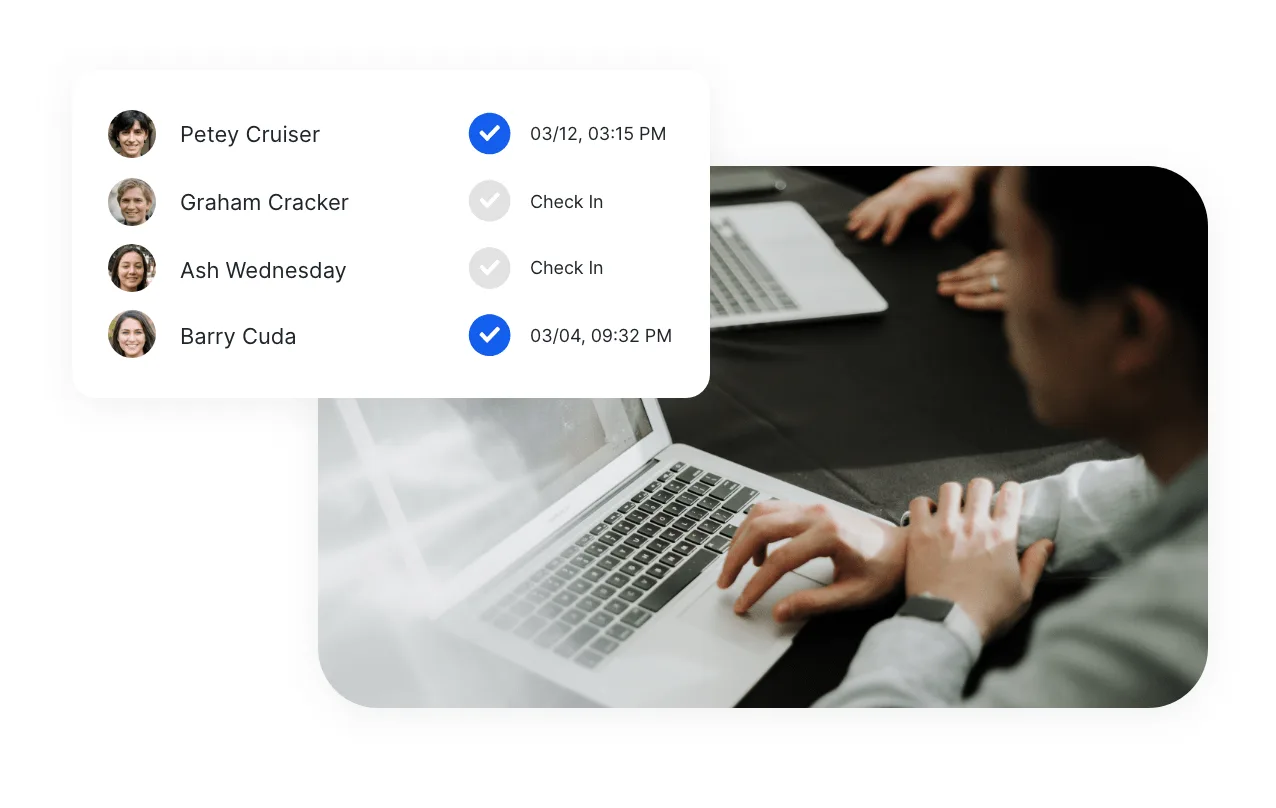
Most free tiers will provide a mechanism for generating unique QR codes for your guests and a mobile app (usually iOS or Android) to scan them. When your staff points their phone camera at the attendee's phone screen, the app reads the code and marks the guest as "Attended" in the backend database. This is the fundamental utility of any check-in app, and if a free tier doesn't include this, it isn't worth using.
Simple name search and door lists
QR codes are great until an attendee deletes the email containing it, or their phone dies on the way to the venue. Every decent free app will include a manual fallback. Your staff will be able to tap a search bar on their device, type in "Smith," and manually swipe to check the person in.
Basic guest list import
To check people in, the system needs to know who is coming. Free tiers generally allow you to upload a standard CSV file with basic columns: first name, last name, and email address. This imports your pre-registered guests into the app's ecosystem so they can be assigned QR codes.
Limited device logins
A free plan usually expects that your event is small enough to be handled by one or two people at the door. Therefore, the vendor will typically restrict the number of concurrent device logins. You might be allowed to have two phones logged into the check-in app simultaneously.
A basic live headcount
At any point during the event, a free app will give you a simple dashboard showing the gross attendance fraction—for example, indicating that 38 out of 50 people have crossed the threshold. This is vital for knowing when to tell the catering staff to start pouring coffee or when to close the registration desk.
What you usually PAY for (and why it matters)
The paywall in event tech is built around scale, reliability, and complex logistics. When you try to run a large event on a free tool, you will immediately feel the absence of the following premium features. Understanding what you are missing is critical to deciding if you need to upgrade.
Attendee and device caps
This is the most common limitation. Vendors have to pay for server space and database hosting. They are happy to host 50 rows of data for free, but not 5,000. If your guest list is 150 people, a free tier capped at 50 simply will not allow you to upload the remaining 100 names. Similarly, if you need six staff members scanning tickets to clear a massive line quickly, a free tier limiting you to one device will create an unacceptable bottleneck.
True offline mode
This is the silent killer of amateur event planning. Venues are notorious for having terrible Wi-Fi. Hotel basements, concrete exhibition halls, and crowded outdoor festivals are cellular dead zones.
Most free check-in apps operate entirely in the cloud. When you scan a QR code, the app sends a signal to a server, the server verifies the ticket, and sends a confirmation back to the phone. This happens quickly on good Wi-Fi. But if the venue Wi-Fi drops, a cloud-only app freezes. You cannot check anyone in. The line stops moving, VIPs get frustrated, and chaos ensues.
Paid tiers (and a rare few free tiers) include offline mode. This means the entire database of attendees is downloaded locally to your devices before the event starts. When a code is scanned, the device verifies it instantly against its own internal memory, requiring zero internet connection. The devices simply sync their data back to the cloud later when they find a signal.
Self-service kiosks
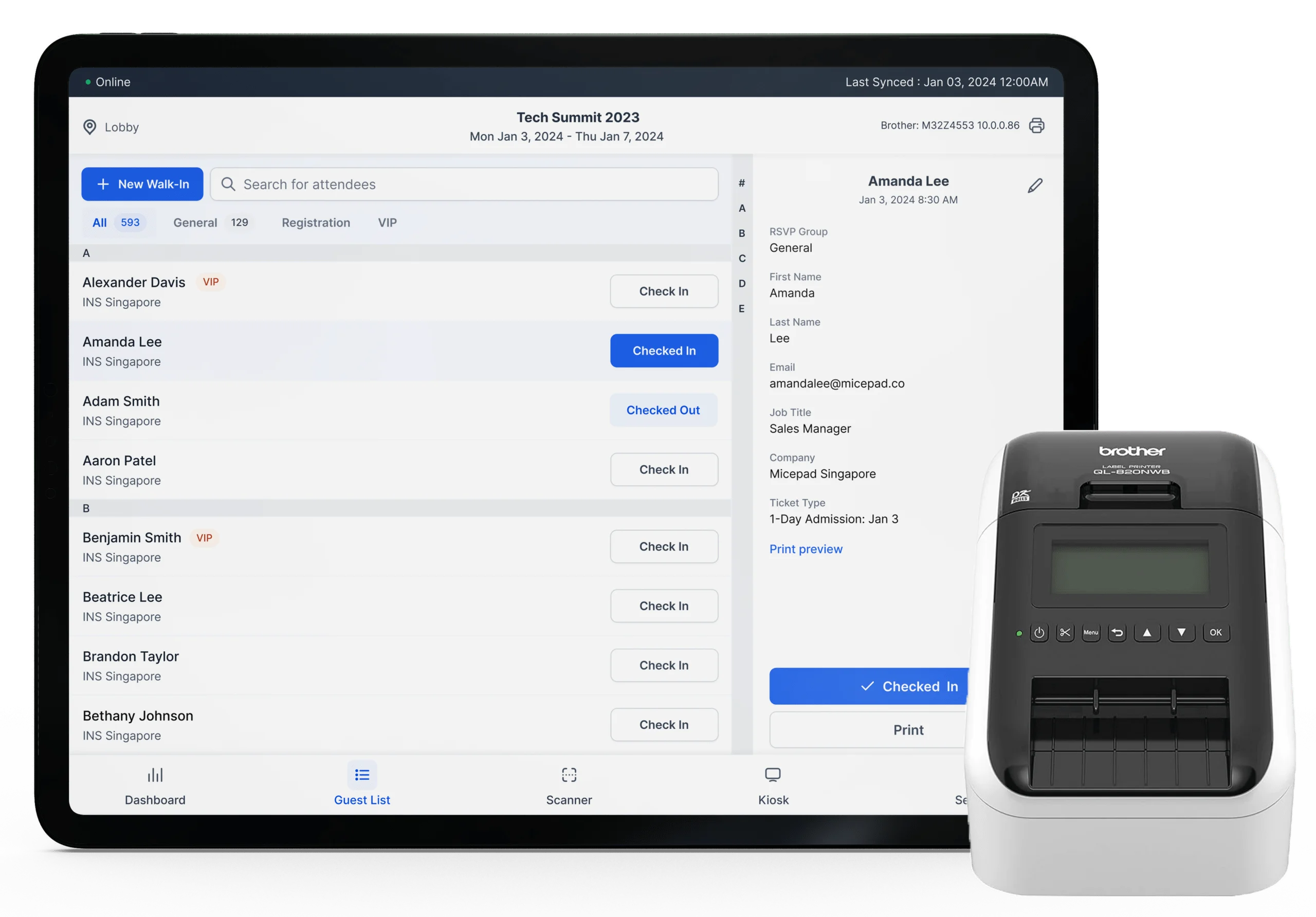
If you want to reduce your staffing footprint, you might want to set up tablets on floor stands where attendees can scan their own phones. This requires "kiosk mode"—a locked-down, branded interface that prevents attendees from changing the app's backend settings. Kiosk mode is almost universally a paid feature.
Live name badge printing
For professional B2B events, scanning a QR code is only step one. Step two is instantly printing a customized sticky badge or paper insert with the attendee's name and company. This requires software routing to push data from the scanning app over a local network to a thermal printer (such as Brother or Zebra models) within a couple of seconds. Because this requires technical support and local network management, badge-printing capabilities are heavily gatekept behind paid subscriptions.
Multi-staff real-time sync
If you are running three check-in lanes, the devices must talk to each other perfectly. If an attendee checks in at Lane 1, Lane 2 needs to know about it instantly so the attendee can't pass their screenshot to a friend outside to use at Lane 2. Free apps with poor syncing infrastructure will struggle with this at volume, leading to duplicate check-ins. Paid apps invest heavily in sub-second syncing to keep all devices perfectly updated.
Dedicated technical support
If a free app crashes 15 minutes before doors open, you have little recourse. You typically cannot call a support line; you can only submit a low-priority web ticket and wait. When you pay for event software, you are largely paying for insurance—an account manager or a live support chat that will help you troubleshoot a local network printer error while you are standing in the lobby.
Best free event check-in apps in 2026
If your event fits the criteria for a free app, there are several reliable options on the market. Below is an honest breakdown of the top contenders, what their free tiers actually cover, and the specific limits that will force you to upgrade.
Note: SaaS pricing and limits change frequently. The details below reflect standard 2026 offerings, but always verify current caps on the vendor's pricing page.
| App | What the free tier covers | Free-tier limit | Best for |
|---|---|---|---|
| Micepad | QR check-in, offline mode, badge-printing capability, robust guest list management. | Capped at 50 attendees. | Small, high-stakes professional meetings that need enterprise reliability. |
| OneTap | QR self-scan, simple list import, SMS check-in links, focused on tracking presence. | Limits free accounts to roughly 20 profiles/attendees. | Tiny recurring classes, internal team meetings, or micro-workshops. |
| Eventbrite | Full access to the Organizer app, scanning, real-time sync, massive ecosystem. | Only free if the event tickets are $0. Paid events incur standard ticketing fees. | Public, free-to-attend community events or free general admission gatherings. |
| RSVPify | Basic RSVP collection, door lists, simple email invitations. | Usually capped around 100 guests; premium check-in features locked. | Personal events (weddings, parties) or simple internal corporate RSVPs. |
| Google Forms + QR | Unlimited scanning, unlimited devices, total control over data. | 100% manual setup; fragile at scale; no offline capability. | Tech-savvy organizers with zero budget and high patience. |
1. Micepad
Micepad approaches its free tier differently than most. Instead of giving you a watered-down version of the software, the free tier provides access to the heavy-duty enterprise tools—including true offline mode and native badge-printing routing—but strictly limits the scale.
What you get: You can build a comprehensive registration form, issue automated QR codes, and use the professional iOS/Android scanning app at the door. Because it includes offline mode, you can safely use it in venue basements without fearing Wi-Fi drops.
The honest limit: It is hard-capped at 50 attendees. If your guest list is 51 people, you cannot use the free tier. It is designed strictly to allow organizers to test the full operational flow of the software for small VIP dinners or board meetings before committing to a paid plan for their 500-person summit.
2. OneTap
OneTap is less about complex event logistics (like catering limits or multi-session tracking) and entirely focused on attendance. It is built to answer one question quickly: who is in the room right now?
What you get: A very clean, frictionless check-in process. You can generate a list, issue passes, and allow attendees to check in via a link or by scanning a code. It is fast to set up, often taking under 15 minutes to go from account creation to scanning.
The honest limit: The free tier is highly restrictive regarding volume, currently capping accounts at roughly 20 profiles. This makes it an excellent free tool for a university seminar class or a small weekly staff training, but unusable for a standard corporate conference unless you upgrade to a paid tier.
3. Eventbrite Organizer App
Eventbrite is the behemoth of the ticketing world, and their Organizer app is one of the most widely used check-in tools available.
What you get: If you host a free event on Eventbrite, you pay nothing. You can use their Organizer app to scan their proprietary QR codes, look up names, and sync data across many devices simultaneously. The infrastructure is built to handle large-scale events like music festivals.
The honest limit: The check-in tool is locked tightly inside the Eventbrite ecosystem. You cannot easily use the Eventbrite app to scan QR codes generated by a different CRM or registration system. Furthermore, it is only free for free events. If you charge $10 for a ticket, Eventbrite will take its standard per-ticket service and processing fees, meaning the check-in tech is no longer truly free.
4. RSVPify
RSVPify cut its teeth in the personal event space (weddings, galas, bar mitzvahs) before expanding into corporate events. It excels at the pre-event experience, focusing heavily on how the invitation looks and how the data is collected.
What you get: A very intuitive drag-and-drop form builder, basic email sending capabilities, and a digital door list for when guests arrive. It is highly user-friendly for organizers who have never managed event software before.
The honest limit: While the free tier usually accommodates up to 100 guests, the at-the-door check-in features are fairly basic unless you upgrade. It functions more as a digital checklist than a high-speed, multi-lane QR scanning engine. It is ideal for a host standing at a door with a tablet checking off names, but less suited for a frantic registration lobby.
5. The Google Forms + QR DIY approach
If you have 300 attendees and absolutely zero budget, you cannot use the SaaS options above. You have to build it yourself.
What you get: Total freedom from attendee caps and device limits. You create a Google Form with a single field (e.g., "Attendee ID"). You use a spreadsheet formula to generate pre-filled URLs for each attendee, then use a free bulk QR generator to turn those URLs into codes. You email the codes. At the door, your staff scans the code with a standard phone camera, which opens the pre-filled Google Form in their browser. They tap "Submit," and the data drops into a Google Sheet with a timestamp.
The honest limit: It is fragile. It requires an active, strong internet connection for every single scan. If someone brings an unannounced +1, handling walk-ins disrupts the flow entirely. There is no real-time dashboard, just a raw spreadsheet. It works, but it places all the stress and technical burden squarely on your shoulders.
Free vs paid: how to decide
Choosing between a free tier and a paid upgrade shouldn't be an emotional decision based on wanting to save a few dollars; it should be a purely operational calculation. Ask yourself these three questions to find your answer:
1. What is your true attendee count?
This is the hardest boundary. If your event has 45 people, take the free tier. If your event has 150 people, do not try to hack a system by making three separate free accounts of 50 people each. The logistical nightmare of managing three separate databases at the door will cost you far more in staff time and attendee frustration than a basic software subscription. Once you cross the ~50–100 person threshold, budget for a paid check-in tool.
2. What are your hardware and venue realities?
Are you hosting this event in a modern co-working space with gigabit Wi-Fi, or in a historic underground wine cellar? If you cannot guarantee perfect cellular or Wi-Fi coverage at the registration desk, you cannot rely on a cloud-dependent free app. You must prioritize an app with a robust offline mode. If you also need to print physical name badges on demand, you have almost certainly priced yourself out of the free tier ecosystem.
3. What is your risk tolerance?
Consider the political or financial cost of a failed check-in process. If you are hosting a casual internal lunch-and-learn and the check-in app crashes, it doesn't matter; people just walk in and grab a sandwich. But if you are hosting 80 high-net-worth investors or paying sponsors, a 15-minute line at the door because of software lag sets a terrible tone for the entire day. When you upgrade to a paid plan, you are buying reliability, faster servers, and the right to demand support if something breaks.
FAQ
Is there a truly free event check-in app?
Yes, but with conditions. Apps like Eventbrite offer a truly free check-in experience, but strictly if the event you are hosting is entirely free to attend. Other platforms offer truly free usage, but impose a hard cap on the number of attendees (often between 20 and 100). If you want unlimited attendees for zero dollars, you must build a manual system using free consumer tools like Google Forms and basic QR generators.
What's the catch with free check-in apps?
The catch is almost always a restriction on scale or professional features. You will usually be capped at a specific number of guests, restricted to a single admin login, or blocked from using advanced door logistics like self-service kiosk modes, live badge printing, and CRM integrations.
Can I do a free QR code event check-in?
Yes. Generating a QR code costs nothing (you can use any free online generator). The challenge is not making the code; it is having a database ready to receive the scan at the door. Most free tiers from providers like Micepad or OneTap include both the QR code generation and the scanning app required to process them, provided you stay under their attendee limits. If you want to explore the mechanics of this, reviewing a dedicated QR code event check-in guide can help you understand the data flow.
Do free apps work offline?
Rarely. Most free check-in apps rely on a constant cloud connection to verify tickets and sync data. If the venue loses internet, the app stops working. There are exceptions—for example, the free tier of Micepad does include its enterprise-grade offline mode—but as a general rule across the industry, local data caching and offline syncing are considered premium features.
When should I upgrade to a paid plan?
You should upgrade the moment your operational needs outgrow a free tier's limits. Specifically, upgrade when your guest list exceeds 50–100 people, when you require multiple staff members scanning simultaneously across different doors, when you need to print physical name badges on-site, or when the profile of your attendees demands a flawless, zero-wait entry experience that requires dedicated technical support. See our event check-in tips for more advice on optimizing door flow.
Run faster check-in at your next event
2.8s avg check-in, offline mode, Zebra + Brother printer support — free up to 50 attendees.