15 Essential Event App Features in 2024
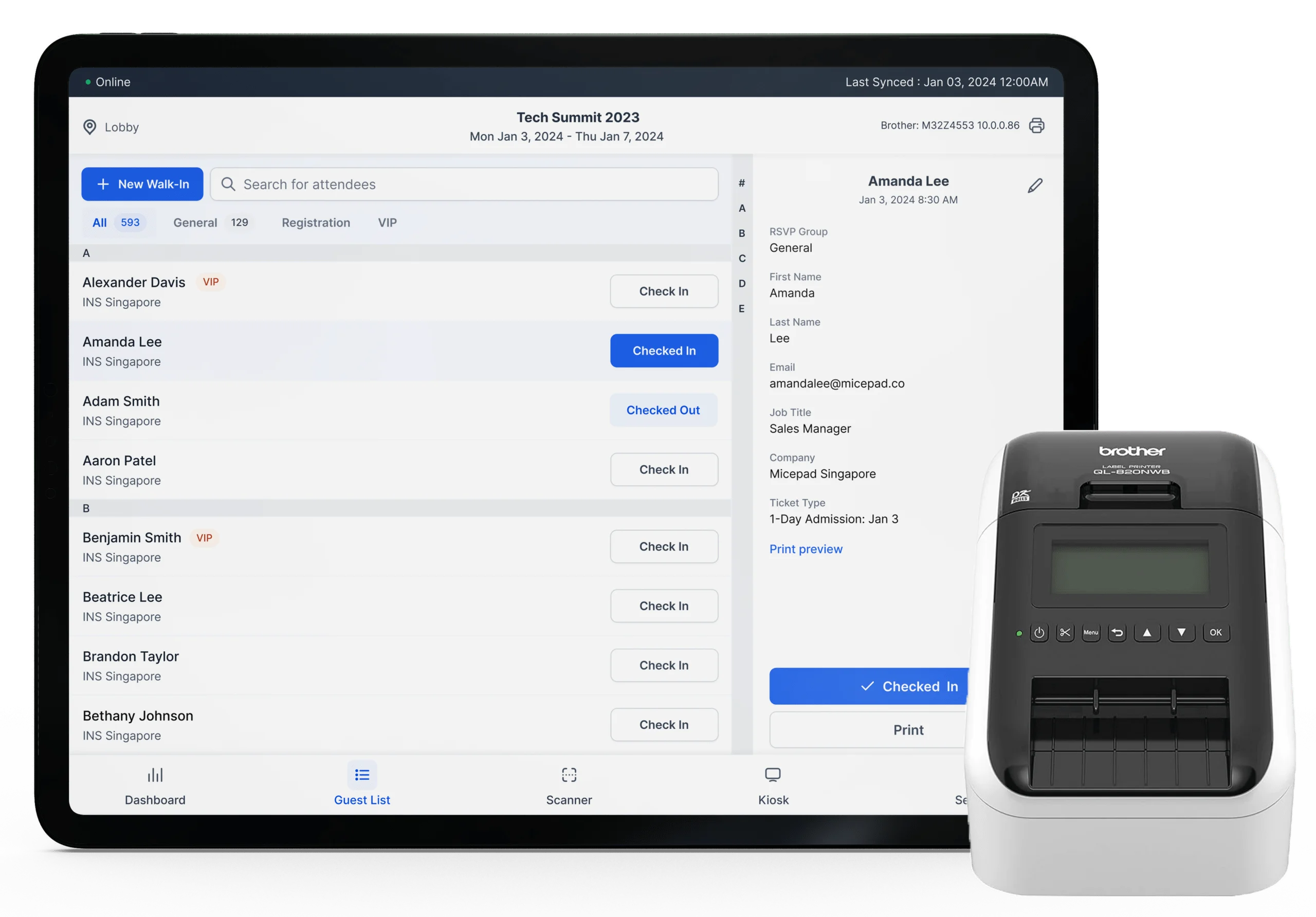
Sometime ago, we discussed the various reasons why you should create an event app for your next set of events. Here, you can choose to create standalone apps for each event or pick event app features that can be used to host diverse events.
If you are also interested in joining the league of 91% of marketers who have seen a huge boost in ROI since they started using event apps, too, these are some of the features we believe are absolutely necessary for an event app.
TL;DR
Get to know the 15 essentials features that your event app should have:
- Registration Page: Collect important attendee info and personalize their experience from the start.
- Agenda/Itinerary Outline: Let attendees customize their schedules and get alerts for key sessions.
- Speaker Information: Provide detailed bios and contact info for speakers to boost attendee interest.
- Floor Plan: Help attendees navigate the event with accurate floor plans and detailed info.
- Messaging: Send push notifications to keep attendees informed about important updates.
- Sponsors: Showcase sponsors with dedicated tabs, banners, and notifications.
- Networking: Facilitate connections through forums, discussions, and chat features.
- Survey: Gather real-time feedback through in-app surveys to improve future events.
- Simultaneous Interpretation: Offer real-time audio translation for a multilingual audience.
What Are The Benefits of Event Apps?
Event apps can transform potential leads and passive attendees into actively engaged participants. With the right app, you get features like personalized schedules, real-time updates, and awesome networking opportunities that make the whole experience better for everyone.
Plus, these apps can give you great analytics, help streamline event management, and keep everyone in the loop with push notifications and in-app messaging. Picking the right event app with all the features you need ensures your event runs smoothly and keeps your attendees happy and engaged.
Top Features of Event Apps
There are 15 essentials event app features to help you improve your next event app.
1. Registration Page
First impressions are one of the most important ingredients for a successful meeting! But how do you plan for the perfect first impression to your guest if you’re not sure what they are interested in?
This is where the registration page comes in! Whether you’re sending an email invite to your guest or publicising an online event page, it is important to get basic information during registration. And that doesn’t mean just names, emails or dietary requirements.
Don’t miss out on the opportunity to ask them things like which session attracted them to sign up for the event, what are their interests or even just one unique thing about them. Engagement doesn’t start on the event day, but way before! A registration page is important to both the attendee and the event planner:
Not only do organisers get important information to provide a more personalised experience to their guests, they get to reach out and make a better impression by expressing interest in the other party. Additionally, it becomes possible to track each user’s interaction through the event registration app, measure engagement levees and offer tweaks to the event to better the personal experience.
2. Agenda/Itinerary Outline
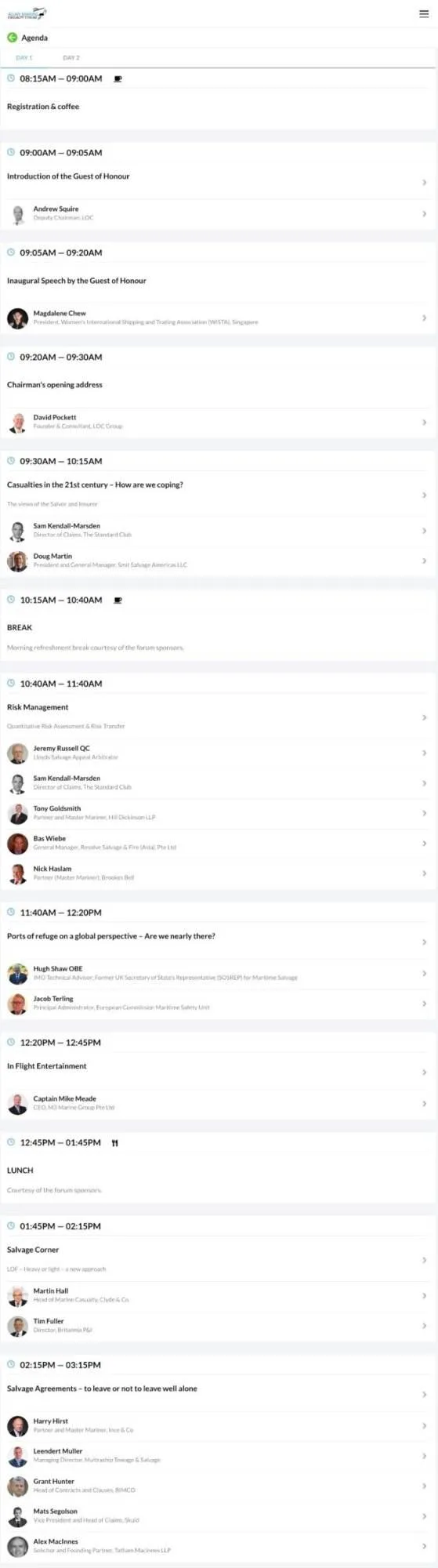
One of the things attendees love to do when they get their printed programs is scan through all you have planned for them. No matter how power-packed this program is, know that not everyone will be interested in everything. Thus, make it possible for users to also pick what event they are most interested in, which keynote speakers they will like to hear, and set up alerts for those.
With Micepad, not only can you add several days’ worth of itinerary and scheduling, you can also separate attendees into different breakout groups (only the breakout group that they will be attending will be visible on their agenda), and attach the speakers’ slides to the particular session!
3. Speaker Information
If you want to upload unique bios for your speakers and/or any additional information, we also have a Speaker module for you. Fill it with text, links and even images just like any web page! Attendees always want to know who is speaking during each session. They may also want to find out more about the speaker’s experience, both personal and professional.
If the speakers allow it, you can even share their contact information with the attendees. Otherwise, just add links to their social media pages (LinkedIn, Twitter, Facebook, etc.) and/or website!
4. Floor Plan
This is very important for an event with exhibitions. It is also ideal for multi-day, multi-center events. An accurate floor plan will help the attendee navigate their way through the grounds with minimal to no help from the outside. It also gives the chance to see where their favorite exhibitions are happening – so they don’t miss out when it starts.
Taking the floor plan one step further, Micepad has implemented the Exhibitor’s module, which allows users to attach pop-up infoboxes to specific areas on the uploaded floor plan for more detailed information on the particular place of interest. A favourite at trade shows with dozens of booths!
5. Messaging
One of the most irksome parts of running an event is making an announcement. It might sound simple, but ensuring that everybody is notified of important information is a surprisingly herculean task.
Is a keynote speaker running late? Do you have one of the exhibitions starting earlier than scheduled? Or maybe there is an important accommodation issue you need to convey to the attendees.
Unfortunately, a number of obstacles stand in your way: Some may have taken an untimely trip to the loo. Others may have gotten the munchies and decided to seek out a snack. A few may have left the hall a little earlier before lunch break to “avoid the crowd”.
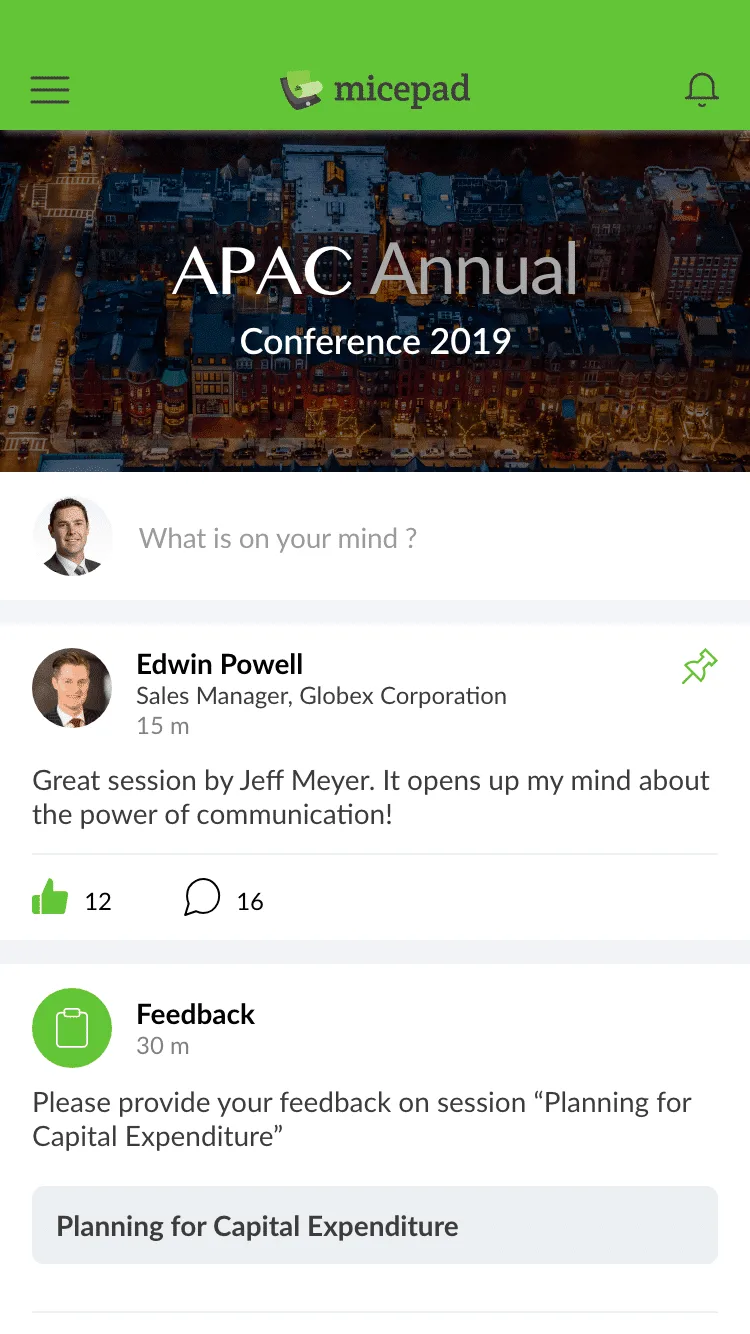
All of these can be best communicated by sending a quick push notification through the event app. Not only is this easy and timely, but the best part is that you don’t have to track down all your attendees or make repeated announcements!
6. Sponsors
But that’s not all in-app notifications are good for! Push out interesting bites and thank you messages to attendees about your sponsors, pin their logo banners at the top of the discussion forum, or even carousel their banners on the main page! Additionally, you can dedicate a tab on the app to sponsors for more detailed information.
Your event sponsors deserve all the recognition that they can get. Now, you have even more options to showcase them to your attendees.
7. Networking
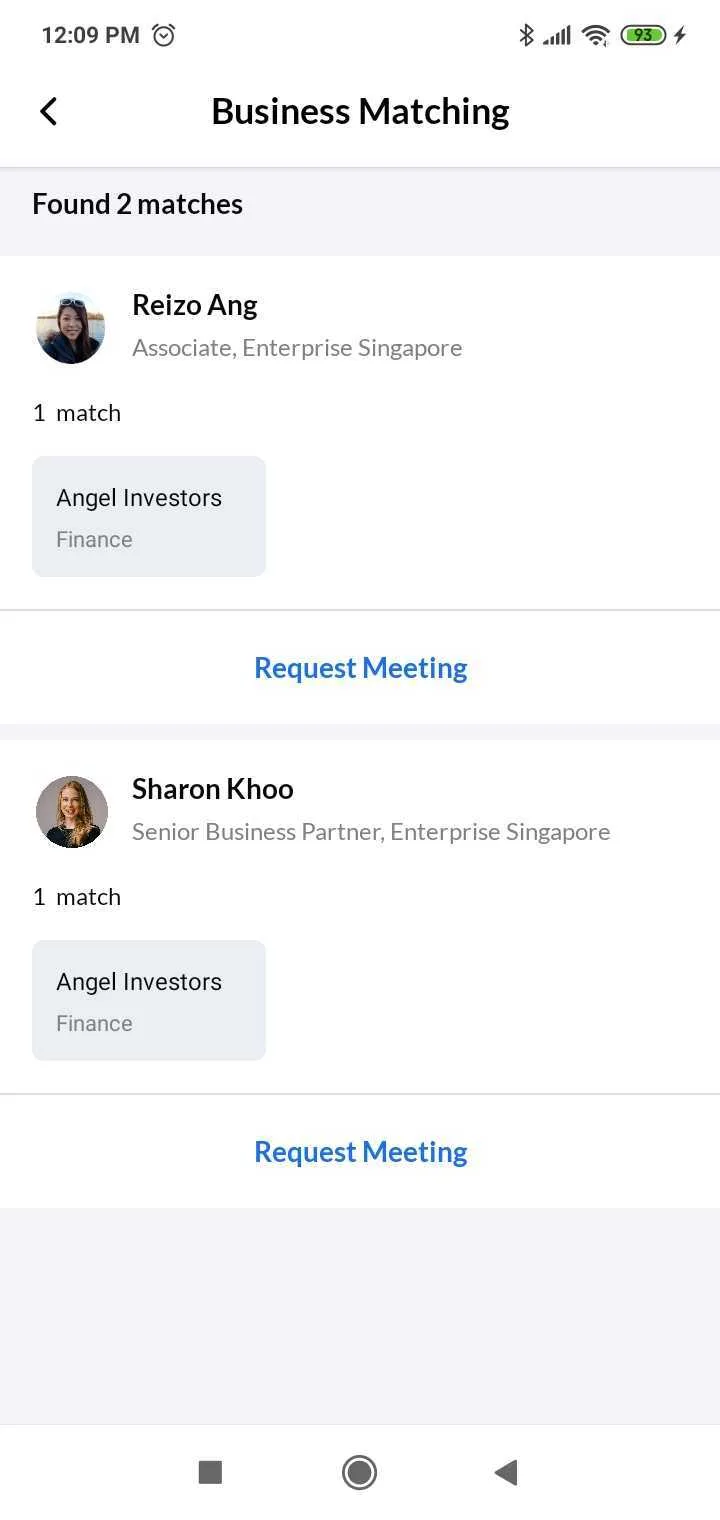
While this is not a must, adding a networking feature will go a long way in boosting the audience engagement at your event. Instead of leaving attendees to network the traditional way, allow them to connect with people of like interests via forums, discussions, and chats right there from within the app. There are various ways to setup your business matching module:
- With fixed appointment times at intervals of 15 min, 30 min, or 1 hour, etc.
- At fixed ‘meeting spot’ venues.
- Through chat.
Ask each guest what they are looking for at your event, and match them to their counterparts. For example, Angel Investors or Venture Corporations to Start-ups.
8. Survey
One of the most important parts of event planning is right after it has concluded: when it’s time to request for feedback!
Not only is it essential for event planners to get continuous feedback to improve on the next time, it is also one of the metrics for calculating and maximizing ROI and justifying the event to the various stakeholders.
Experienced planners know the pain of distributing paper forms only to have them returned empty or thrown into the trash bin. Even emailed feedback forms see low response rates, particularly when they are received once the event day is over.
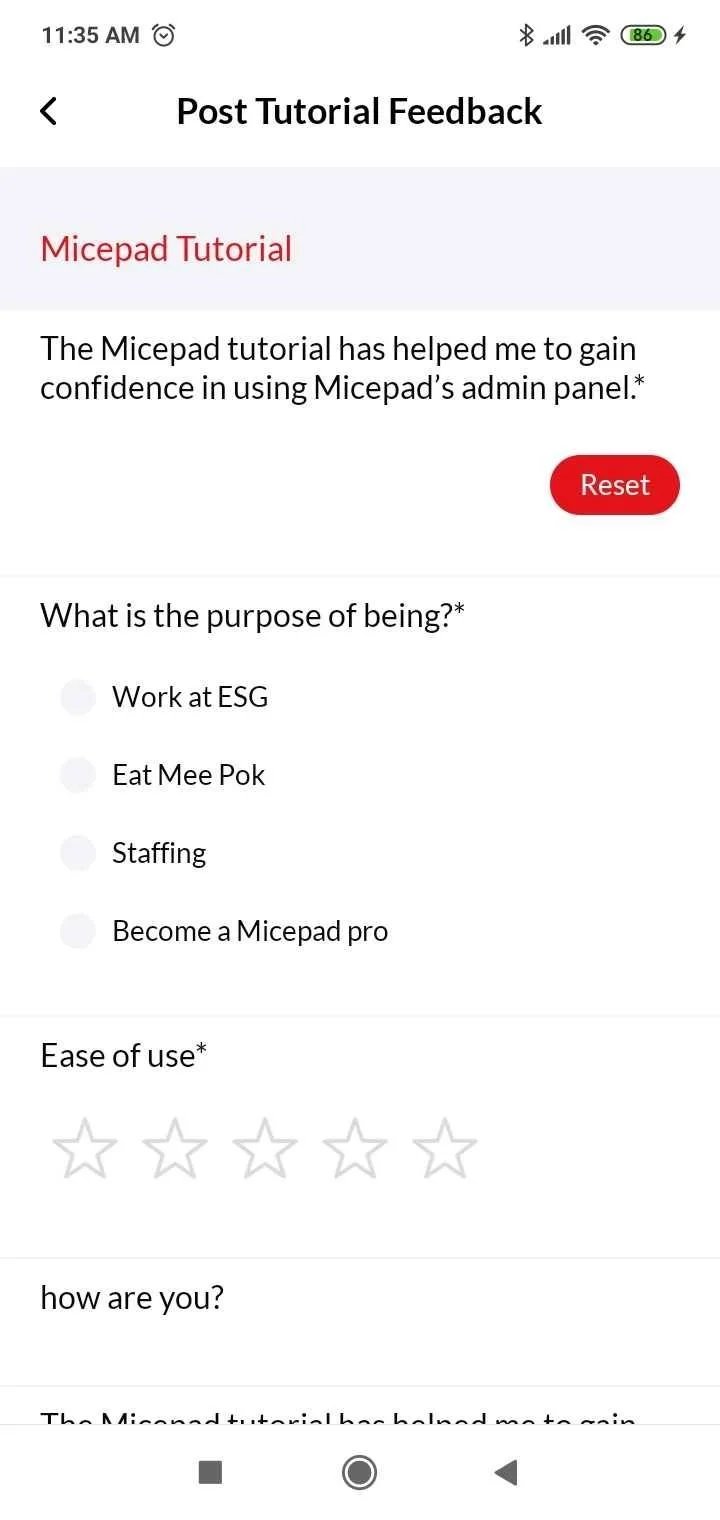
The best time to get feedback is right after a session, and the best way to get that timely form distributed is in digital format – in particular, through your event app! It is much easier to get users to rate your event through an in-app pop-up notification then to have the MC ask them to please go to this URL and fill in the e-feedback form.
8. Simultaneous Interpretation
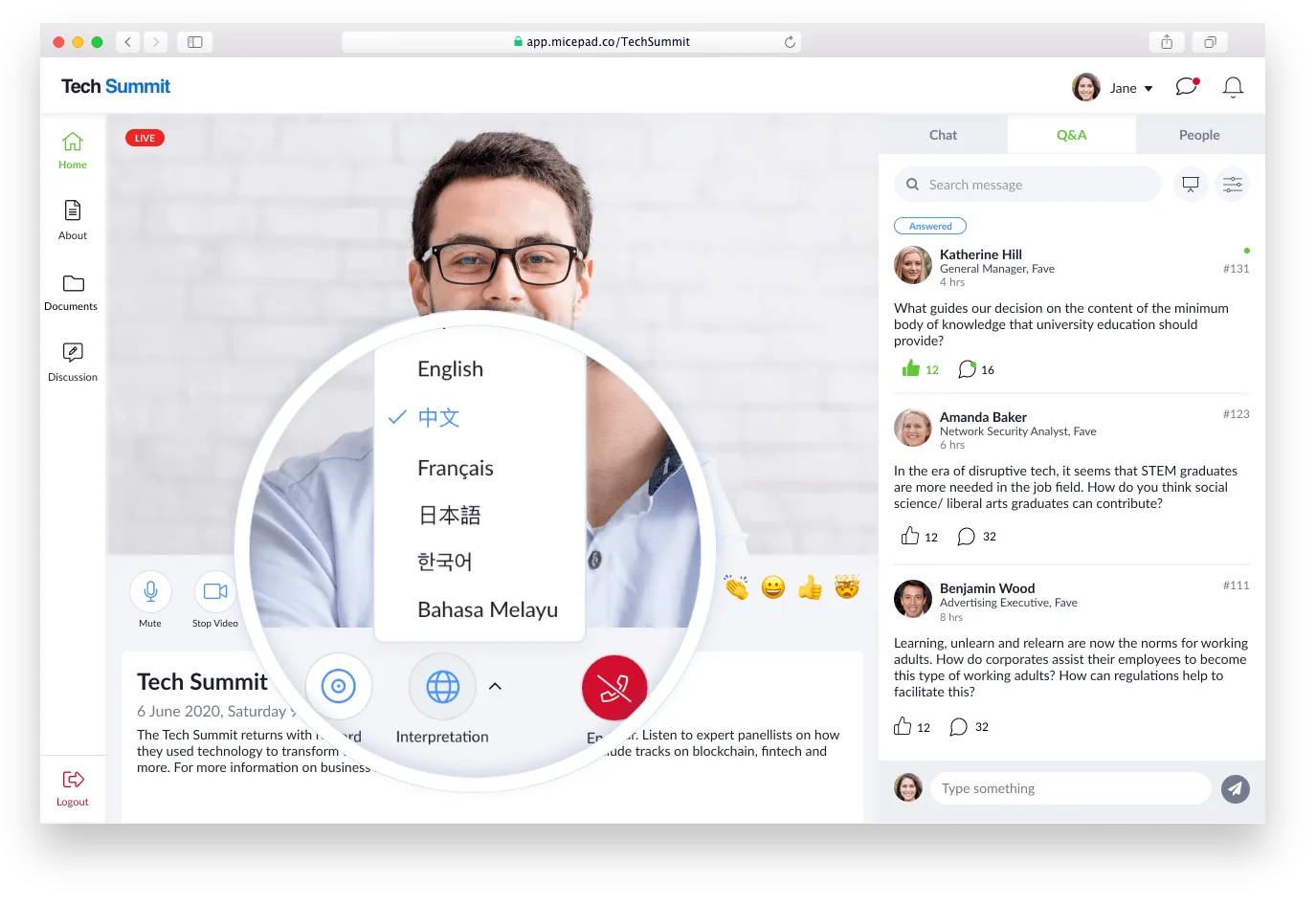
Say goodbye to language barriers with real-time translation. Simultaneous Interpretation lets attendees translate audio into their native language on the fly. Hosting a multilingual conference? No problem! Just click a button, and your audience can follow along in English, Chinese, French, Japanese, Korean, Malay, and more. This feature opens your event to a global audience, making it super inclusive.
9. Exhibitors and Sponsors
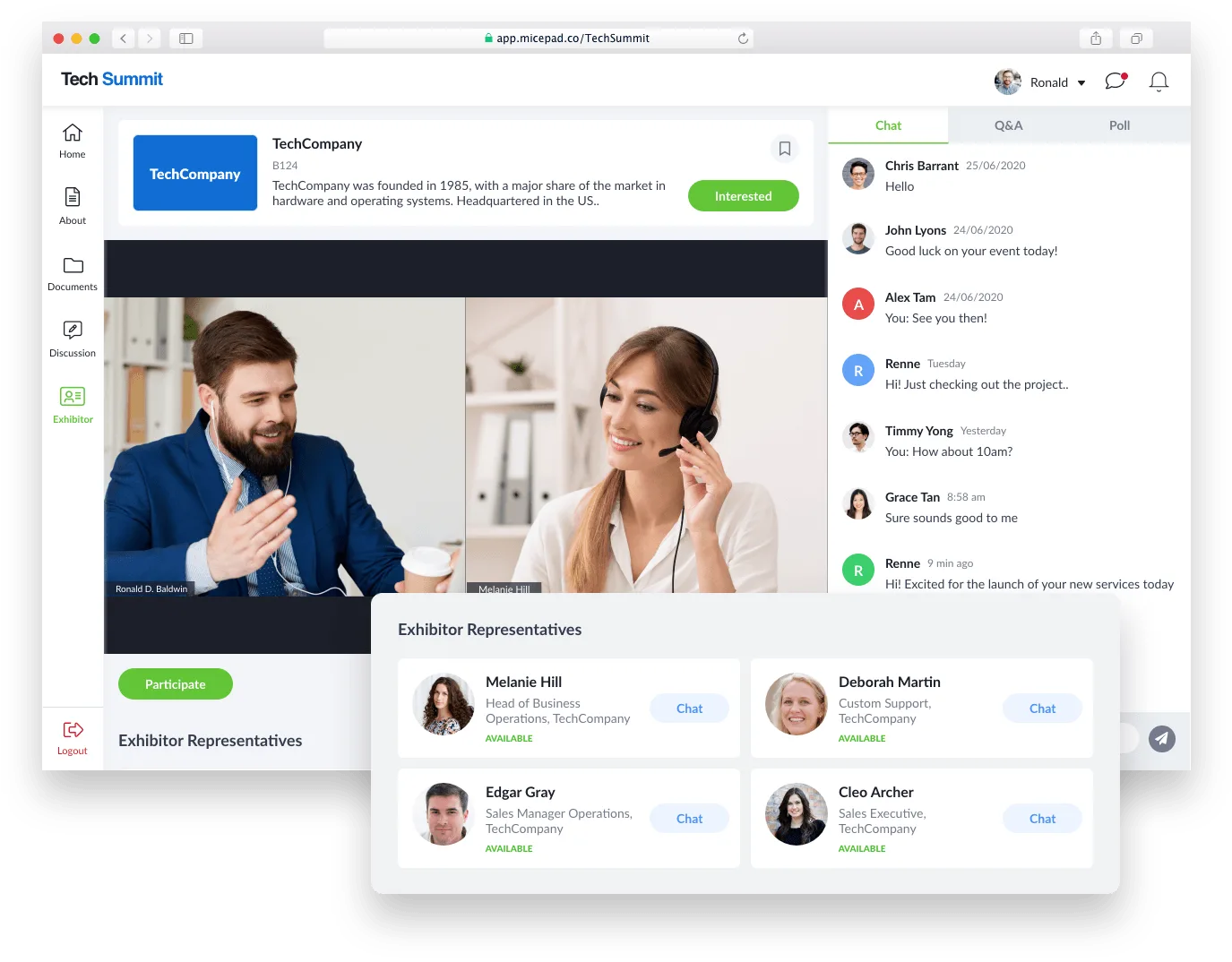
Networking just got a whole lot smarter. With event apps, exhibitors and sponsors can show off their products and services on customizable branded pages. These pages can have personalized content and give attendees easy access to company reps.
From virtual conferences to job fairs, trade shows to education fairs, this feature helps your exhibitors and sponsors connect with potential customers effectively, and our friendly team is here to support you every step of the way.
10. Private Chats
Engaging with attendees has never been easier. Exhibitor reps can start conversations with multiple attendees at once through private chats. You can opt for text chat or video calls, making it easy to secure leads and discuss networking opportunities in a personal way. This feature adds a great touch to interactions and boosts engagement.
11. Event Information and Agenda
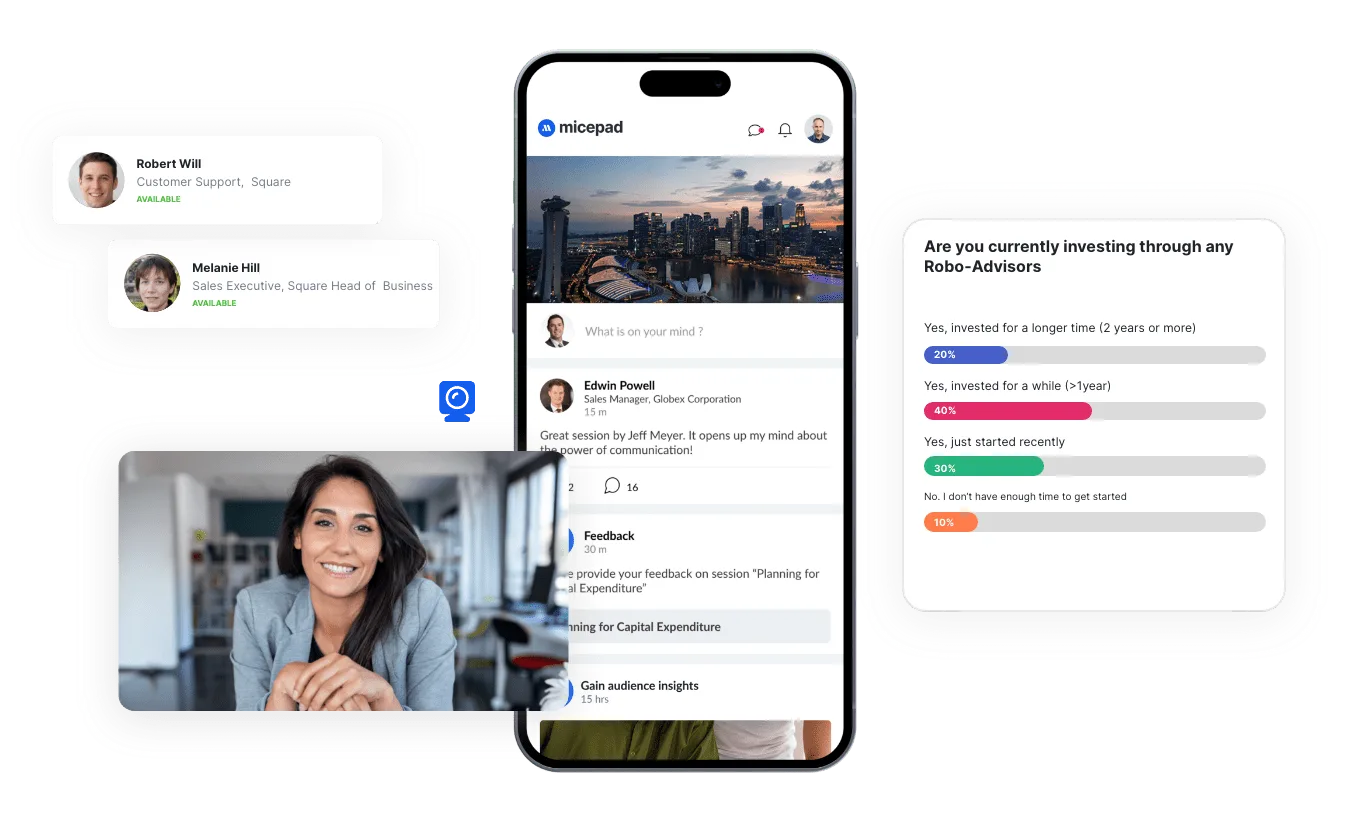
Keep everyone in the loop with up-to-date event guides available right on their phones. Attendees can create their own personalized agendas, ensuring they catch all the sessions they’re interested in. Plus, you can use push notifications to send important updates and direct traffic to key parts of your event, making sure everything runs smoothly.
12. Top Questions Display
Make your Q&A sessions interactive by letting your audience vote on the questions they want answered. You can display the most popular questions on a projector screen, ensuring the most relevant topics get covered. You control which questions are shown, making the session more engaging and audience-driven.
13. Email Invitation and Reminders
Start your event communication with style using beautifully designed email templates that you can customize to match your brand. Event apps make it easy to schedule and manage email flows, so your messages reach the right people at the right times. This keeps your attendees informed and excited from registration all the way to the event day.
14. Live Streaming
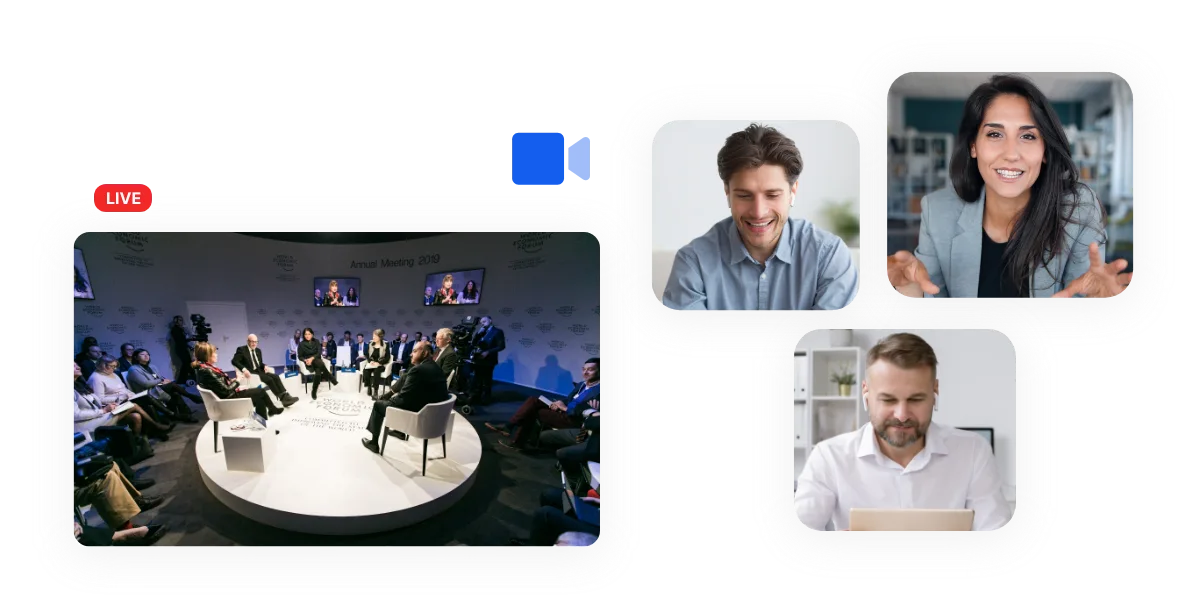
Take your event global with built-in streaming services or popular platforms like Zoom, Facebook Live, YouTube, Vimeo, and private RTMP streaming. You can mix live and pre-recorded videos to create a seamless viewing experience. This feature ensures your content reaches a wide audience, no matter where they are.
15. Event Analytics
You can’t improve what you don’t measure. Event apps offer a clean, intuitive data dashboard that collects valuable info during and after your event. Use this data to evaluate your event’s performance and plan for future success.
Creating and analyzing reports based on virtual event activity and in-person registration data helps you make informed decisions for your next event. These features make event apps essential tools that simplify the complex task of event planning. They enhance the attendee experience and provide valuable insights and tools for organizers, ensuring every event you plan is a success.
Final Thought
Micepad offers a comprehensive suite of features that cover every phase of your event, from planning to execution and beyond. With tools like simultaneous Interpretation, customizable exhibitor pages, private chats, up-to-date event guides, interactive Q&A displays, stylish email invitations, global live streaming, and powerful analytics, Micepad ensures your event runs smoothly and keeps your attendees engaged.
Don’t miss out on making your next event a success. Request a demo and try the Micepad event app today.

See the app at a real event
Read how MongoDB used Micepad's app across 10 APAC cities — 15,000+ attendees.