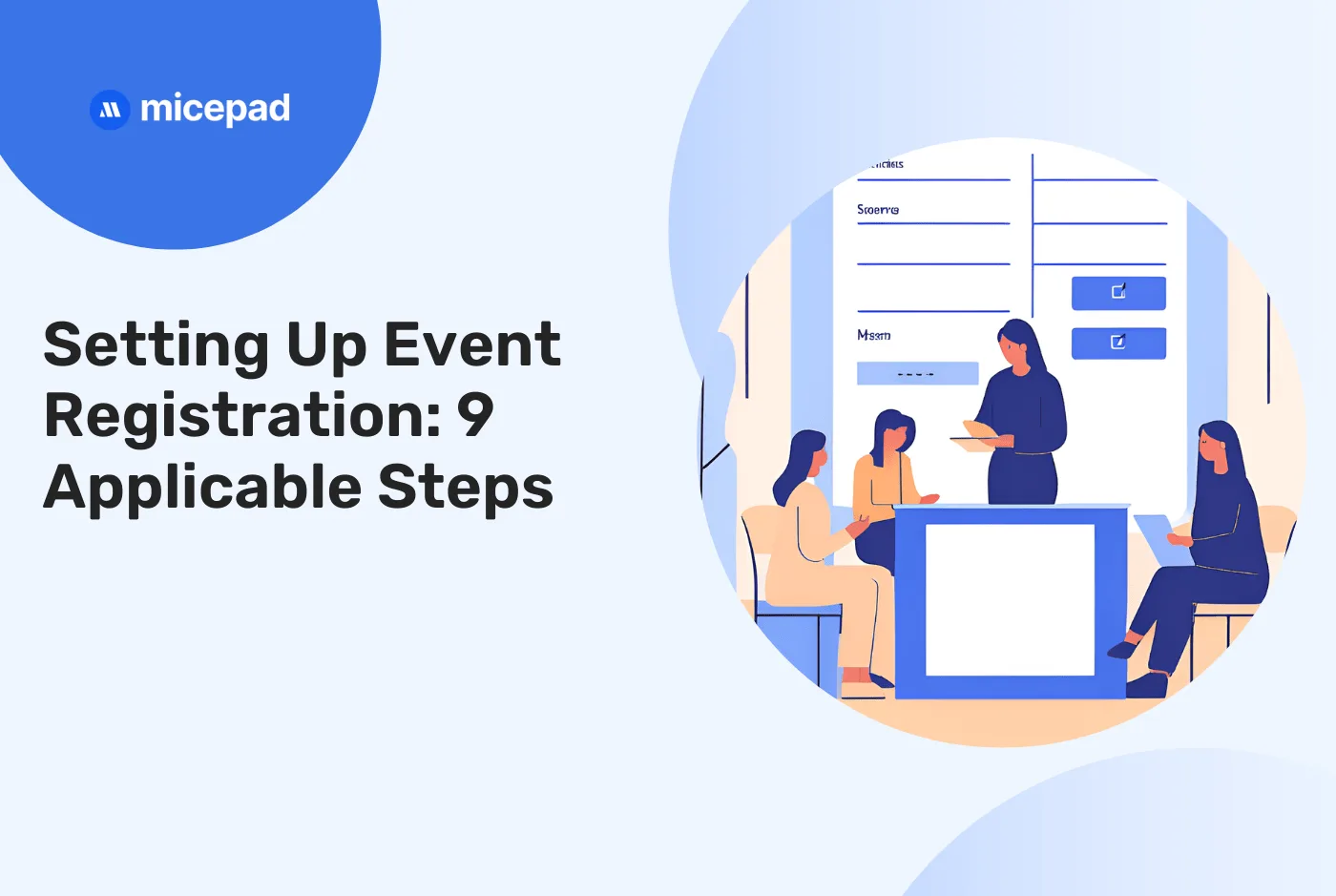
Setting Up Event Registration: 9 Applicable Steps
If you’re planning an event, one thing’s clear: without attendees, your goals can’t be met. That’s why most event planners believe that nailing event registration is crucial. They prioritize registration because it sets the stage for everything else.
What Is Event Registration?
Event registration covers everything from when you sign up to when you grab your badge at the door. You need to treat event registration as the starting point that really sets the vibe for your whole event. As an event planner, nailing this step is key because you believe that the right people are there to make your event awesome, and you want them to convert into revenue-worthy participants.
Whether you’re putting together a conference, trade show, or any kind of get-together, your goal is clear: you want a mix of folks who can connect, share ideas, and make your event a hit. A smooth registration process gives you a chance to make a great first impression and gather info that helps you tailor the event experience.
Online event registration has become a rising trend, and many agree that it cuts the complexities in event registration. Using an online registration platform can save you a lot of time since it gives you the benefit of saving time as the whole registration process can be completely automated. It’s quicker for people to register and helps you avoid slow manual processes and paperwork. Automating registration frees up time for you to focus on event tasks that require your attention and maximise the event experience at the same time.
Not only does it automate the signing-up process, but an event registration app also collects attendee details early on. This allows you to personalise their journey, plan well, and boost engagement during the event. Gathering these details can be done in a minute with the help of an event registration system. That way, your attendees feel valued and ready to dive into networking and meaningful chats right away.
Event Registration Aspects You Must Consider

There are some vital aspects you need to consider when it comes to registration desk. (Credit to Optics & Photonics)
Now, let’s dive into what you should really think about when setting up your event registration process. These are the key things to nail down to make sure everything runs smooth and easy for you and your attendees.
1. Online Registration
Gone are the days of filling out forms by hand! Online registration is the way to go. It’s faster, more convenient, and allows attendees to update their details themselves.
💡Pro Tip: Make sure your registration platform lets attendees easily edit their information to keep everything current.
2. Customer Registration Choice
Give your attendees options. Let them choose from different ticket types or packages that suit their needs best. This way, everyone feels like they’re getting exactly what they want out of your event.
💡 Pro Tip: Customize your ticket options to cater to different attendee preferences, from basic to VIP experiences.
3. Customer Data
Collect the right info upfront. Use online registration forms to gather specific details from attendees, whether it’s dietary preferences or travel plans.
💡 Pro Tip: Keep your registration questions clear and concise so attendees understand why you need each piece of information.
4. E-Ticket
Say goodbye to paper tickets. E-tickets are not only eco-friendly but also save you time and money on postage. Attendees can simply show their ticket on their phone at the event entrance.
💡Pro Tip: Include all event details on the e-ticket, like session times and venue maps, to keep attendees informed.
5. QR Code E-Ticket
Add a QR code to e-tickets for easy check-in. Scanning QR codes at the door gives you real-time attendance numbers and ensures a smooth entry process.
💡Pro Tip: Test your QR code scanning process beforehand to avoid any hiccups on event day.
6. Event Registration Payment
Secure payments upfront. Accepting payments during registration helps you gauge interest and financial commitment early on.
💡Pro Tip: Offer early bird discounts or package deals to incentivise attendees to register and pay sooner.
7. Secure Credit Card Transactions
Prioritise payment security. Choose a reliable payment gateway to process credit and debit card transactions securely.
💡 Pro Tip: Display security badges or certifications during checkout to reassure attendees that their payment information is safe.
8. List of Registered Attendees
Stay organised with a complete attendee list. Use registration data to prepare for logistics and cater to specific attendee needs.
💡 Pro Tip: Regularly update your attendee list and communicate any changes or updates to your team and vendors.
9. Event Communications
Keep attendees informed. Use email notifications to send updates, reminders, or even cancellation notices if necessary.
💡 Pro Tip: Set up automated email sequences to streamline communication and keep attendees engaged leading up to the event.
10. Event Marketing
Leverage attendee data for future events. For a more laser focus event marketing, you can use registration data to follow up with attendees post-event for feedback and future event promotions.
💡 Pro Tip: Offer exclusive discounts or early access to registration for returning attendees to boost loyalty.
Event Registration Trends

Event registration trends often implement the use of event technology. (Credit: StockCake)
Event technology has taken the grunt work out of event registration, automating most of the processes and making it super easy to give your guests a top-notch registration experience. If you haven’t dipped your toes into event tech yet, starting with registration is a perfect entry point!
With the right registration system, you can level up your game by implementing these tips:
Personalise the landing page registration to align with the event you are about to host. Adding sponsors, speakers, or exhibitors can be just one click away.
Customise the registration process with your organisation’s branding.
Gather crucial details like dietary needs and travel plans effortlessly. With the help of custom fields of your choice, you can ask the right questions and collect the information you need.
Send out automated emails for invites, reminders, and confirmations.
Get real-time reports on how registration is going with just a click.
Not just for you, a slick registration system means a smoother experience for your invitees too, which can mean more people signing up!
They’ll have the same great experience no matter if they’re registering from a phone, tablet, or computer.
They can rest easy knowing their payments are handled securely.
Just like how tech has changed so much in our lives, using the right tools can make registration a breeze, leaving you more time to tackle the rest of your event to-do list.
How To Set Up Registration for An Event
Planning and setting up registration processes can significantly impact the overall success and organisation of your event. Here’s 9 simple steps along with some event registration tips that you can follow along when setting up your event registration.
1. Pre-Event Registration
Pre-event registration lets you sign up for the event ahead of time. During this process, you can gather your attendees details, allow them to secure their spots before the event, and confirm their attendance.
2. The Event Registration Form
When you design your registration form, make sure it’s user-friendly and fits your event’s vibe by considering some aspects:
- Look and Feel: Your form should look good and be easy to navigate so you get the first impression right.
- Customisation: Tailor the form to collect all the info you need—from basic contact details to specific preferences and payments. This flexibility caters to everyone, whether they’re regular attendees or VIPs.
- Mobile-Friendliness: Since most people register on their phones, make sure your form works seamlessly on mobile devices.
3. Registration Form Accuracy & Validation
Another thing to pay attention to is how to ensure your registration data is accurate, here’s the doable tips to tackle this challenge:
- Essential Details: Use mandatory fields to gather crucial information and avoid duplicates, keeping your attendee list clear and accurate.
- Data Checks: Incorporate validation checks to verify entries like email formats and addresses. This prevents fake registrations and keeps your data organised and reliable.
- Understanding Your Audience: Ask demographic questions to learn more about your attendees. Tracking this info helps you fine-tune your marketing to reach the right people effectively.
- Co-Branded Pages: Partnering with exhibitors on registration pages not only boosts event visibility but also provides advanced tracking features, benefiting both sides.
4. Badge Types and Printing Options
Now that we’re diving into onsite registration, let’s talk badges! Choosing the right badge type and how you print them can make a big difference in how smoothly your event runs. Here are some of the most common badge printing options:
- PDF Badges (Print at Home): This is a game-changer for skipping those long registration lines. Once you register online, you get an email with your badge ready to print. Pro Tip: Send a friendly reminder closer to the event date so everyone remembers to bring their badge with them.
- Postal Badges: These are pre-printed and mailed out, adding a personal touch but remember, they can cost a bit more due to postage. Save them for your VIPs or special groups.
- Pre-Printed Badges: Perfect for smaller events where you can hand out badges as people arrive. Keeps things moving and reduces the need for extra staff.
- Plastic Card ID Badges: These are like your event’s VIP pass. They’re durable, personalised with photos, and add extra security—great for more exclusive events.
5. Onsite Badge Accessories, Are They Needed?
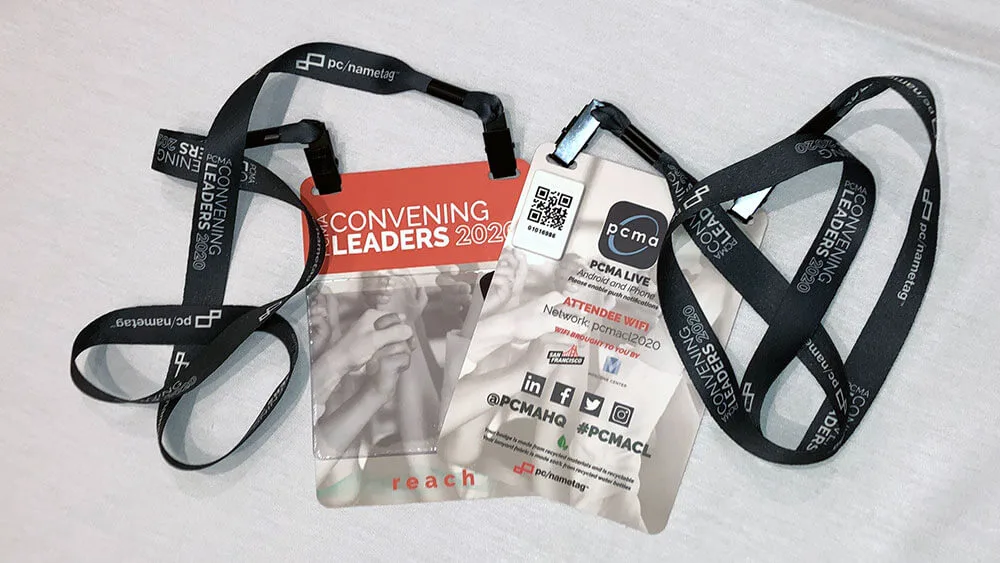
(Credit: PCMA)
Yes, they are! To help the networking activity easier, you may also accessorise those badges to make sure everyone can easily show who they are:
- Badge Holders: Essential for badges that don’t stick on their own or for those printed at home. You can get them in different colors to help spot different groups.
- Lanyards: These are super handy for wearing badges around your neck. They make it easy to spot who’s who and keep your hands free for networking.
6. Exhibitor Badging and QR Codes
Don’t forget about making sure your exhibitors are sorted and using tech to keep things running smoothly with at least these two essentials event registration software features:
- Exhibitor Badging: Exhibitors need badges too! They can register online just like attendees and pick up their badges on the day. Keep an eye on how many badges they need to avoid surprises.
- Barcode / QR Codes: Each badge gets its own unique code that links back to the attendee’s details. This makes checking people quick and accurate, which everyone loves.
7. Onsite Terminals for Registration
Onsite terminals play a crucial role in managing registrations efficiently during events and last minute changes:
- Self-Service and Staffed Terminals: Attendees who haven’t pre-registered can use self-service terminals to print and collect their badges on the spot. Staffed terminals are also available to assist and expedite the registration process.
- Query Terminals: These customer service terminals help attendees with registration issues like lost badges or confirmation emails. Staff assist in recovering badges and handling onsite payments or visitor vetting.
- Badge Collection Terminals: Used for badges not pre-printed, attendees retrieve their badges using confirmation emails with QR codes or reference numbers for quick printing.
8. Staffing and Management
Managing onsite operations is crucial for a seamless event experience. Using QR code scanning at entrances, for instance, allows you to track attendee entry rates in real-time, which helps in managing the flow of visitors. Similarly, scanning attendees before they enter seminar sessions ensures that these sessions run smoothly without any hitches.
Adequate staffing, provided by registration services, is another essential aspect as it allows your internal teams to concentrate on interacting with visitors and building relationships rather than getting bogged down in logistical tasks.
An experienced onsite event manager plays a pivotal role in overseeing event preparations and staff responsibilities, ensuring everything runs efficiently and that your attendees leave satisfied. Additionally, trained Front of House (FOH) staff are key to managing registrations, handling queues, and providing top-notch customer service during large events, which significantly enhances the visitor experience through professional and courteous service.
9. Incorporating Event Registration Softwares
Last but not least, incorporating event registration software into your event planning can be your right move because it automates the entire registration process, leaving no room for errors. By using this software, you can effortlessly manage attendee sign-ups, payments, and confirmations, all while ensuring that everything runs smoothly and accurately.
Event Registration Software by Micepad
Since nailing the registration process is key to ensuring everything runs smoothly, Micepad steps in with our comprehensive event registration system designed for any type of event: virtual, hybrid, or in-person.
Easy Access Anytime, Anywhere
Micepad’s system is super mobile-friendly and ready for whatever scale your event needs. Attendees can easily register and access event details on the go, ensuring they’re always in the loop.
Customise Your Event Experience
Want your event to stand out? With Micepad, you can personalise registration pages to match your brand vibe perfectly. Add in all the essential details like speaker bios, agendas, and sponsor shout-outs to give attendees a clear picture of what’s in store.
Perfect for Virtual and Hybrid Events
Virtual or hybrid event? No problem! Micepad lets you set up dedicated microsites that act as a central hub for all event info. Attendees can register seamlessly and dive into the event program without missing a beat.
Flexible Ticket Options
Whether you’re offering early-bird specials or VIP perks, Micepad lets you create multiple ticket types with ease. This flexibility ensures everyone finds the right ticket that suits their needs.
Smooth Payment Process
Collecting payments should be hassle-free, right? Micepad makes it a breeze with secure payment options like credit cards, invoices, or offline methods. From purchasing tickets to handling invoices, it’s all covered seamlessly.
Advanced Features for Personalised Registration
Make your registration forms work smarter with custom fields that gather exactly the info you need. Micepad’s smart logic adapts questions based on attendee responses, ensuring a personalised registration journey.
Why Choose Micepad?
Micepad’s event registration system offers you simplicity and power while making sure that your event management is stress-free. Whether you’re organising a small seminar or a large-scale conference, Micepad got your back with intuitive features that enhance attendee experience and streamline your workload. Request a demo today.

See registration features in action
Conditional logic forms, multi-tier ticketing, auto QR confirmation emails.