Works with Any Registration Platform
Import Attendees from Any Platform
Switching registration platforms is painful. So don't. Export your attendee list from Cvent, Luma, Eventbrite, or any tool, import the CSV into Micepad, and you're ready for check-in and badge printing in minutes.
Start for Free
How It Works
Export your attendee list, import the CSV, start checking in.
1. Export Your Attendee List
Export your attendee list as a CSV or Excel file from whatever registration platform you're using — Cvent, Luma, Eventbrite, Google Forms, or any other tool.
2. Import into Micepad
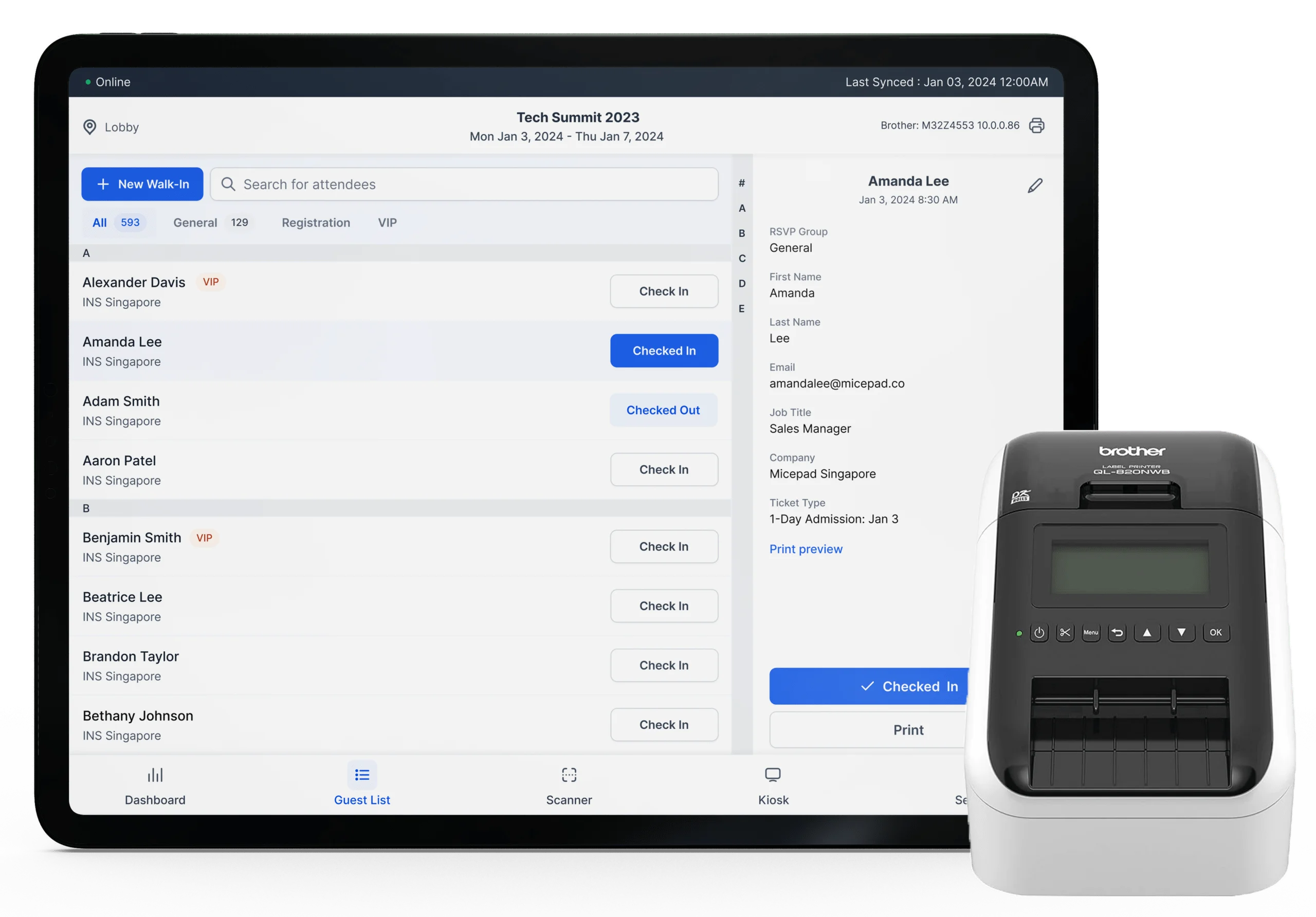
Upload the CSV to Micepad and map your columns to attendee fields (name, email, company, ticket type). Micepad automatically generates a unique QR code for each attendee.
3. Check In & Print Badges
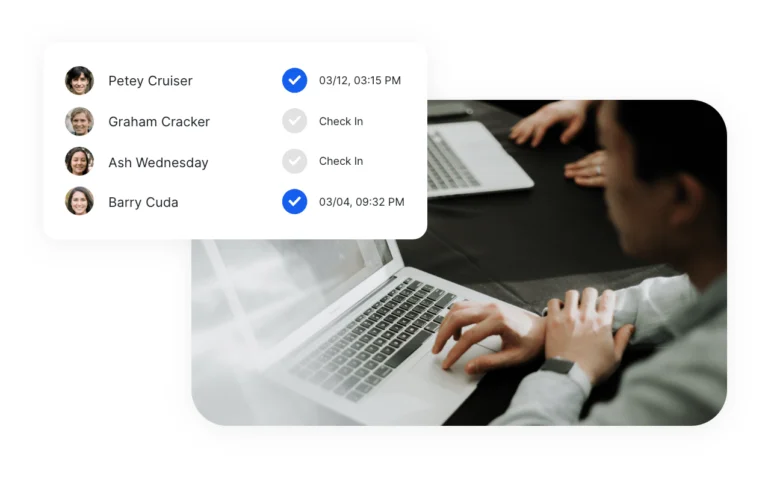
Set up your kiosks and start checking in. Attendees scan their QR code, their badge prints automatically, and you get real-time attendance data.
Smart Field Mapping
Micepad's CSV importer lets you map any column to any field. First name + last name, or full name. Company, title, ticket type, dietary needs — map whatever you need.
Automatic QR Codes
Every imported attendee gets a unique QR code automatically. Send QR codes via email or let attendees check in by name search at the kiosk.
Or Use Built-in Registration
Don't need a separate registration tool? Micepad includes customizable registration forms, ticketing, and email confirmations — all connected to check-in and badge printing.
Import from Cvent
Organizations like Standard Chartered and HSBC use Cvent for registration and Micepad for on-site check-in and badge printing. Export your attendee list as CSV, import into Micepad, and you're ready.
- Export attendees from Cvent as CSV
- Map Cvent fields to Micepad automatically
- QR codes generated for every attendee
Import from Eventbrite
Using Eventbrite for ticketing? Export your attendee list and import into Micepad for professional on-site check-in with badge printing.
- Export Eventbrite orders as CSV
- Ticket types map to badge categories
- Handle will-call and walk-ins on-site

Import from Luma
Luma handles your invites and RSVPs. Micepad handles on-site check-in and badge printing. Export, import, done.
- Export Luma guest list as CSV
- Import and generate QR codes in minutes
- Professional badge printing on arrival
Import from Google Sheets or Excel
Managing attendees in a spreadsheet? Save as CSV and import directly into Micepad. Works with any format — just map your columns.
- Any CSV or Excel file works
- Flexible column mapping
- No specific format required
Frequently Asked Questions
Micepad accepts CSV and Excel (.xlsx) files. Any spreadsheet application (Google Sheets, Excel, Numbers) can export to these formats.
In Cvent, go to your event's Attendee List, select all attendees, and click Export to CSV. Then upload the CSV to Micepad and map the columns (name, email, company, etc.).
Currently, Micepad uses CSV import to work with Cvent and other platforms. This gives you full control over what data you import without requiring IT setup or API credentials. API integrations are on our roadmap.
Importing a CSV takes seconds. A list of 1,000 attendees imports in under 10 seconds. Micepad automatically generates QR codes for each attendee during import.
Yes. You can re-import an updated CSV at any time. Micepad matches attendees by email address, updating existing records and adding new ones. You can also edit individual attendees directly in Micepad.
No. If you're using another platform for registration, you only need Micepad for on-site check-in and badge printing. Import your attendee list and you're ready to go. Micepad's registration forms are optional.
Your team runs events. Micepad runs the ops.
Every event generates the same pile of operational work. Import the attendee list. Clean the duplicates. Fix the formatting. Send the confirmations. Chase the bounces. Print the badges. Pull the attendance numbers. Write the post-event report. Multiply that across 20 events a year and you're not running events anymore — you're processing data.
Micepad agents handle that work automatically. They import messy CSVs and clean them — deduplicating records, standardizing names, flagging bad email addresses. They generate badges from your templates and send confirmation emails with bounce handling built in. They monitor check-in in real time, alerting you when a session hits capacity. After the event, they compile attendance reports, no-show rates, and engagement scores without anyone pulling numbers into a spreadsheet.
The creative and relational work stays with your team, where it belongs. Speaker logistics, sponsor relationships, making sure the room feels right — that's where your team adds value. The data processing is where agents add theirs.
See How Micepad Compares
Evaluating other platforms? See detailed comparisons.
Bring your attendee list and try it yourself
Export from any platform, import into Micepad, and see how fast check-in can be. Your first event is on us.
Import Your Attendees