The Ultimate Guide to Mobile Event Apps & Conferences
You’re probably using mobile apps for just about everything these days. From checking your bank balance to scrolling through social media, there’s an app for almost everything. So, it’s only natural that mobile apps have found their way into events and conferences.
As an event planner, you always have a big event coming up. There are tons of attendees, lots of exhibitors, and a whole schedule to manage that can be out of hand at any minute. Wouldn’t it be great if there was a way to put all that information right in the palm of your hand? That’s where mobile event apps come in!
First of All, Does Your Event Need Mobile Apps?

Smartphone has become one of our daily essentials (Credit: Freepik)
The mobile app industry is booming, with over 6.3 billion smartphone users globally. People are practically glued to their phones. Did you know that the average American checks their phone 262 times daily? That’s roughly every 5.5 minutes! We use our phones at work, at home, walking down the street, and even during meals. Chances are, you’re reading this on your mobile device right now.
Given how much we rely on our phones, integrating mobile apps into your event planning is wise. These apps let attendees download the event details, log in, and participate seamlessly. They provide all the functionalities you could ask for and are optimised to look and perform great on any smartphone.
Did you know that 78% of businesses that use an event app report a positive return on investment? That’s a pretty compelling statistic! Your peers already see the benefits, from increased attendee engagement to streamlined event management.
So, do you need a mobile event app? Absolutely. It’s a tool that meets your attendees where they already are—on their phones. It simplifies the event experience, enhances participation, and boosts your event’s success. Give it a try, and you might wonder how you managed without one.
Find Out How Mobile Event Apps Benefit You
Now let’s dive into how mobile event apps can benefit you and your events. These apps are game-changers, and here’s why:
1. Flexible Attendee-Oriented Experience
One of the biggest perks of mobile event apps is how they cater to your attendees’ preferences. Customising the event experience based on what interests them the most? Sounds exciting! Attendees can freely explore the agenda, choosing the sessions, topics, materials, and speakers that spark their interest. This level of personalisation keeps them engaged and satisfied. Features like interactive schedules, personalised agendas, and session reminders make this possible. Your attendees get a tailor-made experience, ensuring they get the most out of your event.
2. Simplified Event Setup for Efficiency
As an event planner, your to-do list is endless. Mobile event apps can help streamline the operational side of things, allowing you to focus on what truly matters—creating an unforgettable event. These apps handle tasks like registration, ticketing, and check-ins all in one place, saving you time and reducing the chance of errors.
3. Enhanced Networking and 1:1 Meeting Opportunities

Creating networking opportunities is always easier with mobile event apps. (Credit: Freepik)
Networking is vital to any event, and mobile apps take it to the next level. Many apps come with built-in features for chatting, polling, and surveys. Attendees can discuss the current talk, share their thoughts, and connect with others on the platform. These features facilitate 1:1 meetings, helping attendees build valuable connections.
4. Improved Data Collection and Environmental Friendly Efforts
Think about all the paper traditionally used at events—brochures, flyers, agendas, and feedback forms. With a mobile event app, you can significantly reduce this waste. Everything attendees need is on their phones, making your event more environmentally friendly. Plus, collecting data becomes a breeze.
Event apps have dedicated survey, feedback, and attendance tracking features, providing accurate and comprehensive data. This is crucial because 19% of event marketers don’t have the right data, and 18% lack the tools to measure their event’s success. With an app, you’re hitting two birds with one stone—going green and gathering essential data efficiently.
5. Increased Sponsorship Opportunities
Micepad, one of the mobile event apps, provides customisable digital booths for the sponsors and exhibitors.
Event sponsorship is a great way to boost your event’s ROI, and mobile event apps open up new avenues for this. This increases sponsors’ visibility and engagement, making it an attractive option. In fact, 60% of event marketers view event sponsorship as a good strategy to increase brand awareness. By leveraging these opportunities, you enhance your event’s value and strengthen relationships with sponsors.
6. Integrated Information
With a mobile event app, all the information attendees need is at their fingertips. You can leverage push notifications and email marketing to keep them informed and engaged before, during, and after the event.
Need to announce a last-minute change? Send a push notification. Want to remind them of an upcoming session? An email does the trick. This seamless flow of information ensures that attendees are always in the loop, enhancing their overall experience.
What to Look For in A Mobile Event App?

(Credit: Full Mark)
Alright, so you’re convinced that a mobile event app is the way to go. But with so many options, how do you choose the right one? The key is to find an app that meets the needs of your attendees and you. You can start by surveying them to discover which features they want to see in an event app. Use their feedback to weigh down your options, then ask yourself these crucial questions:
1. Consider the size and scope of your event
An event app might not be required to host a small workshop for 30 people or less. But if you’re planning a big event with thousands of attendees, you need one. Ensure the app is scalable, can handle many users, and performs well under heavy usage.
2. Read reviews of different apps to get feedback from other event organisers
This might be your first time using an event app, but you don’t have to start from scratch. Check out reviews on sites like G2, Capterra, and TrustRadius to see what other event organisers have experienced with various apps.
3. Contact the app developer to ask questions about their features and pricing
Once you’ve shortlisted a few options, contact the vendors. Ask them about the features, pricing, and anything else you need to know. If everything sounds good, request a demo to see how the app works in practice.
Mobile App Features to Maximise Your Events and Conferences (Offline and Online!)
Mobile event apps come with a wide range of features, but do you need all of them? In this list, we gather the most essential features to make a difference for your event.
1. Event Information
Make sure all the essential details about your event are easily accessible through the app. This includes the schedule, speaker bios, session descriptions, and venue maps. Attendees will love having everything they need at their fingertips, making it simple to plan their day and not miss out on anything.
2. The Top Questions
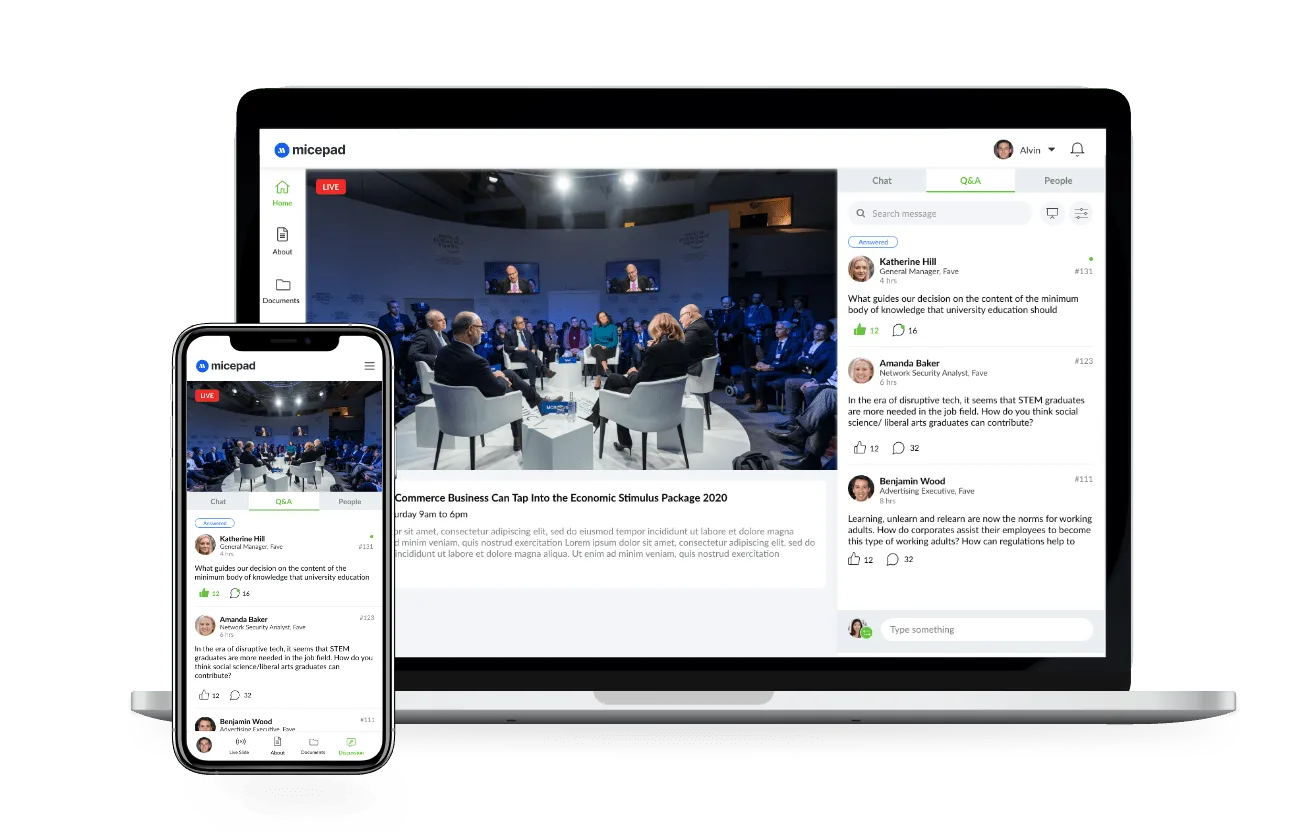
Use the app to gather and highlight the top questions from attendees. This can be super helpful during Q&A sessions, ensuring the most relevant and pressing questions get answered. It keeps the discussion engaging and focused, whether your event is offline or online.
3. Networking Space through Chats and Recommendations
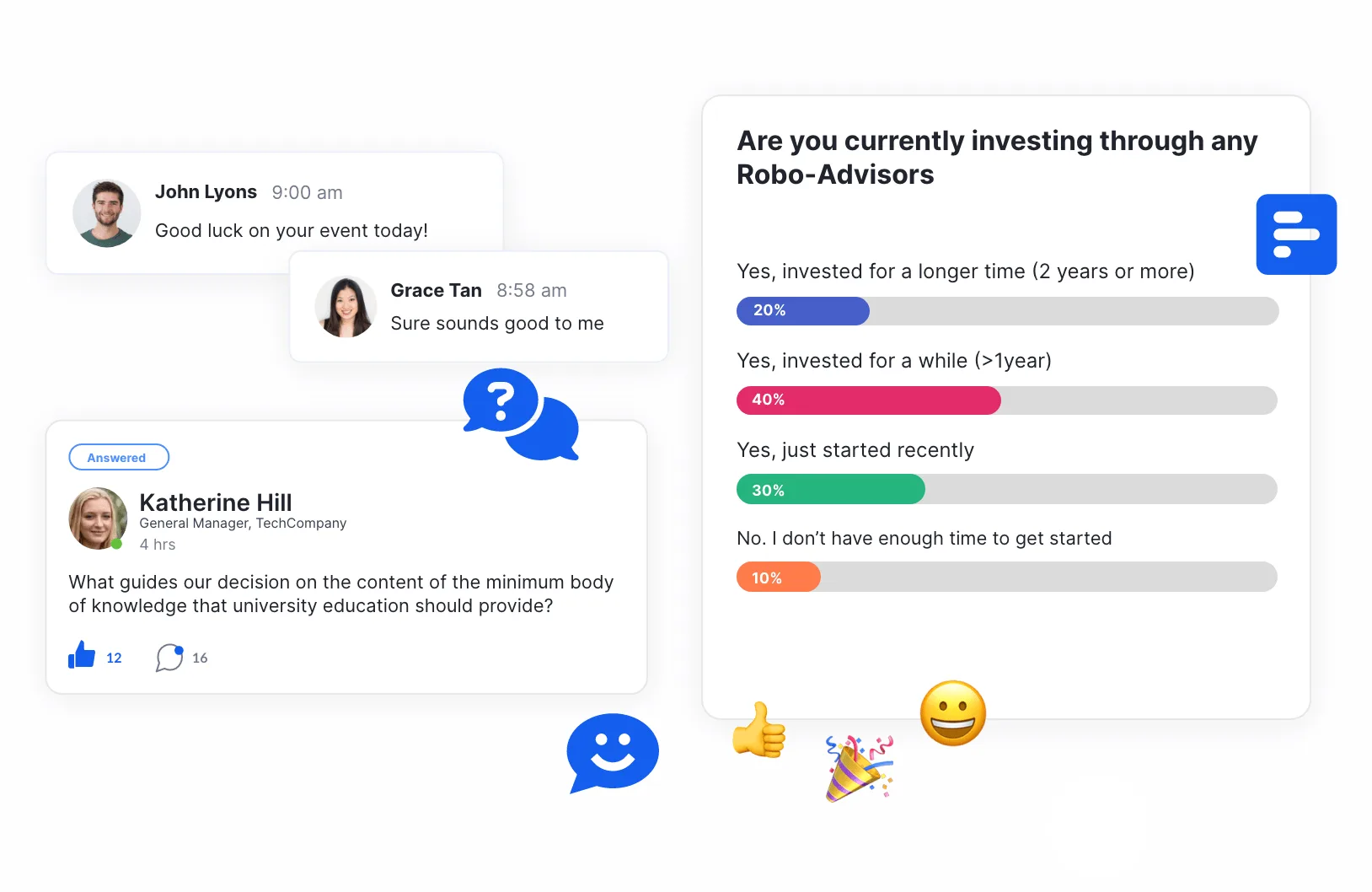
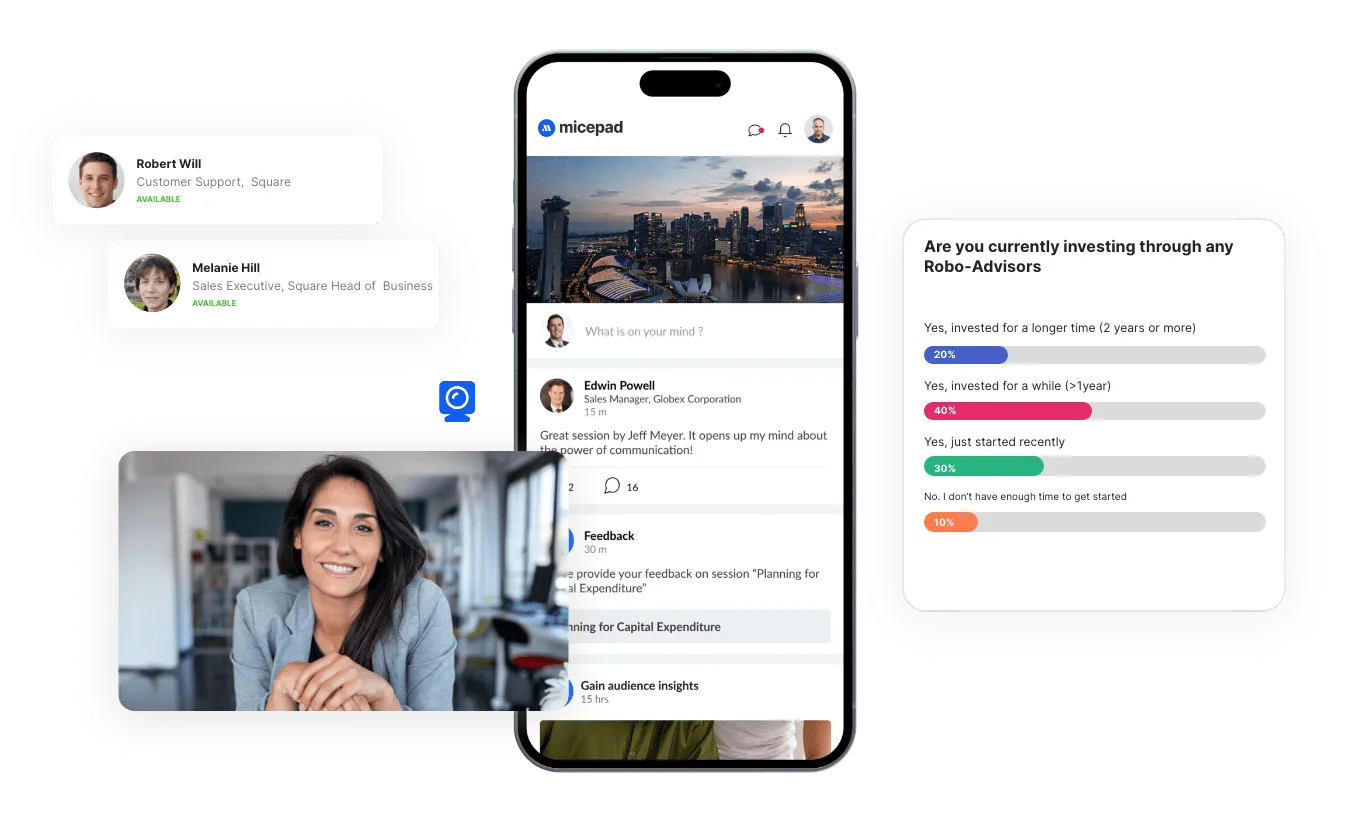
Create a dedicated chat space in the app where attendees can connect and network. They can discuss sessions, share insights, and even set up one-on-one meetings. This feature enhances the overall experience by fostering meaningful connections that can last beyond the event. Not sure who to chat with? Recommendations based on your own defined criteria makes things easy for you to meet someone new!
4. Post-Event Analytics
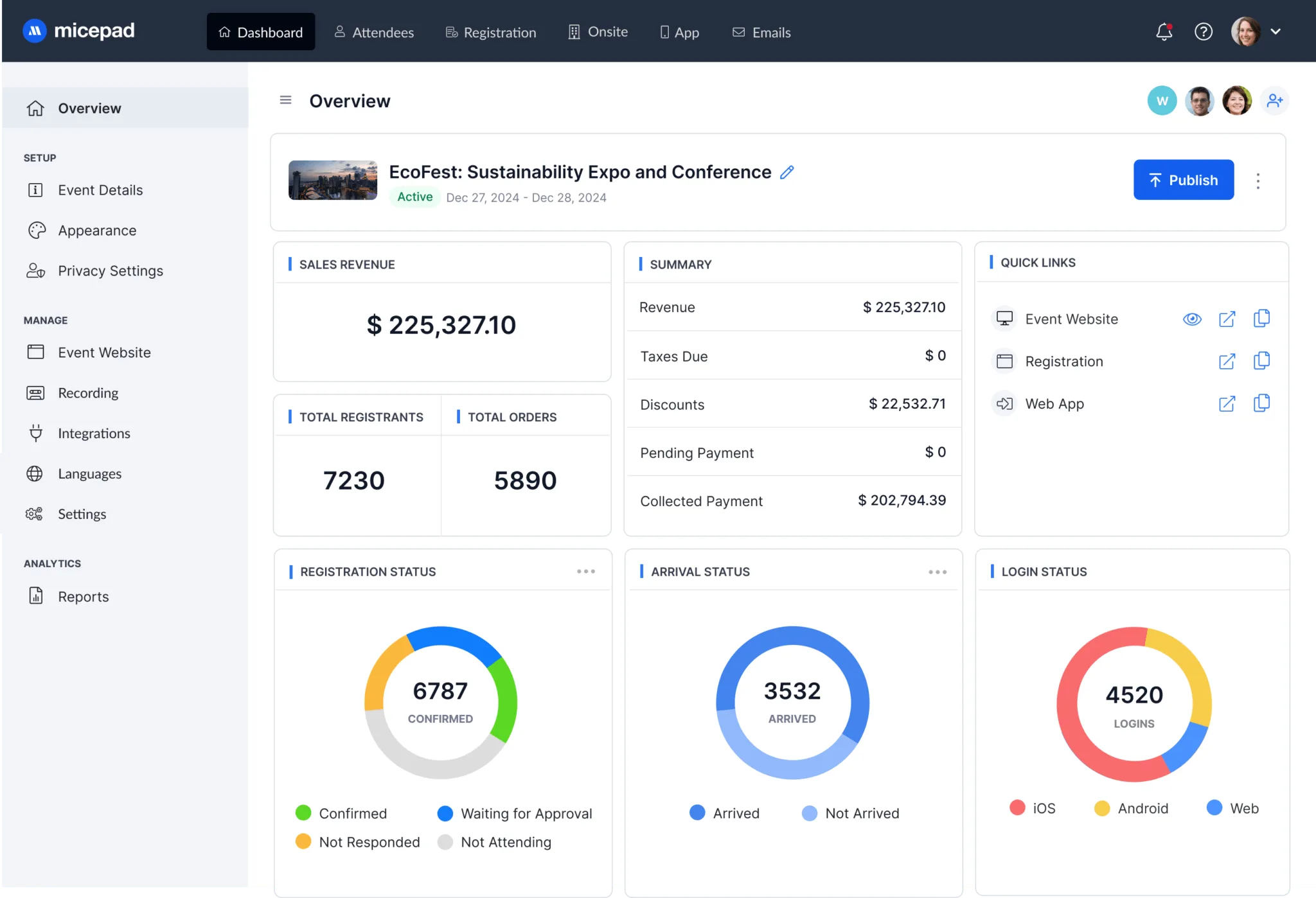
Use the app’s analytics to gather data on attendee engagement, session popularity, and overall event performance. These insights are crucial for understanding what worked well and what could be improved, helping you plan even better events in the future.
5. Onsite Check-In and On-Demand Badge Printing
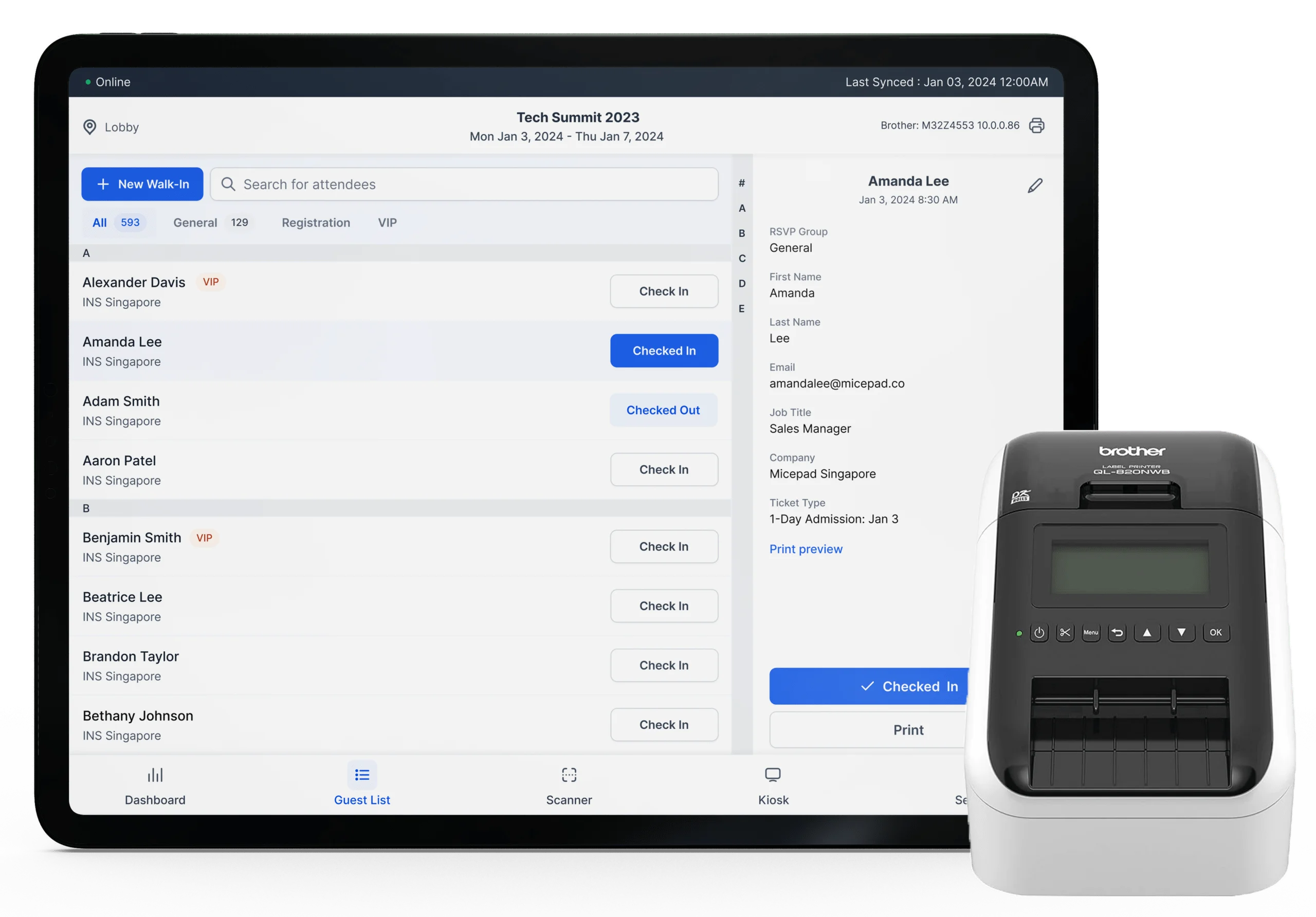
Streamline the check-in process with onsite check-in and badge printing features. Attendees can quickly scan a QR code to check in and print their badges on the spot, reducing wait times and making registration smooth and efficient.
6. Attendance Tracking
Use the app to track who attends each session. This is great for measuring engagement and seeing the most popular sessions. It’s also handy for managing continuing education credits or similar requirements.
7. Walk-In Registrations
Make it easy for last-minute attendees to register right on the spot. The app can handle walk-in registrations smoothly, ensuring everyone who wants to join can do so without hassle. This flexibility can significantly boost your attendance numbers.
8. Payment Collection
Simplify collecting payments for tickets, workshops, or any other event-related transactions. The app can handle secure payment processing, making it convenient for attendees to pay and for you to manage the funds efficiently.
By leveraging these features, you can enhance the attendee experience, streamline operations, and gather valuable insights to improve your future events. Whether hosting in-person or virtual events, a well-chosen mobile app can make all the difference.
Strategies for Boosting Event Interaction with Micepad Mobile App
- Utilise Micepad’s event information feature to personalise attendee schedules. Attendees can select the sessions, speakers, and topics that interest them most.
- Facilitate active participation by frequently using the Top Questions feature to encourage attendees to submit and vote on questions during Q&A sessions. This can be done through the app in real time.
- Create a networking space within the app where attendees can chat, share insights, and arrange one-on-one meetings. Promote this feature before and during the event.
- Implement the onsite check-in and on-demand badge printing features. Attendees can quickly scan a QR code to check in and print their badges.
- Use the post-event analytics feature to gather attendee engagement and session popularity data. Analyse this data to understand what worked well and what can be improved.
Ready to take your event experience to the next level? Micepad Mobile Event App offers powerful features to enhance engagement, streamline operations, and create unforgettable experiences for you and your attendees. From personalised schedules and seamless check-ins to dynamic networking and insightful analytics, Micepad has everything you need to make your event successful.
Why not see it for yourself? Give Micepad a try and discover how it can transform your next event into an exceptional experience. Dive in today and elevate your event with the Micepad Mobile Event App!

See the app at a real event
Read how MongoDB used Micepad's app across 10 APAC cities — 15,000+ attendees.