Turning an In-Person Event Into a Compelling Live Streaming Virtual Experience


As many companies are pivoting flagship events to virtual spaces, this article is for those who are making the difficult decision to transform large-scale events from in-person to online. We share precise knowledge on how to deliver a compelling live stream virtual experience for your viewers.
1. Know the plan and assemble your team

Despite the hurdles that are anticipated on the path to this monumental shift, there’s always opportunities disguised to do something special. Live streaming and virtual event tools are more available than ever before, and online events are far more affordable to produce. There’s also no indication online gatherings are a passing trend: Cisco predicts by 2022, 82% of all internet traffic will be video.
Let’s start with the basics to keep in mind as you organise:
- Develop new teams as needed
- Scrum often
- Prioritize and reprioritize every day
Groups should be broken down in this manner. Each one focus on a different angle of the virtual event: content, engagement and communications, while other subgroups will cover online streaming, live demos, customer management, and more. Conduct regular scrum sessions to ensure that everyone knows what deliverables are the most pressing.
2. Create a shortlist for session content
If the budget and consideration permit, include a broadcast location and then set to work on content programming.
Determine which of the event’s total number of sessions would translate best to a virtual format. We Next, create a plan for the top sessions and all the people needed to deliver them. We recommend working with the macro team on a need-to-know basis to stay on target and be agile. Ambiguity is normal but the need to focus must be of prime importance.
To avoid clashing interests, event leaders should determine the right time for open collaboration and the right time to be directive.
3. Figure out how to engage your online audience and stimulate a compelling experience.

Next, unwrap all the elements that were in place for the physical event. Piece by piece, determine how to navigate direction with the resources on hand. A key part of this is outsourcing. Work with suppliers, sponsors, etc and engage them in creating an engaging online experience. Audio visual production partners have extensive television experience. That meant they could also help to quickly create a compelling multichannel digital experience.
Consider what could be repurpose. Digital content developed to projects can be used as engaging backdrops for online sessions. Think of the walls and the space for visual contents. There should be an engagement experience work group focus on keeping the interest of people who were going to spend a day attending sessions and networking.
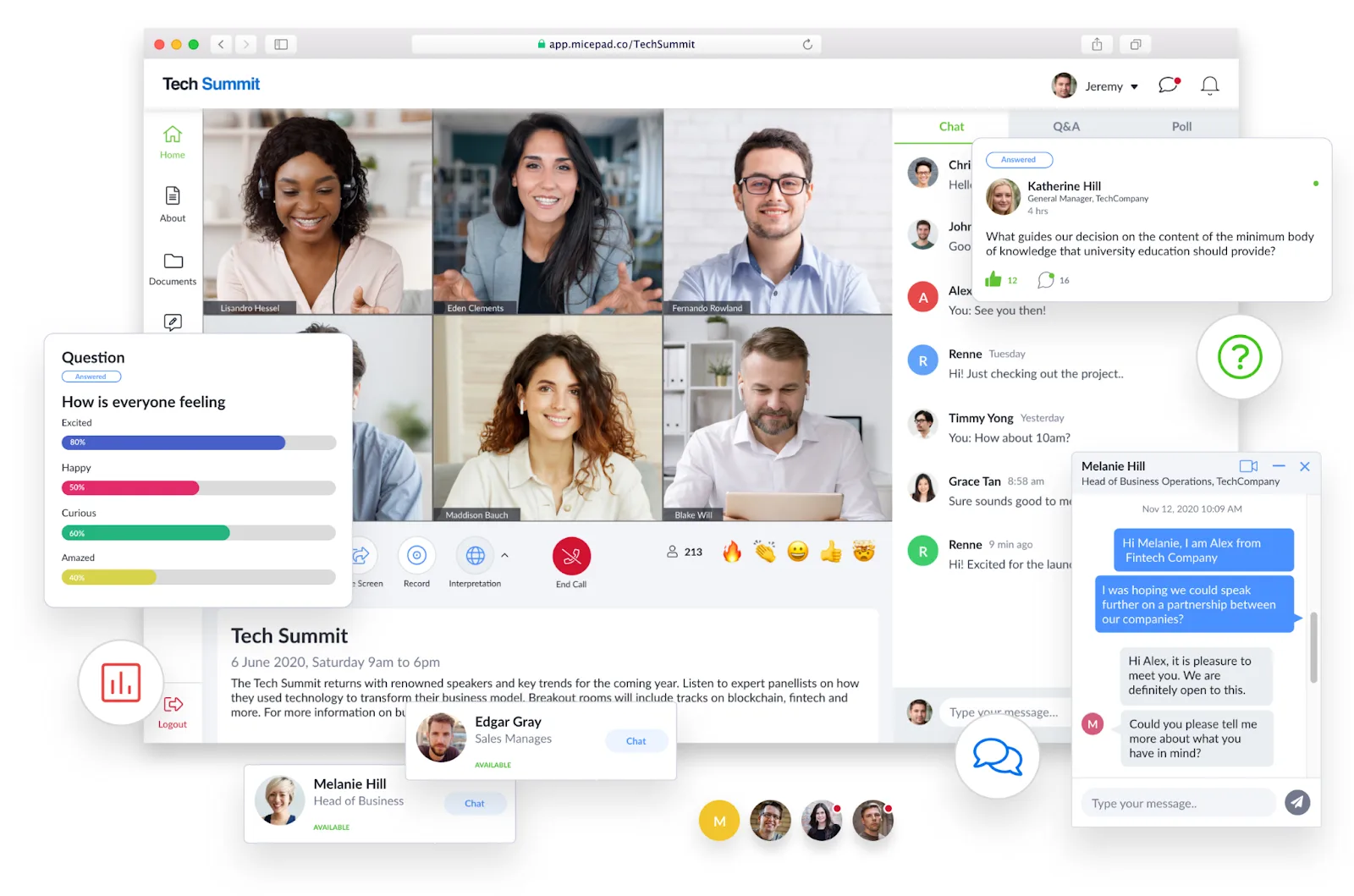
Social media can also share event highlights and preserve an element of two-way, live interaction. Engage a social team to add interactive activities such as contests, Q&As, polls, and other fun moments into the mix.
4. Prep the team for Live AV
Being on camera on a set is very different from being in front of a live audience. Speakers used to a live environment are now in a feedback vacuum, so they must project confidence to engage the audience. Encourage presenters to rehearse in front of a camera as many times as possible. Then give them the opportunity to see what they look like while presenting. They can empathize with the viewer’s experience and enhance their delivery.
A few other pointers to note:
- Duration of the sessions should be kept short.
- Consider conversational format with multiple people communicating with one another. A series of speakers will make the discussion engaging.
- The camera only sees a confined amount of space, so the detail of what’s in that area is really important. Think about what’s going into that space and how it will appear to viewers.
- If you plan for a global audience, consider translation services for captioning.
5. Keep internal and external stakeholders informed
Communicate early with your stakeholders. For the most part, many stakeholders are in the same situation and will understand your decision. Since they have a stake in your event’s success, collaborate with them on shifting content programming. Executing a strong game plan can allow you to shift your in-person event strategy to a virtual one.
Think of it this way: you’ve now rewritten your company’s event and replaced it with a forward-looking one your customers can adapt to.
See virtual events in action
Streams, breakouts, polls, and 1,000+ concurrent viewers — all in one platform.