Event Management Software: 12 Best Platforms Compared (2026)
Picture a 1,200-person B2B conference at McCormick Place in Chicago. Doors open at 7:30 AM Central, the badge line already wraps past the escalators, the venue's shared Wi-Fi is priced per device, and a quarter of the attendee list lives in California. Your choice of event management software determines far more than how those attendees bought their tickets. It dictates how fast the line moves, whether the registration form complies with state privacy and accessibility rules, and whether the attendance data lands in your CRM before the sales team's follow-up call.
This 2026 guide compares 12 event management platforms with verified pricing, walks through a seven-point checklist written for US organizers, explains what the software really costs under four different pricing models, and covers the on-site realities at major US venues that vendor demos tend to skip.
Key takeaways
- Pick the pricing model before the platform. Enterprise suites charge annual licenses of $11,800 to $20,000+ (some with per-registrant fees on top); per-event specialists charge a flat fee per event; ticketing marketplaces take a percentage of every paid ticket. The right model depends on how many events you run per year, not on the feature list.
- The same 500-person conference costs $300 or $23,500 depending on the model. Per-event pricing puts it at $300 on Micepad Starter; Bizzabo's three-seat minimum makes it $17,999 a year whether you run one event or twenty; Eventbrite takes about $2,545 in fees on $50 tickets; Cvent's reported license plus $7 per registrant lands near $23,500 before implementation.
- On-site execution is the real test. At the Las Vegas Convention Center or McCormick Place, venue internet is billed per device and union rules govern electrical drops, so check-in and badge printing must work offline on battery-powered hardware.
- Offline mode is a cost decision, not just a reliability one. With venue internet billed per device and a dedicated line running into the thousands, a platform that checks in and prints badges from a local cache over one LTE hotspot removes an entire line item from the budget.
- Compliance is a selection criterion, not a legal footnote. Twenty states now have consumer privacy laws, and the ADA Title II web rule sets WCAG 2.1 AA deadlines in 2027 and 2028.
- Give a new platform eight weeks, and never skip the rehearsal. Contract and privacy review by week 7, registration live by week 5, hardware ordered by week 3, and a full run-through with the venue Wi-Fi switched off in week 1, because that is the step that catches printer and sync problems before the doors open.
What is event management software?
Event management software is a centralized platform that handles the full lifecycle of an event: registration and ticketing, payment processing, attendee communications, on-site check-in, badge printing, and post-event reporting. In the industry the terms event management system, event management platform, event management tool, and event management solution are used interchangeably; they all describe the same category, as do narrower labels such as conference and event management software or online event management software. A capable platform also works as an event attendee management system, removing the data silos between the marketing team that fills the room and the operations team that runs the door.
Not every product in the category is built for the same job. Three families cover most of the market, and the family matters more than any individual feature:
- Per-event and on-site specialists. Built for B2B conferences, trade shows, and corporate meetings. They prioritize fast QR code check-in, on-demand badge printing, self-service kiosks, and clean data flow into Salesforce or HubSpot. Pricing is usually per event or published per tier.
- Enterprise all-in-one suites. Large ecosystems that bundle venue sourcing, hotel room blocks, multi-track agendas, virtual streaming, and portfolio analytics. Feature-rich, but sold on annual contracts with implementation fees and, in some cases, per-registrant charges.
- Ticketing marketplaces and attendee apps. Consumer-first platforms built for discovery and public ticket sales, or app-first platforms built around networking and agendas. Excellent for public events and association conferences; usually light on on-site hardware.
Choose the wrong family and you either pay for modules you never open (a virtual venue for an in-person trade show) or discover on event morning that the platform cannot print a badge without a live internet connection. The checklist below is designed to keep you in the right family.
How to choose event management software: a 7-point US checklist
Every vendor demo looks good. The criteria below are the ones that separate platforms once the contract is signed. Work through them, then write your own requirements list before you book a single demo.
1. Event size and format
A 5,000-person trade show at the Orange County Convention Center needs multi-kiosk badge printing and lead retrieval for exhibitors. A 60-person executive roundtable needs a clean RSVP flow and a seating chart. Over-buying bloats the budget; under-buying creates a line at the door. The best event management software for small business events is rarely the same product a Fortune 500 events team runs, and that is fine.
2. A pricing model that matches your calendar
Platforms monetize four ways: a flat fee per event, an annual license per user, a percentage plus a fixed fee per paid ticket, or an annual license plus a fee per registrant. A team running twenty events a year can amortize an annual license. A team running one flagship conference is penalized by three-seat minimums and per-registrant fees that grow exactly when the event succeeds. The cost section below shows the arithmetic.
3. On-site throughput and hardware
Software is only as good as its physical execution. If the check-in app takes ten seconds to sync each attendee, a 1,000-person event will have a line stretching out the door. Ask for the scan-to-badge time (under three seconds is the target), native support for Zebra or Brother direct-thermal printers, tablet stands, handheld Bluetooth scanners, and an offline mode that keeps checking people in and printing when the venue network drops.
4. Data privacy and security
The US has no single federal privacy law. As of January 1, 2026, twenty states have comprehensive consumer privacy laws in effect, with Indiana, Kentucky, and Rhode Island the most recent to take effect. California's CCPA/CPRA applies to any organization over $25 million in annual revenue or that processes the personal data of 100,000 or more consumers, including out-of-state organizers with California attendees. Look for un-pre-ticked marketing opt-ins, a privacy notice at the point of collection, access and deletion request workflows, role-based access for temporary door staff, encryption in transit and at rest, and a documented deletion policy after the event. SMS reminders require prior express written consent under the TCPA, email falls under CAN-SPAM, and card data should be tokenized through Stripe or Authorize.net rather than stored. US enterprise procurement teams typically ask for a SOC 2 Type II report in addition to ISO 27001.
5. Digital accessibility (ADA and WCAG 2.1 AA)
The Department of Justice's ADA Title II rule requires state and local government websites and mobile apps, including registration forms and PDFs run by a vendor on their behalf, to conform to WCAG 2.1 Level AA. In April 2026 the DOJ extended the compliance dates to April 26, 2027 for public entities with a population of 50,000 or more, and April 26, 2028 for smaller entities and special district governments. Private organizers already face Title III lawsuits over inaccessible sites. Treat accessible registration forms, screen-reader-tested check-in kiosks, and captioned hybrid streams as requirements, not extras.
6. Payments, sales tax, and invoicing
The platform should accept Stripe, Authorize.net, or PayPal, plus Apple Pay and Google Pay, and support ACH and net-30 invoicing with a W-9 on request for corporate buyers. Sales tax on admissions varies by state and city: Tennessee, New Jersey, Minnesota, and Louisiana generally tax admissions, Chicago levies a municipal amusement tax, and several states require platforms to collect on the organizer's behalf. Confirm the software supports per-state tax settings, tax-exempt checkout for nonprofit and government attendees, and 1099-K reporting. There is no VAT or GST in the US, so international vendors' invoicing templates may need adjusting.
7. Integrations and support hours
Attendance data should flow into Salesforce, HubSpot, or Marketo without a manual CSV. Then check the support desk. The contiguous US spans four time zones, plus Alaska and Hawaii; a 7:00 AM Eastern door opening is 4:00 AM Pacific, and a vendor whose support closes at 5:00 PM in its home time zone will not be there when a printer jams at the door. Ask every vendor, in writing, whether support runs 24 hours on event day, whether a human (not a ticket queue) answers, and whether on-site staff are available. Micepad provides 24-hour support, so an event-day issue is handled live regardless of which US time zone your doors open in.
What a founder looks for: the first 90 seconds at the door
Organizers evaluating software tend to spend the demo on pre-event modules: website builders, email templates, agenda tools. In Micepad's view, the metric that decides whether attendees rate an event well is set in the first 90 seconds at the door, and almost nobody measures it during procurement.
Two numbers tell the story. The first is arrivals per minute per station: how many people one staffed desk or one self-service kiosk can move through scan, print, and hand-off during the peak half hour. The second is the badge reprint rate: the share of badges printed twice because of a misspelled name, a wrong ticket type, or a sync error. A high reprint rate slows the line, burns consumables, and is usually a symptom of a platform that only works with a live connection.
Our recommendation is to ask each vendor for both numbers from a comparable event, and to run a rehearsal with the venue Wi-Fi switched off. A platform that keeps checking people in and printing badges from a local cache passes; one that freezes has failed the only test that matters on the morning of the event.
Core event management software features
A complete platform replaces spreadsheets and disconnected tools with one system of record. These are the modules to look for, and the questions to ask about each.
- Registration and ticketing. A form builder with conditional logic (different questions for speakers, sponsors, media, and general attendees), multiple ticket types and early-bird windows, promo codes, capacity limits and waitlists for breakout sessions, and automated confirmations.
- Payments and tax processing. PCI-compliant checkout, per-state tax rules, tax-exempt checkout, corporate invoicing, and refunds without a support ticket.
- Attendee communications. Confirmation emails with .ics calendar files, reminder sequences, TCPA-compliant SMS, and segmented announcements for schedule changes.
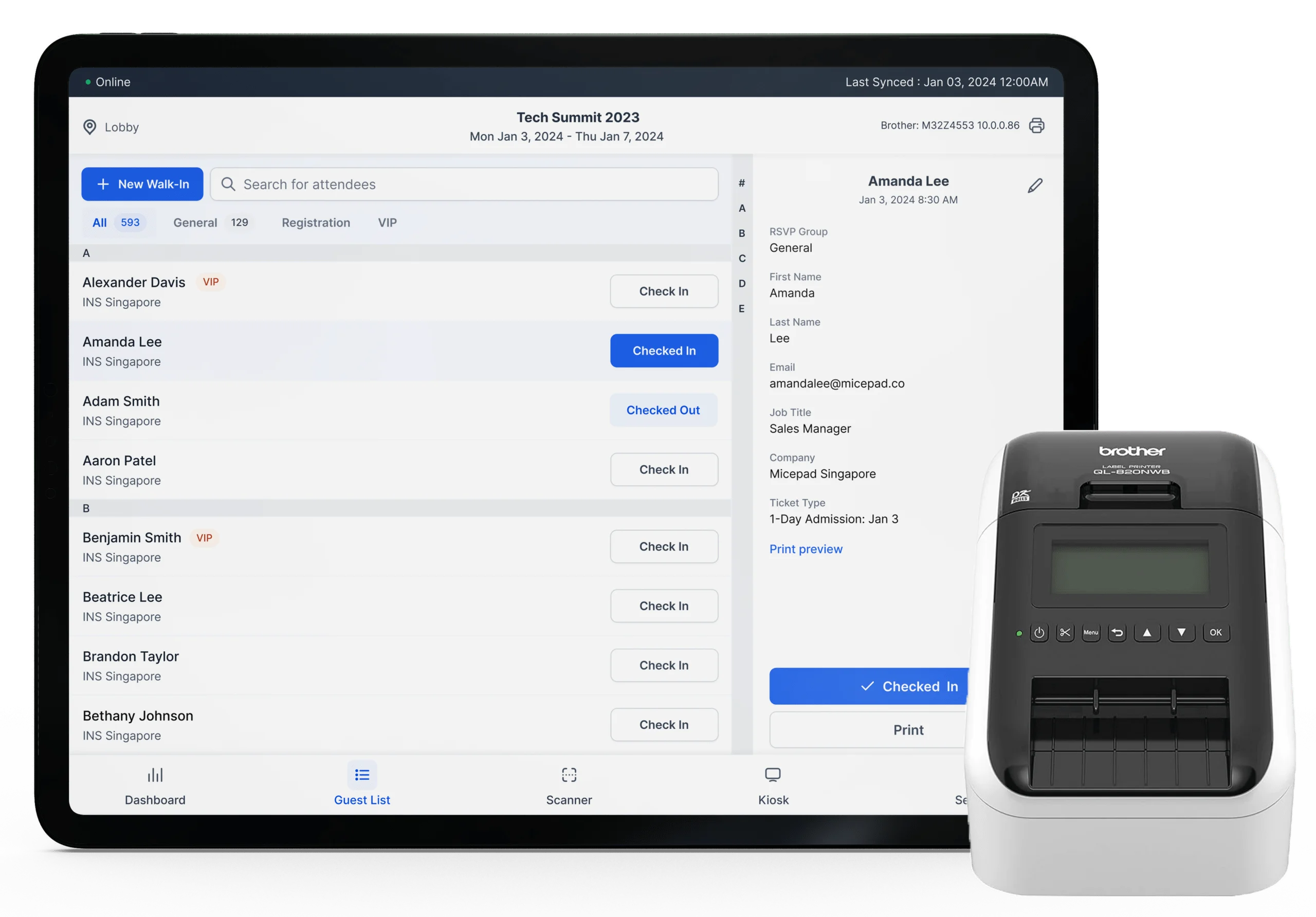
- QR code check-in. A dedicated event check-in app that scans a QR code from a phone or printed confirmation, validates the ticket, and records attendance in under three seconds, with offline caching so the queue keeps moving if the network fails.
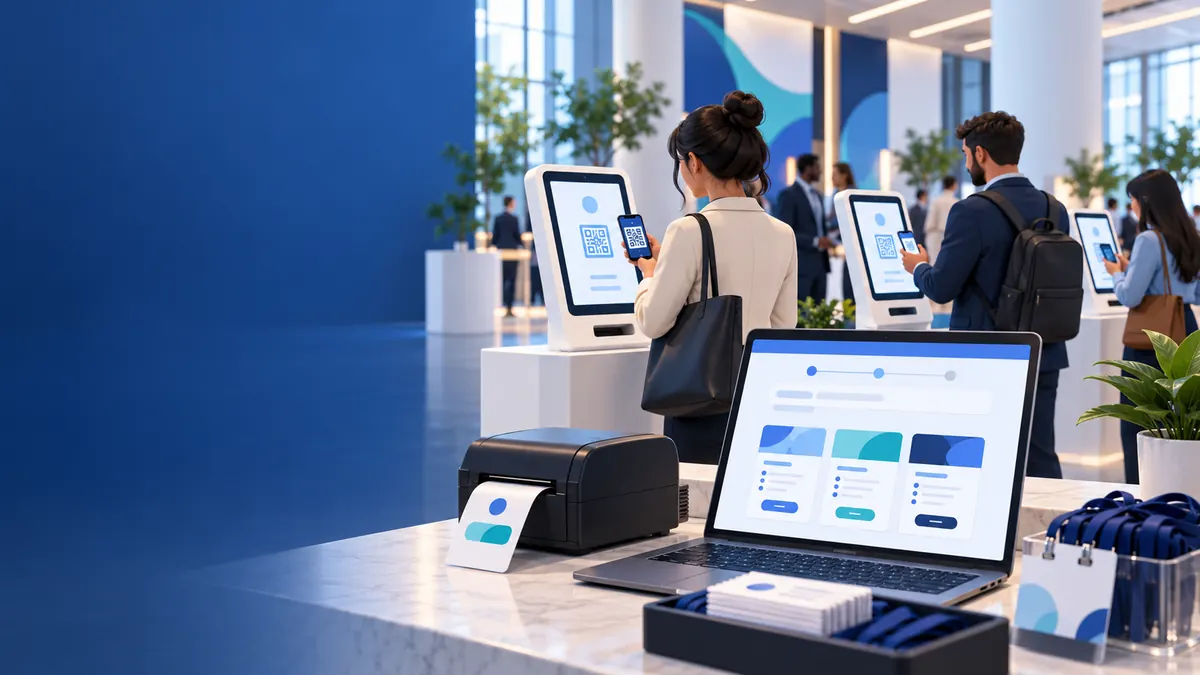
- Badge printing and self-service kiosks. Native integration with direct-thermal printers for on-demand badge printing, so nobody pre-prints and alphabetizes 1,000 badges the night before, plus a smart kiosk mode for walk-up self check-in.
- Analytics and CRM sync. Live dashboards for registration velocity, check-in rate, and session attendance; two-way sync with HubSpot or Salesforce; and lead capture for exhibitors that lands in the sponsor's pipeline the same day.
- Event project management. Some suites include task lists, timelines, and budget tracking. Most teams still run those in Asana or Monday.com; if you search for event project management software expecting a registration tool, you will be disappointed, and vice versa. Our event planning checklist covers the task side.
Best event management software in 2026: comparison
All 12 platforms are compared on the same seven points. Prices were read from each vendor's own pricing page on April 8, 2026; where a vendor publishes no prices, the cell is marked with an asterisk (*) and shows the range reported by third-party pricing guides, which you should treat as a planning range rather than a quote.
| Platform | Best for | Stand-out features | Cons | Pricing (2026) | QR check-in / badge printing / kiosk | Public price? |
|---|---|---|---|---|---|---|
| Micepad | Corporate and B2B event teams that want fast on-site check-in and badge printing with published per-event pricing and no annual contract. | Sub-3-second QR check-in, on-demand thermal badge printing, self-service kiosk mode, offline caching, and 24-hour support. | Not a consumer ticket-discovery marketplace; no venue sourcing or event budgeting module; registration forms and kiosk mode start at the Pro tier. | Free up to 50 attendees; Starter $300 per event; Pro $500 per event; Enterprise custom from 3,000 attendees. | Yes / Yes (Starter and up) / Yes (Pro) | Yes |
| Accelevents | Organizers who start with one event and expect to grow into a multi-event or white-label program on the same platform. | Kiosk check-in, badge printing, event website builder, mobile app, and 24/7 live support in every plan; organizers can add their own transaction fees. | The published price covers single events only; multi-event tiers are quoted and billed annually. | Professional from $7,500; Business, Enterprise, and White Label by quote. | Yes / Yes / Yes | Yes (entry tier) |
| Cvent | Fortune 500 event portfolios that need venue sourcing, hotel room blocks, budgeting, and multi-track registration under one enterprise contract. | Venue sourcing, budgeting, portfolio analytics, OnArrival on-site check-in and badging. | Steep learning curve and long implementation; per-registrant fees grow with every successful event; no published pricing. | * Annual license reported at $20,000–$79,000+, plus $7 per registrant per event for Attendee Hub and Event App (increases scheduled from July 2026), plus $5,000–$50,000 implementation. | Yes / Yes / Yes | No |
| Bizzabo | Marketing-led teams running large B2B conferences that want websites, registration, agenda, app, and analytics in one modern interface. | Event websites, registration, agenda builder, mobile event app, email, and analytics in the base plan. | Three-user minimum sets a high floor; on-site badge printing, CRM integrations, API, SSO, and white-label branding are paid add-ons. | $499 per user per month, billed annually, three-user minimum (from $17,999 per year before add-ons). | Yes / Add-on / Add-on | Partly |
| Swoogo | Mid-market corporate teams that run many events a year and want one flat annual price with no per-registrant charges. | Unlimited events and registrations, check-in app, premium branding suite, five branded event URLs. | Custom badges and advanced on-site tools require the paid Go Onsite Pro add-on; annual commitment. | $11,800 per year entry plan; Enterprise by quote. | Yes / Add-on / Add-on | Yes |
| Stova | Enterprise and association meeting programs with complex agendas, speaker and exhibitor management, and venue sourcing needs. | Registration, agenda and session management, speaker and exhibitor tools, venue sourcing, budgeting. | Formed from three merged products (MeetingPlay, Aventri, eventcore); reviewers cite an expensive subscription and high app fees; no published pricing. | * Reported from about $10,000 per year. | Yes / Yes / Limited | No |
| Whova | Academic and association conferences where the attendee app, networking, and agenda are the heart of the experience. | Attendee networking, personalized agenda, community boards, session Q&A. | App-centric; kiosks and thermal badge printing are less central; no published pricing. | * Reported at about $500–$1,000+ per event plus about 3% + $0.99 per paid ticket. | Yes / Yes / Limited | No |
| Eventbrite | Public, consumer-facing events that benefit from a built-in discovery marketplace and a simple organizer app. | Built-in audience, organizer app, event pages, marketing tools. | No on-demand badge printing; per-ticket fees add up quickly for paid events at scale; limited B2B lead routing. | Free for free events; paid tickets 3.7% + $1.79 per ticket plus 2.9% payment processing, no cap. | Yes (basic app) / No / No | Yes |
| Splash | Enterprise marketing teams running branded field events, dinners, and activations where invitation design carries the experience. | Design-led event pages and email, guest-list management, free-forever tier. | Design-first rather than operations-first; badge printing and kiosk check-in are limited; paid tiers are quote-only. | Free-forever tier; Pro and Enterprise by annual quote. | Yes / Limited / No | Free tier only |
| RingCentral Events | Teams that run webinar programs and virtual events first, with hybrid or on-site events on higher tiers. | Broadcast studio, networking, unlimited events on every plan, free trial. | Pro covers webinars and virtual events only; on-site and hybrid features require Pro+ or above. | Pro $99, Pro+ $199, Enterprise $299 per organizer per month billed annually ($119 / $239 / $359 monthly). | Pro+ and up / Pro+ and up / Limited | Yes |
| Virtual PRO (formerly Hubilo) | Conference producers running multi-session, multi-day virtual and hybrid programs with a fixed admin team. | Multi-session virtual events, unlimited events per plan, hybrid support. | Priced by admin seats and an audience cap per event, so one large event is expensive; virtual-first with limited on-site hardware. | PRO 1 $15,000 per year (1 seat, 1,000 attendees per event); PRO 4 $50,000; PRO 10 $125,000. | Yes / Limited / No | Yes |
| Webex Events (formerly Socio) | Organizations already standardized on Cisco Webex that want hybrid event tools inside the same ecosystem. | Hybrid event tools integrated with Webex meetings and webinars. | Best value only if you already pay for Webex; quote-only pricing. | Quote; a free version exists. | Yes / Yes / Limited | No |
Vendor publishes no prices; figure reported by third-party pricing guides.
Adjacent tools most event teams pair with their platform
| Tool | Best for | Stand-out features | Cons | Pricing (2026) |
|---|---|---|---|---|
| Asana or Monday.com | Event teams that need task lists, timelines, and cross-department coordination in the months before doors open. | Timelines, task owners, automations, progress reporting. | Project management only; no registration, ticketing, check-in, or attendee data. | Free plans; paid tiers per user per month. |
| Zapier | Teams connecting a registration platform to a CRM or email tool without a native integration. | No-code workflows between thousands of apps. | Adds a monthly cost and a second point of failure; not a replacement for a native CRM sync. | Free plan; paid tiers by task volume. |
| Zebra or Brother badge printers | Any event printing badges on demand at the door. | Direct-thermal printing, no ink, fast per-badge output. | Hardware only; needs event software that drives the printer and handles reprints. | Purchase or rental per unit; badge stock extra. |
| Google Forms or Microsoft Forms | Internal meetings and small free events that only need a headcount. | Free, fast to build, exports to a spreadsheet. | No ticketing, payment, QR check-in, or badge printing; attendee data lives in a spreadsheet. | Free with Google Workspace or Microsoft 365. |
| Slack or Microsoft Teams | Event teams coordinating staff, volunteers, and vendors on event day. | Channels, mobile notifications, huddles and calls. | Team communication only; nothing attendee-facing. | Free plans; paid tiers per user per month. |
Per-event and on-site specialists
Micepad — Best for corporate B2B conferences, trade events, and meetings where the door has to run flawlessly. Micepad concentrates on the arrival experience: QR code check-in in under three seconds, on-demand badge printing on Zebra and Brother thermal printers, self-service kiosks, and a local cache that keeps check-in and printing running if the venue network drops. Every price is published, there is no sales call to start, and the Free plan needs no credit card.
Stand-out features: QR check-in app with offline mode; custom badge designer and thermal printing; kiosk mode and exhibitor lead capture. Genuine limitation: it is not a public ticket-discovery marketplace for consumer events, and it does not include venue sourcing or event budgeting.
Pricing (verified): Free up to 50 attendees (QR check-in, seating chart, basic reports); Starter $300 per event, in tiers up to 250, 500, or 1,000 attendees, adding badge printing, data export, attendee management, email campaigns, and the badge designer; Pro $500 per event, adding registration forms and kiosk mode; Enterprise custom from 3,000 attendees with API access and dedicated support. Extra check-in credits on the 1,000-attendee plans cost $750 per 500 on Starter or $1,000 on Pro. See every plan and price.
Accelevents — Best for organizers who want one platform from a single event through a multi-event program. The Professional plan is built for single events and includes kiosk check-in, badge printing, an event website builder, a mobile app, and 24/7 live support; Business, Enterprise, and White Label tiers cover multi-event programs and full brand control. Organizers can add their own transaction fees to offset costs. Genuine limitation: the published entry price applies to single events, and larger programs move to quoted tiers. Pricing (verified): Professional from $7,500.
Enterprise all-in-one suites
Cvent — Best for Fortune 500 portfolios that need venue sourcing, hotel room blocks, budgeting, multi-track registration, and portfolio analytics in one contract. Cvent's OnArrival module handles on-site check-in and badging. Genuine limitation: cost of entry and ramp-up time. Cvent publishes no prices; third-party guides report an annual platform license commonly between $20,000 and $79,000 or more, a one-time implementation fee of $5,000 to $50,000, and Cvent's own community guidance says the merged Attendee Hub and Event App is priced at $7 per registrant per event, with increases scheduled from July 2026. Cvent's community example: ten events of 1,000 attendees at $7 each adds $70,000 on top of the license. If you are weighing a Cvent alternative for on-site check-in, or want the full Cvent pricing breakdown, those pages go deeper.
Bizzabo — Best for large B2B conferences run by marketing teams that want event websites, registration, an agenda builder, a mobile app, email, and analytics on one modern interface. Genuine limitation: the three-user minimum sets a high floor, and the Onsite Command app with badge printing, CRM integrations (HubSpot, Marketo, Salesforce MCAE, Eloqua), API access, organizer and attendee SSO, a custom-branded app, and private-label branding are all priced as add-ons. Pricing (verified): $499 per user per month, billed annually, three-user minimum, so the entry point is $17,999 per year before add-ons. Teams that mainly need the on-site layer often look at a Bizzabo alternative.
Swoogo — Best for mid-market corporate teams that run many events a year and want a flat annual price. The published entry plan includes unlimited events and registrations, a check-in app, premium branding, and five branded event URLs, with no per-event or per-registrant charges. Genuine limitation: custom badges and advanced on-site features require the paid "Go Onsite Pro" add-on. Pricing (verified): $11,800 per year; Enterprise by quote.
Stova — Best for enterprise and association meeting programs with complex agendas, speaker and exhibitor management, and venue sourcing. Stova is the combination of MeetingPlay, Aventri, and eventcore. Genuine limitation: quote-only pricing and a suite that can feel heavy for occasional events. Pricing (reported): from about $10,000 per year.
Attendee-app and ticketing marketplaces
Whova — Best for academic and association conferences where the attendee app, networking, and agenda are the center of the experience. Genuine limitation: it is app-centric; on-site hardware such as kiosks and thermal badge printing is less central, and Whova publishes no prices. Pricing (reported): roughly $500 to $1,000 or more per event, plus about 3% + $0.99 per paid ticket. Organizers who need stronger on-site tooling often pair it with, or replace it with, a Whova alternative.
Eventbrite — Best for public, consumer-facing events that gain from Eventbrite's discovery marketplace and organizer app. Genuine limitation: there is no on-demand badge printing, and the per-ticket fee structure gets expensive at scale. Pricing (verified): free events are free; paid tickets carry a 3.7% + $1.79 service fee per ticket plus 2.9% payment processing per order, with no cap. On a $50 ticket that is about $5.09 in fees (about 10%); on a $20 ticket, about $3.11 (about 15.5%). For B2B events that sell on Eventbrite but need real check-in and badges, see the Eventbrite check-in alternative.
Splash — Best for enterprise marketing teams running branded field events and dinners where the invitation and landing page design carry the experience. A free-forever tier exists; Pro and Enterprise are quoted annually. Genuine limitation: badge printing and kiosk capability are limited compared with on-site specialists.
Virtual and webinar-led platforms
RingCentral Events (formerly Hopin) — Best for webinar programs and virtual events, with hybrid and on-site tools on the higher tiers. Every plan includes unlimited events. Genuine limitation: the Events Pro tier covers webinars and virtual events only; on-site and hybrid events require Pro+ or above. Pricing (verified): Pro $99, Pro+ $199, Enterprise $299 per organizer per month billed annually ($119, $239, $359 monthly); a free trial is available.
Virtual PRO (formerly Hubilo) — Best for conference producers running multi-session, multi-day virtual and hybrid programs. Now sold under Brandlive; the old hubilo.com pricing page redirects to virtualpro.com. Genuine limitation: pricing is set by admin seats and an audience cap per event, and the product is virtual-first. Pricing (verified): PRO 1 $15,000 per year (one admin seat, 1,000 attendees per event), PRO 4 $50,000 (four seats, 4,000), PRO 10 $125,000 (ten seats, 10,000); unlimited events on each.
Webex Events (formerly Socio) — Best for organizations already standardized on Cisco Webex that want hybrid event tools inside the same ecosystem. Genuine limitation: quote-only pricing, although a free version exists.
Adjacent tools. No platform runs an event alone. Most teams pair their event management software with Asana or Monday.com for planning tasks, Zebra or Brother printers and iPad stands for the door, Salesforce or HubSpot as the system of record, and Zapier for lighter integrations. Event management software companies compete on how cleanly they hand data to those tools, so ask for the integration list in writing.
How to choose the right platform by event format
Match the platform family to the operational problem your format creates.
| Event format | Primary operational challenge | Recommended platform family | Examples |
|---|---|---|---|
| B2B conference or summit | Multi-track agenda, fast door, CRM sync, sponsor lead capture | Per-event specialist, or enterprise suite for large portfolios | Micepad, Swoogo, Bizzabo |
| Trade show or expo at a major convention center | High-volume badge printing, exhibitor lead retrieval, offline resilience, expensive venue internet | Per-event specialist with kiosk mode and offline caching | Micepad, Accelevents |
| Executive roundtable or seminar | Curated RSVP list, seating chart, discreet check-in, strict data handling | Lightweight per-event tool or free tier | Micepad Free or Starter, Splash |
| Public ticketed event | Consumer reach, simple checkout, marketplace discovery | Ticketing marketplace | Eventbrite |
| Nonprofit gala or fundraiser | Tax-exempt checkout, donor CRM sync, tight budget | Free tier or per-event tool with tax-exempt settings | Micepad Free or Starter, Eventbrite (free events) |
| Hybrid conference | One registration for in-person and remote, captioned streams, unified attendance data | Hybrid event management software with on-site hardware, or a virtual-led platform on its on-site tier | Micepad + virtual event platform, RingCentral Events Pro+ |
On-site execution at US venues
The flagship US venues—the Las Vegas Convention Center, McCormick Place in Chicago (the largest exhibit space in North America), the Orange County Convention Center in Orlando, the Javits Center in New York, the Georgia World Congress Center in Atlanta, and Moscone Center in San Francisco—plus the big hotel ballrooms, share three realities that shape which software you can actually run at the door.
Venue internet is billed per device
At the Las Vegas Convention Center, Cox Business shared bandwidth runs $745 for a 3 Mbps first device, $164 for each additional device (limited to three), and $995 for the 10 Mbps tier. Dedicated exhibitor lines at the major centers are reported in the thousands of dollars. Ten check-in stations on venue Wi-Fi is a real line item. A platform with offline-first check-in and badge printing, syncing over a single LTE hotspot when a connection is available, turns that line item into a rounding error. In the US, offline mode is a cost decision as much as a reliability decision.
Union labor governs the power drop
At McCormick Place, the LVCC, Mandalay Bay, and the OCCC, electrical connections, rigging, and material handling are typically performed by union crews, and drayage at McCormick Place is reported to run 42–51% higher than at Orlando or Las Vegas. A registration desk that needs hard-wired power and network for a row of desktop PCs triggers those orders. Battery-powered tablet stands, Bluetooth scanners, and thermal printers that set up in minutes on a standard outlet avoid most of it.
Staffing and hardware list
A working rule of thumb is one check-in station (staffed desk or self-service kiosk) for every 150–200 expected arrivals in the peak hour, with one floating staff member per four stations to handle reprints and walk-ins. Standard kit per station: an iPad or Android tablet on a stand, a Zebra or Brother direct-thermal badge printer, badge stock, a handheld scanner for the exhibitor floor, and one LTE hotspot per cluster. For the platform side of that setup, read our best event check-in apps and software comparison.
What event management software really costs
Event management software pricing follows four models. The label on the plan matters less than which model it uses, because the same 500-person conference costs wildly different amounts under each.
- Per event. A flat fee for one event, sized by attendee count. Micepad Starter is $300 and Pro $500 per event; Accelevents Professional starts at $7,500. Predictable, and nothing is charged per attendee.
- Per user, billed annually. Bizzabo is $499 per user per month with a three-user minimum ($17,999 per year); Swoogo's entry plan is $11,800 per year; RingCentral Events is $99 to $299 per organizer per month billed annually. Efficient for teams running many events, expensive for one.
- Per ticket. Eventbrite takes 3.7% + $1.79 per paid ticket plus 2.9% processing. Free for free events; costly for high-priced or high-volume paid tickets.
- Annual license plus per registrant. Cvent is reported at a $20,000–$79,000+ license plus $7 per registrant per event for the Attendee Hub and Event App, with increases scheduled from July 2026. The bill grows exactly when registrations do.
Worked example: one 500-person conference, $50 ticket
| Model | Platform | Arithmetic | Software cost |
|---|---|---|---|
| Per event | Micepad Starter (500-attendee tier) | Flat fee | $300 (verified base price) |
| Per user, annual | Bizzabo | $499 × 3 users × 12 months | $17,999 per year, whether you run one event or twenty |
| Per ticket | Eventbrite | 500 × ($50 × 3.7% + $1.79 + $50 × 2.9%) = 500 × $5.09 | About $2,545, passed to buyers or absorbed |
| License + per registrant | Cvent (reported) | $20,000 license + 500 × $7 | About $23,500 in year one, before implementation |
Hidden costs
- Add-ons. Badge printing, API access, SSO, white-label branding, and CRM connectors are extra on several annual platforms; get the add-on price list before signing.
- Implementation and onboarding. Reported at $5,000 to $50,000 for the largest suites.
- Hardware. Printers, tablets, stands, badge stock, and hotspots, rented or bought.
- Venue internet. Per-device Wi-Fi or a dedicated line, unless the platform runs offline.
- Payment processing. Card fees apply under every model, whether or not the platform adds its own.
Implementation timeline
Eight weeks is a comfortable runway for a first event on a new platform. Compress it and you lose the rehearsal, which is the step that catches offline and printer problems.
| When | Milestone |
|---|---|
| Week 8 | Requirements list finalized; demos with two or three shortlisted vendors. |
| Week 7 | Contract signed; data privacy and accessibility review of the registration form and privacy notice. |
| Week 6 | Account setup, payment gateway and tax settings, CRM connection tested. |
| Week 5 | Registration site live; confirmation and reminder emails configured; first marketing send. |
| Week 3 | Badge design approved; printers, tablets, stands, and badge stock ordered; kiosk flow built. |
| Week 1 | Full rehearsal with venue Wi-Fi off; offline sync and reprint flow tested; staff briefed. |
| Event day | Stations set up in minutes on battery power; one floater per four stations; live dashboard monitored. |
| +7 days | Attendance and lead data exported to the CRM; follow-up sequences triggered; reprint rate and arrivals per station reviewed for the next event. |
Frequently asked questions
What is the best event management software?
It depends on the family you need. For corporate B2B conferences and trade events where the door has to run fast, per-event specialists such as Micepad and Accelevents lead. For Fortune 500 portfolios that need venue sourcing and budgeting, Cvent, Bizzabo, and Stova are the enterprise suites. For public ticketed events, Eventbrite's marketplace is the default. The comparison table above lists verified 2026 pricing for all 12.
What is the best CRM for event management?
The best CRM for event management depends on your organization's size, sales workflow, and event operational needs:
- Micepad: Best for corporate B2B events needing real-time on-site lead capture, QR check-in tracking, and syncing attendee engagement data directly into external CRMs.
- Salesforce: Best for enterprise organizations requiring deep attendee tracking, complex lifecycle data, and native integration with specialized tools like Blackthorn.io.
- HubSpot: Best for growing teams seeking user-friendly pipeline management, strong email marketing automation, and multi-channel lead tracking.
- HoneyBook: Best for independent planners and boutique agencies managing client inquiries, contracts, invoices, and scheduling in a single interface.
- Cvent: Best for corporate event logistics, venue sourcing, and large-scale registration tracking linked directly to business performance analytics.
- Zoho CRM: Best for budget-conscious organizations needing flexible automation and native integration with platforms like Zoho Backstage.
What software do event management companies use?
Agencies typically run a stack rather than one tool: Asana or Monday.com for planning and client tasks, a registration and check-in platform such as Micepad, Swoogo, or Bizzabo for the attendee-facing work, and the client's own Salesforce or HubSpot as the system of record. Agencies that run many one-off client events tend to prefer per-event pricing so the software cost can be billed back per project.
What is CRM in event management?
CRM stands for customer relationship management, the database—usually Salesforce, HubSpot, or Marketo—where your sales and marketing teams track leads and customers. In event management, a CRM integration means every registration, check-in, and session scan updates the attendee's record automatically, so lead scores rise when someone shows up and follow-up emails go out based on what they actually attended.
Does Microsoft have an event registration tool?
Not a dedicated one. Microsoft Forms can collect RSVPs, Microsoft Bookings handles appointment scheduling, and Microsoft Teams webinars manage registration for online sessions. None of them do on-site QR check-in, badge printing, or paid ticketing, which is where dedicated event management software takes over for in-person conferences.
Is there free event management software?
Yes, with limits. Micepad's Free plan covers events up to 50 attendees with QR check-in, a seating chart, and basic reports, and needs no credit card. Eventbrite charges nothing for free-ticket events. Splash has a free-forever tier for branded event pages, and RingCentral Events offers a free trial. Badge printing and larger attendee counts move you to paid tiers on every platform; see Micepad's pricing for where the free tier ends.
What is the difference between event management software, an event management system, and an event management platform?
Nothing, in practice. Vendors and buyers use the three terms interchangeably. "Software" is the most common search term, "platform" sometimes implies a broader suite with an API and integrations, and "system" is occasionally used when the on-site hardware—kiosks, printers, and scanners—is part of the package. Evaluate the platform family and the pricing model, not the label.
Wrapping up
The right event management software is the one whose pricing model fits your calendar, whose check-in and badge printing keep working when the venue Wi-Fi does not, and whose registration forms meet the privacy and accessibility rules your attendees are covered by. Use the seven-point checklist to write your requirements, then use the comparison table to shortlist within the right family. Next steps:
- Conference planning checklist — the full pre-event task list to run alongside your platform.
- 15 best event registration software tools — a deeper look at the registration layer.
- 15 best event check-in apps — the on-site layer compared, free and paid.
Ready to see it at your own event? See every price without a sales call, start free for events up to 50 attendees, or book a demo.
Not sure which alternative fits your event?
Browse our side-by-side comparisons vs Whova, Bizzabo, Cvent, and more — or talk to our team.