


Best 15 Free & Paid Event Check-In Apps with Interactive Features

Even though it might seem minor, the check-in stage can set the tone for your entire event. A rocky start can leave your attendees feeling less enthusiastic for the rest of the day. That’s why picking the right check-in app is crucial. With the best check-in apps, you can ensure a smooth, efficient entry that keeps everyone excited and engaged. Let’s dive into the top 15 free and paid event check-in apps that come with interactive features to make your event seamless and memorable.
First of all, What Is An Event Check-In App? Do You Really Need One?
Imagine the hassle of using pen and paper to check in hundreds of attendees—long lines, potential mistakes, and a lot of lost time. Nightmare, isn’t it? Event check-in apps are here to change that game entirely. These digital tools streamline the entire process, moving you from a cumbersome manual system to an efficient, tech-driven approach.
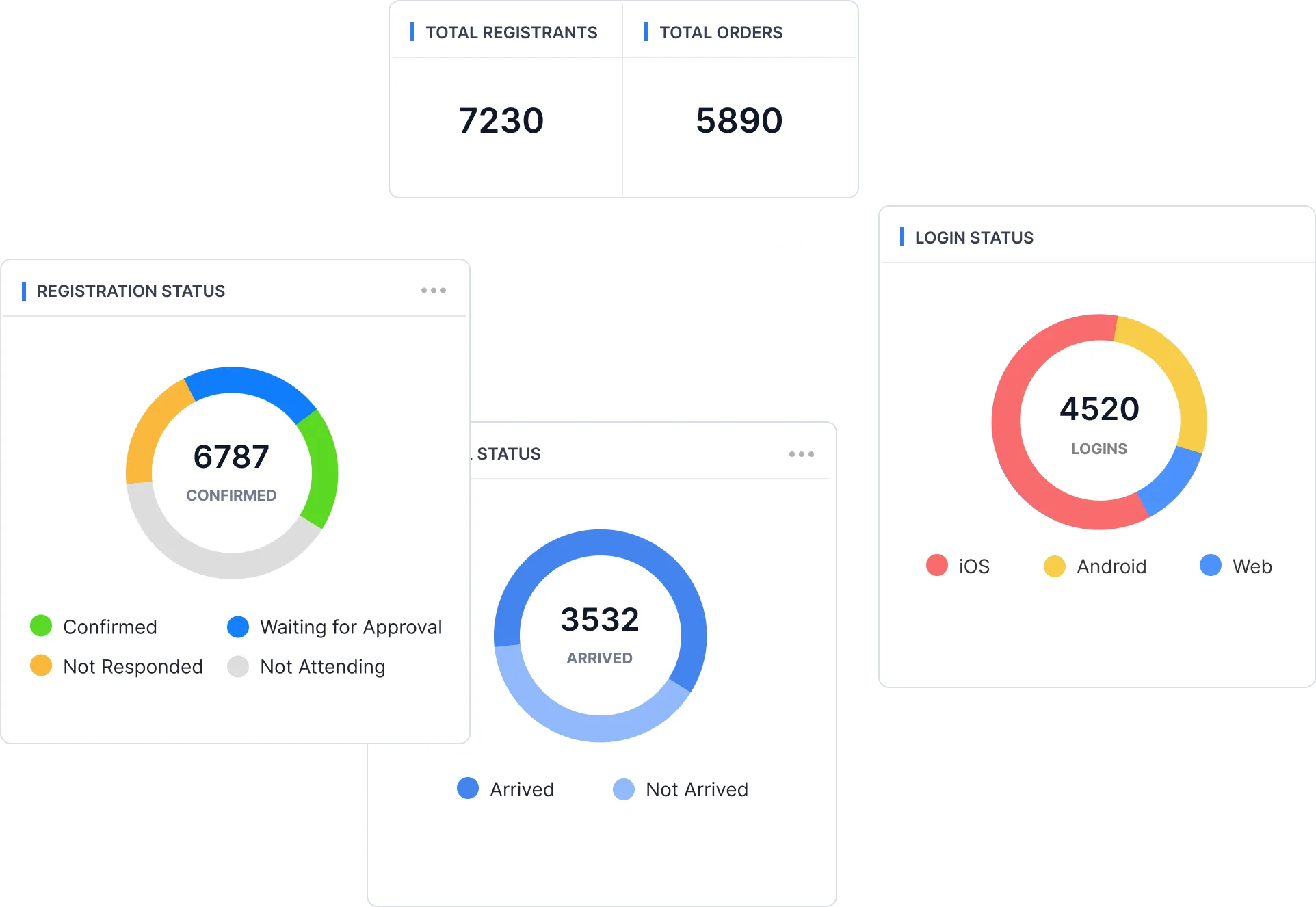
So, what exactly does an event check-in app do? It simplifies registrations by automating the check-in process, reducing human error, and cutting down on those frustrating long queues. With real-time insights, you can instantly see how many guests have arrived and gauge the popularity of different sessions that are currently happening.
Check-in apps also boost security with features like data encryption and compliance with payment standards, keeping your information safe from breaches. Plus, they allow for on-the-spot badge printing, so you don’t have to worry about errors or misprints with pre-printed badges.
But the benefits don’t stop there. Using an event check-in app also means reduced costs. Do you want to spend less money on staffing, printing, and hardware? With options to check in via QR codes or NFC tech, the process is fast and smooth, leaving your team free to focus on giving guests a warm welcome. Instead of just managing the checking in as the name represents, check-in apps also handle session management and lead collection.
If you’re ready to streamline your event check-in process and elevate your guest experience, then you’re in the right place! Let’s dive into our curated list of the 15 best check-in apps.
1. Micepad

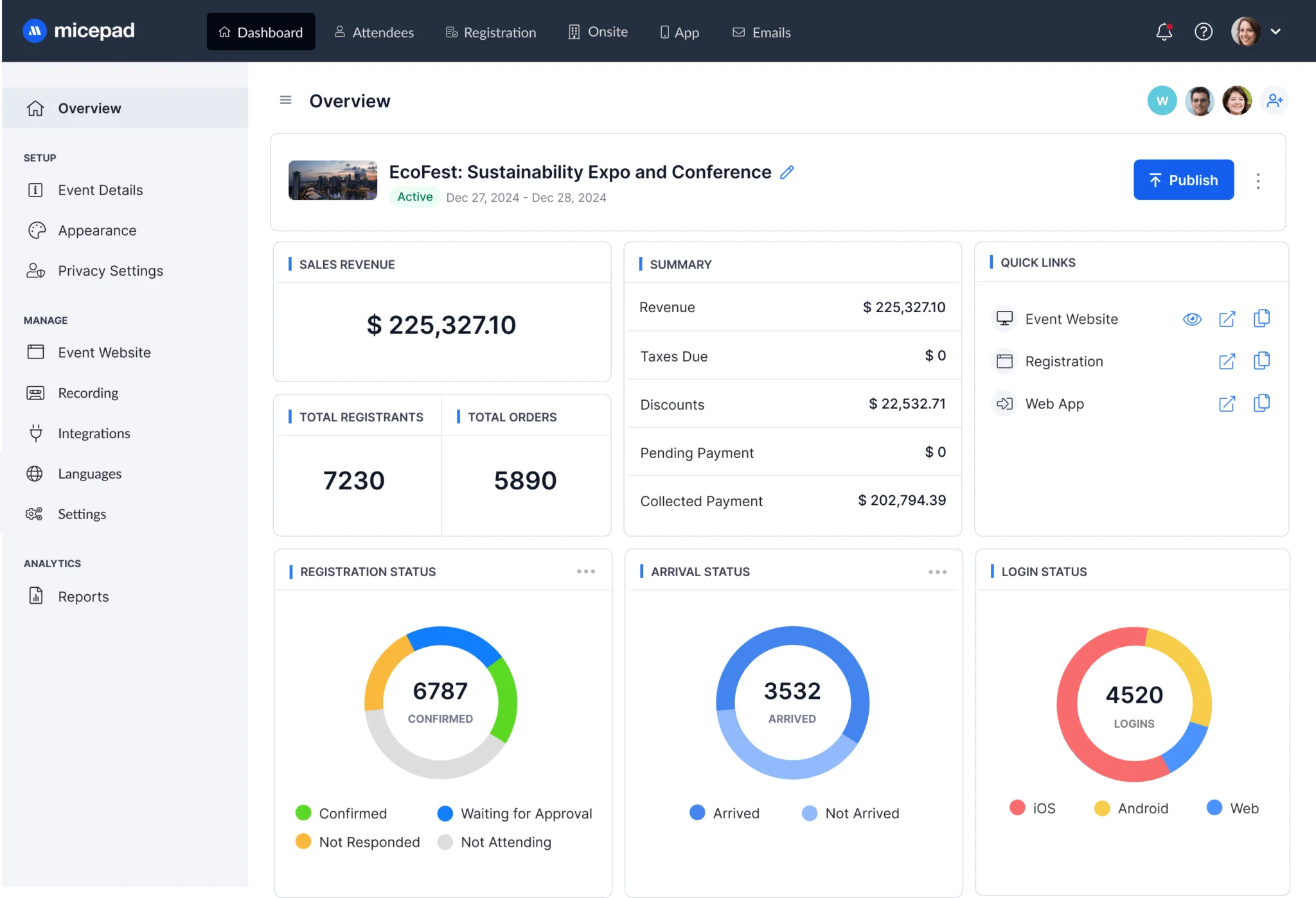
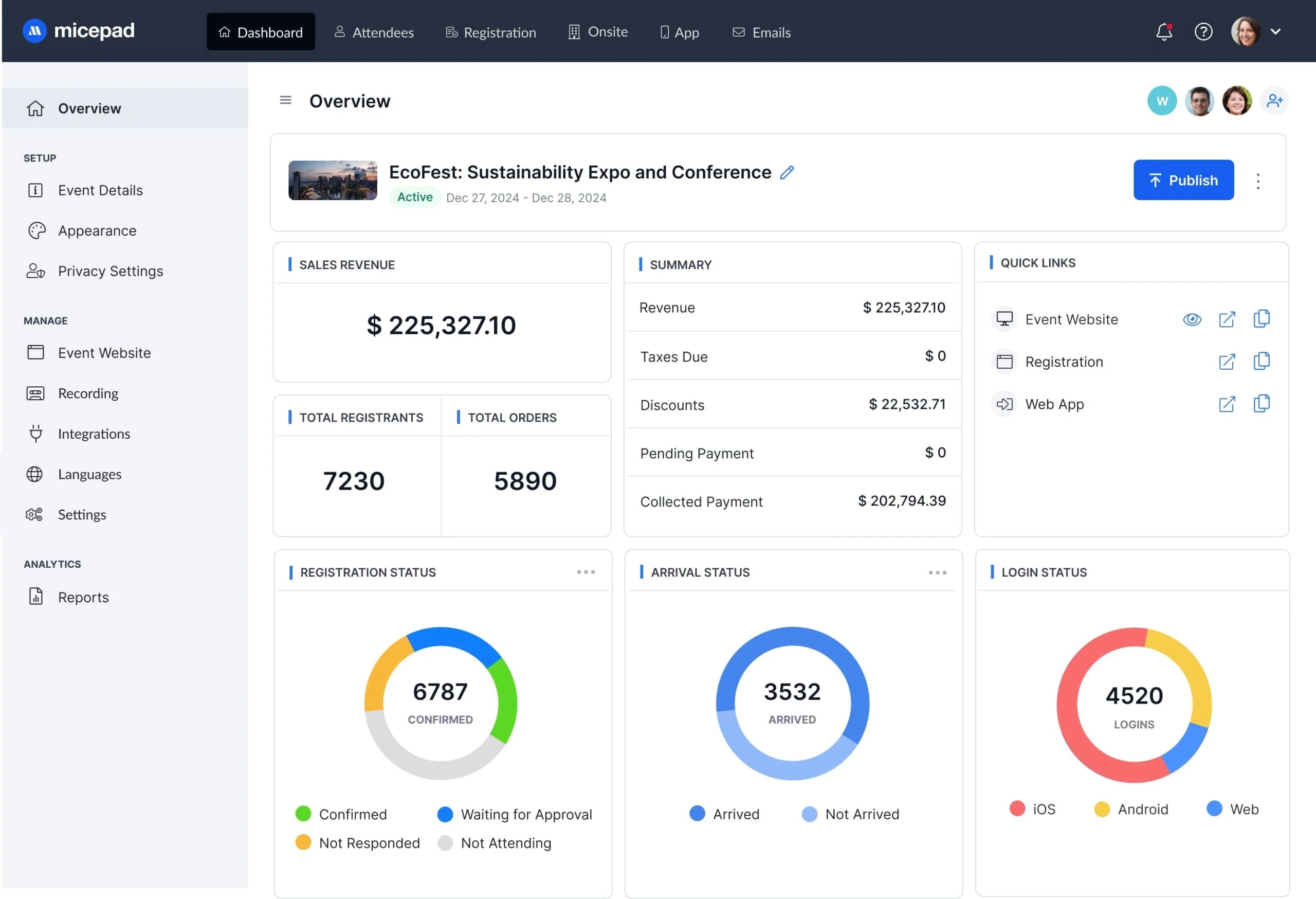
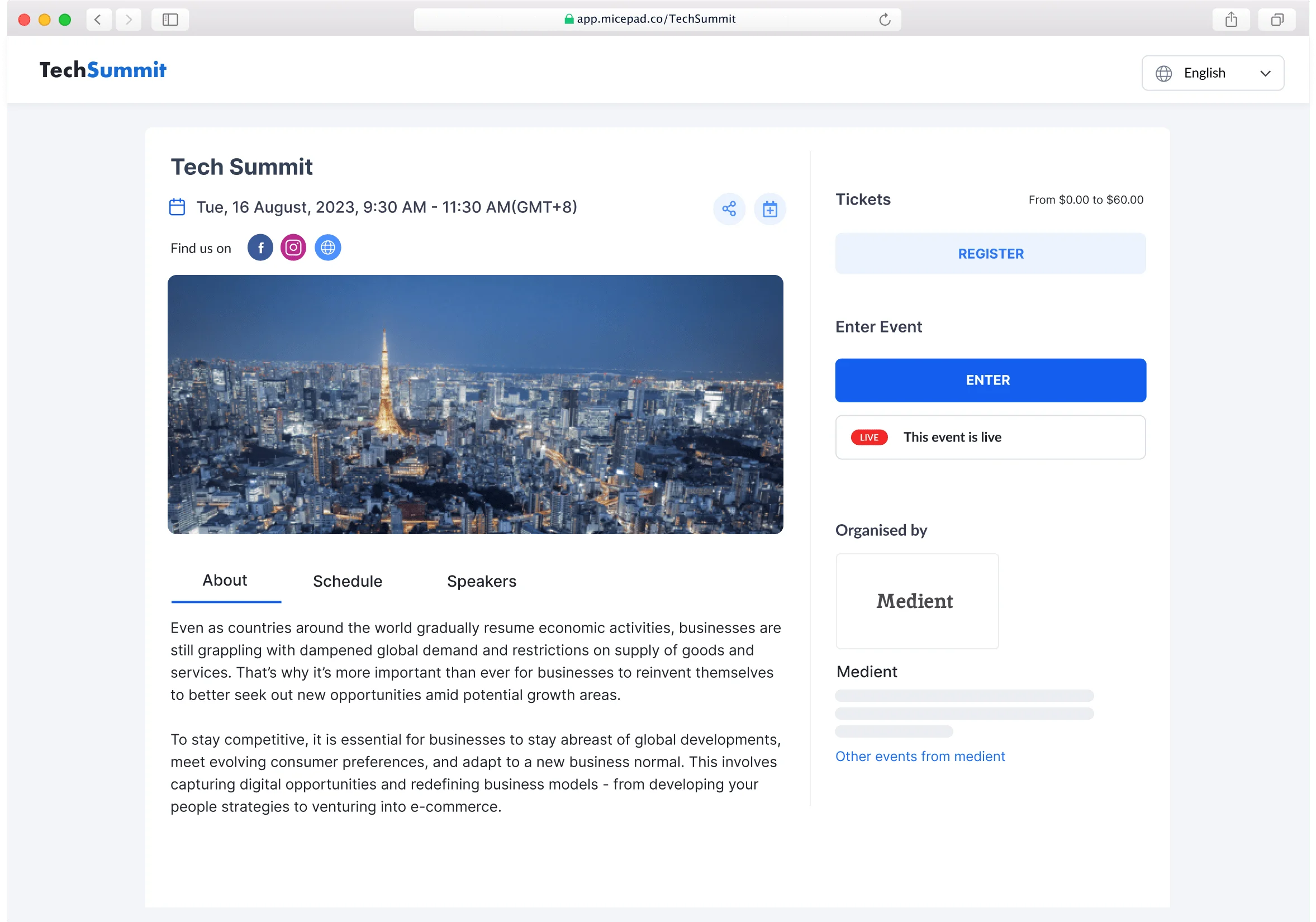
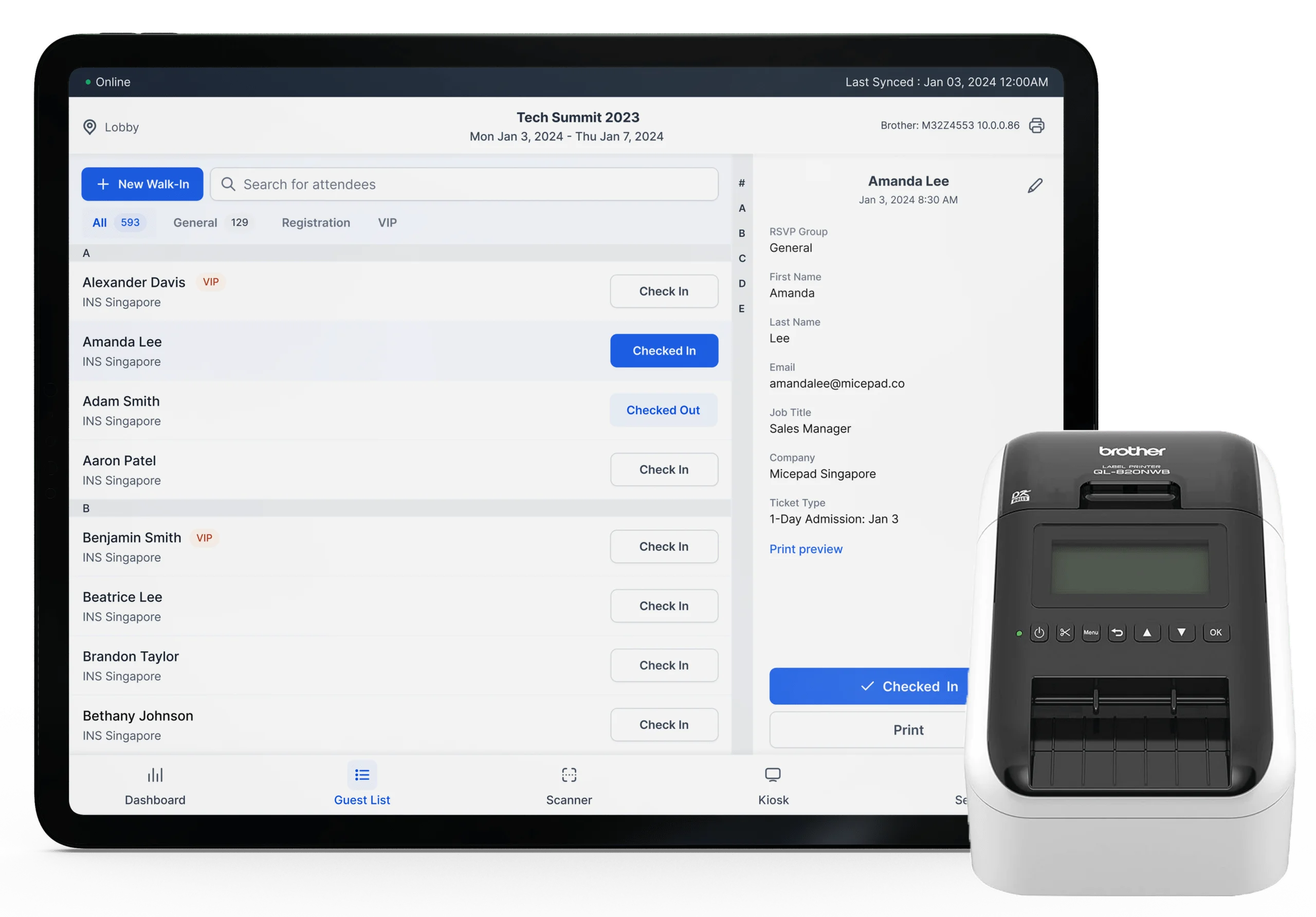
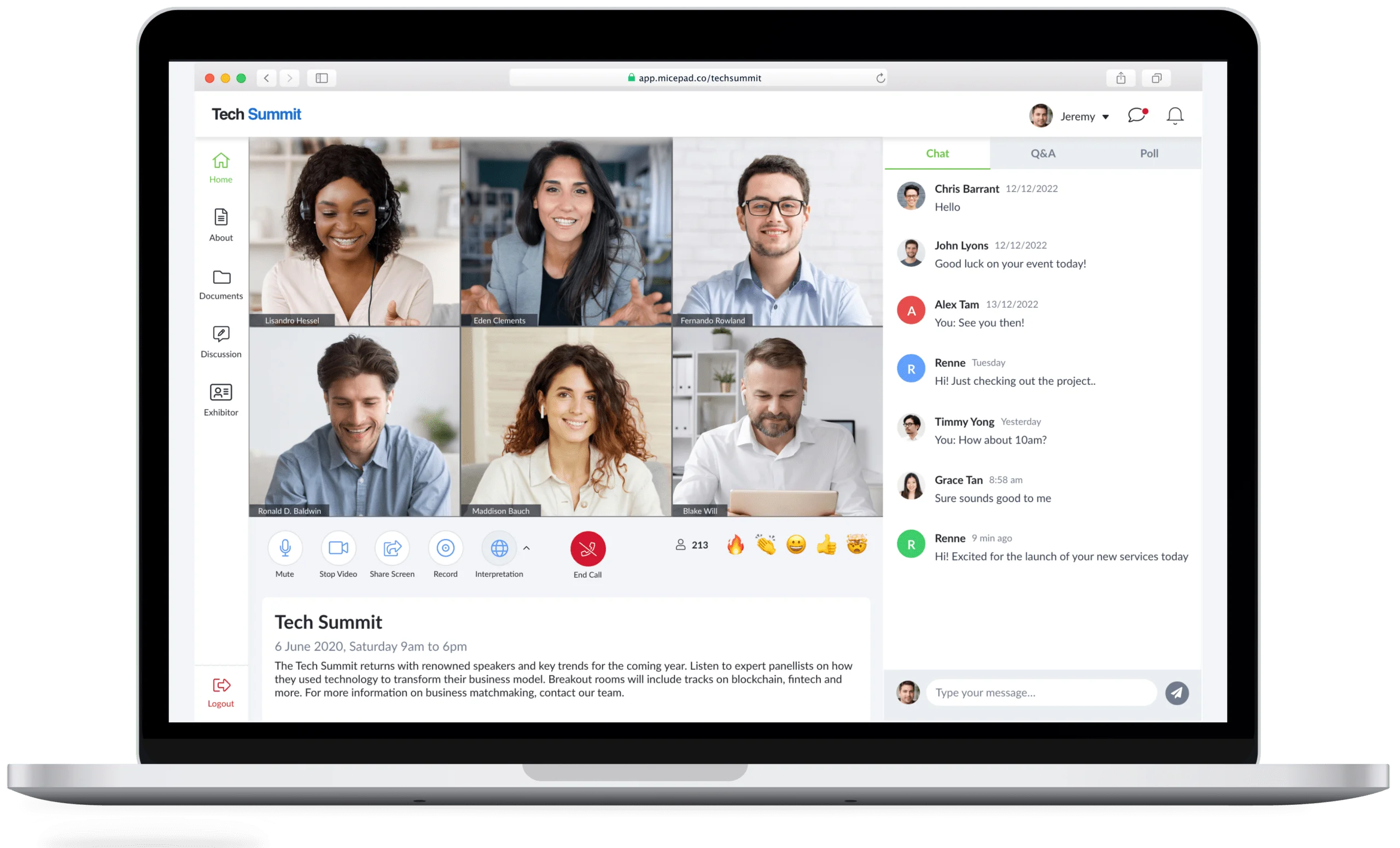
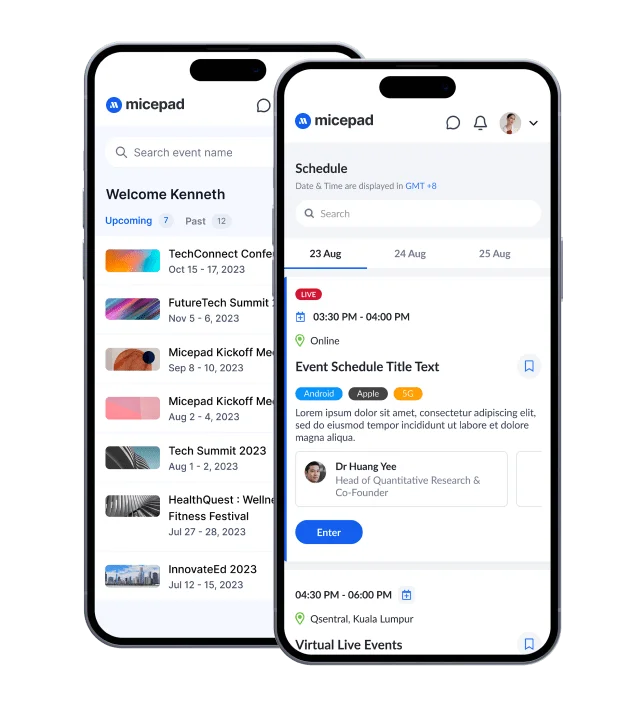
Micepad is an event management software that offers a user-friendly check-in app. It’s designed to simplify the check-in process for both attendees and event organisers. By focusing on efficient data capture and analysis, Micepad helps ensure a smooth and organised event experience.
Key Features
- Self-Service Check-In
Attendees can swiftly check in, collect their badges, and enter the event venue in seconds, ensuring a smooth start to their experience. - On-Demand Badge Printing
Whether pre-printed with event branding or printed on-demand during onsite QR check-ins, badge printing is flexible and efficient. - Offline Capabilities
No network? No problem. Micepad’s offline mode allows for uninterrupted check-in and badge printing, even in areas with poor connectivity. - Centralised Contact List
Easily manage your guest list with a centralised contact database, enabling quick searches and efficient organisation. - Customisable Registration Forms
Register new guests effortlessly using customisable forms on iPads or any device, ensuring smooth operations throughout the event.
Pros
- “Customer support and services are excellent. Additionally, to cater to the needs of our request, they have provided very professional advice that best suits the demographic of attendees. On the day of our webinar, Micepad even allocated dedicated headcounts to help assist us with an immediate response when we face any issues that we are not familiar with.” – G2
- “The Taiwan team is really willing to provide the best solution for Schroders even though the requirements are quite difficult.” – G2
Cons
- “It is very customisable and requires a lot of prior planning before we can commence on the webinar. It is not a very simple plug and play kind of solution, however, the customer support has guided me throughout the process.” – G2
Pricing
Pricing details are available by request and are customised to fit the specific needs of your event, ensuring you get the best value for your requirements. If you’re ready to enhance your event check-in experience with Micepad, get in touch to request a demo and see how it can transform your event management process.
2. vFairs

vFairs is an all-in-one event management platform that excels in supporting hybrid and onsite events with a highly functional mobile app. Since its inception in 2012, this modular event technology platform has been instrumental in helping organisations manage various types of events, including conferences, trade shows, and hiring events.
Key Features
- QR-Based Event Check-In
Assign unique QR codes to each attendee and send them via email. Upon arrival at the venue, attendees can quickly scan their QR codes using self-check-in kiosks. This personalised QR system simplifies and speeds up the check-in process with the mobile event app. - Synced Check-in Tech and Registration for Payment
Automatically sync online registration data with the event check-in app to ensure tickets are paid. This integration ensures a seamless transition from registration to check-in, enhancing the attendee experience. - Reporting and Data Visualisation
Keeping track of attendance and accessing vital event data can be challenging during onsite events. However, with the right event technology and check-in apps, data analytics and reporting become much more manageable and insightful.
Pros
- UX for booth reps and attendees. It’s so simple! I’ve also appreciated the hands-on support and responsiveness of our Project Manager. – CFP Board Spring 2024 Virtual Career Fair
- They are constantly improving their products and services. The ease of creating our virtual job fair is second to none. – G2
Cons
- I disliked needing to set up mobile and desktop controls separately, for the virtual environment, but I understood why it was set up that way. I hope in the future the system can automatically adapt or allow you to check boxes from one control area for if something is accessible from both desktop and the mobile app. I also hope the registration platform gets enhanced and becomes part of the dashboard in the future and can support more dynamic form functions. – Anonymous at G2
Pricing
| License Type | Features | Pricing |
| Basic Annual License | Best for organisations hosting less than 5 events a year with basic registration & planning needs. | Contact for Quotation |
| Premium Annual License | Best for organisations that need advanced end-to-end management of their virtual, hybrid, or in-person events with high attendee volumes. | Contact for Quotation |
| Enterprise Annual License | Best for organisations requiring a complete enterprise-grade event management platform with white-glove service for complex event programs. | Contact for Quotation |
3. Eventify

Eventify is a cloud-based event management tool designed to help businesses manage virtual conferences and create customised experiences for their attendees. By automating the registration process, Eventify makes it easy, fast, and enjoyable, leading to improved and quicker sign-ups.
Key Features
- Customisable Registration Forms
Tailor registration form fields with multiple options and layouts to suit your event’s needs. - Smooth Drag-and-Drop Interface
Easily place information fields using a user-friendly drag-and-drop feature, enhancing form navigation and usability. - Individual Forms for Different Roles
Create and share personalised forms for attendees, exhibitors, speakers, and sponsors, ensuring a streamlined and organised registration process.
Pros
- “Having everything combined in one place and app and being able to interlink everything (agenda, speakers, locations, etc.). Also the affordability of a whitelabel solution that is listed as a standalone app in the app-stores. Great and fast support whenever we had a request. Easy to implement and customise with an intuitive online interface, also able to manage multiple admin users editing at the same time.” – Philipp K. at G2
Cons
- The app got slow on the participant overview when a certain number of users was reached. This unfortunately led to long waiting times when trying to find a specific person on the app. Also we encountered some edge-cases in the backend where we would have wished for some more polishing. However nothing was too problematic, it was still by far the best solution we had for our yearly summit (since 2016) yet. – Philipp K. at G2
Pricing
Pricing details are available by request and are customised to fit the specific needs of your event, ensuring you get the best value for your requirements.
4. Cvent

Cvent delivers an all-in-one event platform designed to simplify the management of each stage of the event lifecycle. The platform provides valuable data and insights to maximise your event’s impact and value.
Key Features
- Build Landing Page
Cvent enables you to design entire event sites from a single window with just a few clicks. This streamlined process allows you to quickly create a professional and engaging online presence for your event. - Promote The Event
The platform excels in driving conversions through powerful marketing tools. You can create and manage email marketing campaigns to reach your audience effectively, and promote your event’s agenda and speakers to generate excitement and interest. - Personalise Experience
Understanding your attendees is key to delivering a custom and unique experience. Cvent allows you to send personalised email content tailored to each attendee’s preferences and behavior.
Pros
- The system is pretty much easy to figure out for the early 30s and younger group as we’ve grown up with computers and have typically become proficient with figuring out how to navigate programs. There are a lot of options and templates that allow you to quickly put together a website that houses basic information. – Julie Michelle D at G2
Cons
- In presentations to sell the Cvent service, there are several graphics and options shown that require the use of a graphics designer or one of their specialists at $150/hour. I’d have respected the company more if they only showed what their site could do alone.
Pricing
| Plan | Details | Pricing Details |
| Professional | License only the solutions you need, with access to additional Professional platform features. | Available by request |
| Enterprise | All solutions included, along with a powerful set of Enterprise features to unlock greater value. | Available by request |
5. Whova

Whova is your go-to all-in-one event management solution, making your events modern and engaging while saving you time on logistics. With Whova, you get an event app, efficient online registration, powerful event marketing, and a suite of time-saving tools.
Key Features
- Customisable Dashboard
Whova offers a highly customisable dashboard that allows you to tailor the event check-in experience to your specific needs. This feature ensures that you have all the essential tools and information at your fingertips, making event management more efficient and intuitive. - Easy QR and Badge Generation
The app makes the process of generating QR codes and name badges simple and hassle-free. Attendees can quickly check in by scanning their QR codes, and badges can be printed on the spot, saving time and reducing the potential for errors. - Real-Time Event Schedule and Attendance Tracking
Whova provides real-time tracking of event schedules and attendee participation. This feature not only helps you keep track of who has attended which sessions but also facilitates the generation of attendance certificates and other post-event reports.
Pros
- I used Whova for the first time at a conference this summer. From the ease of downloading and set-up using pre-populated data from my organisation profile import to the in-meeting, in-session usage of the app’s features, it was wonderful to have everything I could have needed to access in an easy-to-find and accessible singular place. – Jamie G. at G2
Cons
- Probably need a few more capture points for visitors on registration. Should make registration fields mandatory so they are unabled to progress to the next field without completing. – Tracey C. at G2
Pricing
Whova’s pricing is tailored to the specific needs of your event, so you will need to request a quote to get detailed pricing information.
6. Attendium

Attendium offers a seamless search and check-in process for event guests, using names, lists, or custom fields. It’s perfect for events needing detailed attendance reports, thanks to its easy guest list export feature.
Key Features
- Easy-to-use interface: Simplifies the check-in process for event staff and attendees.
- Unique QR codes assigned to each attendee: Ensures quick and accurate check-ins.
- Real-time attendance reports: Provides up-to-the-minute data on event attendance.
Pricing
| Plan | Features | Price |
| Starter | Guest lists & check-ins for smaller teams (1-5 users). | $249 |
| Professional | All essential and time-saving features for larger teams. | $499 |
| Enterprise | All unlimited features plus API access and priority support. | $869 |
7. Certain Check-In

Certain offers a comprehensive check-in software tool that integrates seamlessly with a complete event management solution. From registration to check-in, engagement, data capture, and follow-up, Certain Check-In covers every aspect. Their event-building capabilities enable you to create customised events quickly and easily.
Key Features
- Multi-functional dashboard: Manage all aspects of your event from a single, intuitive interface.
- Real-time SMS notifications: Instantly notify pre-identified attendees upon their arrival.
- Easy data follow-up: Utilise personalised notes and checklists for efficient post-event follow-ups.
Pros
- We’ve used Certain for years and one of the great things is the low turnover with account management and tech support. We have been able to adapt the application for all our events of all sizes and types. I like best that I can figure most things out myself, but they’ve been quick to reply and assist as needed. I love the integration with the mobile app platform Touchpoint. That was a game changer for us too. – Janell S. at G2
Cons
- There are a few limitations with the platform that would make our experience better, including expanded API functionality, capabilities of the Touchpoint streaming platform, and implementation of abstract management / call for speakers/papers. – G2
Pricing
| Plan | Features | Price |
| Touchpoint Ignite | AI-powered conversational event app. | Request for Quotation |
| Certain Pro | Multi-day, multi-track small conferences – virtual, in-person, or hybrid. | Request for Quotation |
| Certain Enterprise | Most Popular: Any event, any size, any format – virtual, in-person, or hybrid. | Request for Quotation |
| Certain Ultimate | The ultimate solution for managing large volumes of events at scale. | Request for Quotation |
8. SplashThat

The Splash Host mobile app is tailored for checking in event attendees onsite, offering organisers the ability to register walk-ins and print badges in bulk. It also features self-registering and check-in capabilities, significantly reducing the need for extensive onsite staff. However, users have noted that check-in can become challenging when using multiple devices.
Key Features
- Real-time counting of all the check-ins: Keep an accurate and up-to-date count of attendees as they check in, ensuring smooth event management.
- Highly synced with multiple devices for the organisers: Seamlessly coordinate between various devices used by organisers to ensure a consistent and efficient check-in process.
Pros
- Ease of Use: Splash makes it easy for me to create landing pages and registration forms without any coding knowledge. If I had to estimate, it’s dropped the amount of time it takes for me to create a page by 75%. RSVP Management: With Splash, managing RSVPs is simple. It collects RSVPs, lets you set event caps, and reduces manual tracking. Mobile Check-in App: The mobile check-in app makes on-site events much smoother, and helps paper guest lists and enhances efficiency during the event check-in process. – Kate R at G2
Cons
- The support is good, but I do wish we had more immediate response to questions or troubleshooting. I get that this is tough to scale and I believe more premium packages offer quicker support, but sometimes we’re in a bind and just need some simple guidance. – G2
Pricing
| Plan | Features | Price |
| Free | For personal use and occasional small business events. | Try for Free |
| Pro | Most Popular: For more design and access control. | Get Splash Pro |
| Enterprise | For solutions and workflows at scale. | Get Splash Enterprise |
9. Eventbrite

The Eventbrite event check-in app streamlines the registration and check-in process by providing organisers with access to all the necessary data. It enables event organisers to manage attendees, allow them to book events online, and promote events to boost registrations.
Key Features
- Custom tickets feature unique QR codes: Each ticket is assigned a unique QR code to ensure a smooth and secure check-in process.
- Enhanced security with unique QR codes: The app uses unique QR codes for each attendee to enhance security and prevent fraudulent entries.
- Real-time Analytics for easy navigation: Real-time analytics provide organisers with up-to-date information, making it easier to navigate and manage the event.
Pros
- Eventbrite is always up-to-date with the latest events happening in my area or in an area that I’m traveling to for work. The events are great to bring a potential business partner to and or 10 because they are a business networking event themselves! Great variety of events to choose from! – Ashley T at G2
Cons
- The total cost tends to be higher when compared to other event creation tools. Constant Contact offers a decent event tool that when combined with the Constant Contact other tools has more bang for the buck. – Mark L at G2
Pricing
| Plan | Features | Price |
| Flex |
|
Available by request |
| Pro |
|
Available by request |
|
Partner |
|
Available by request |
10. CrowdPass

CrowdPass brings a cutting-edge check-in solution with NFC and RFID technology that makes your event check-ins a breeze. This high-tech system not only simplifies the process but also adds a touch of modern sophistication that will definitely wow your attendees.
Key Features
- Real-time attendee tracking using RFID floor maps and door frame antennas: CrowdPass uses advanced RFID technology, including floor maps and door frame antennas, to track attendees in real-time and provide seamless check-in experiences.
- Automatic real-time check-in information: All check-in data is automatically recorded in real-time, eliminating the need for manual entry and ensuring accurate attendee records.
- No self-check-in fuss and no waiting queues: The system’s efficiency means attendees don’t need to fuss with self-check-ins or wait in long queues, making the process smooth and hassle-free.
Pros
- The software was relatively easy from an admin perspective and easy to share out for the communications team. – Capterra
- The customer support was impressive- quick responses and willing to help. – Capterra
Cons
- The only negative is that we still had to manage who had and hadn’t been cleared by Crowdpass since it didn’t integrate with our registration system.
- attendees. Unfortunately, it is also not available, and we will have to wait for its release next year. – Ned C. at Capterra
Pricing
Pricing details are available by request and are customised to fit the specific needs of your event, ensuring you get the best value for your requirements.
11. Hopin

Hopin’s event app delivers a smooth check-in process for both online and onsite events. It comes packed with features that boost accessibility, engagement, networking, and reporting for event organisers. However, one limitation is that it doesn’t support check-ins for hybrid events.
Key Features
- Check-in Attendees: Easily check in attendees using Hopin’s streamlined process, ensuring everyone gets registered quickly and efficiently.
- Track Event Attendance: Keep track of who attends your events in real-time, making it simple to monitor attendance and gather valuable data.
Pros
- Emulation of the physical conference networking where I can see and approach other delegates as well as moving around the venue at will. Peter H. at G2
Cons
- There are a few cons. One of the most notable problems is the missing ticketing tool, which could be beneficial to us if we can sell conference access to attendees. Unfortunately, it is also not available, and we will have to wait for its release next year. – Jovan M at G2
- The email templates are very basic and as someone with no HTML background, it’s incredibly difficult to redesign them. James D. at G2
Pricing
| Plan | Description | Features |
|
Free $0 / month |
For getting started on your own. | 1 admin seat, unlimited events with up to 100 registrations/event, up to 2 hours in event length, email/chat support |
|
Advanced Available by request |
Full service packages for event leaders. | 10+ admin seats included, customisable event length, customer support, onboarding, training, and event services |
12. Eventdex

Eventdex provides a comprehensive suite of tools that make ticketing and registration a breeze, effortlessly manage refunds, and easily handle walk-ins. One standout feature is the ability to clone previously built systems in minutes for both recurring and new events, ensuring that on-event check-in lists are updated automatically without any hassle.
Key Features
- Quick Check-in Search: Easily search for attendees by their names, making the check-in process swift and efficient.
- Automatic Attendance Marking: Automatically updates the attendance on the registration list as guests check in.
- Seamless System Integration: Effortlessly syncs with any previously used systems, providing a smooth and user-friendly experience.
Pros
- The support team is just the best. They literally hand held me from the beginning until the end of my event. Very helpful and cooperative. – Anonymous at G2
- I like the business model of the software. I also like the login dashboard display and the ability to see details at a glance. I have had good support when I have needed help. The navigation through the system is good. – Neil B at Capterra
Cons
- I wish if the help section on the website had more self-help articles for first-time users. – Anonymous at G2
- Eventdex’s strength is also its weakness. There are a lot of features and a new user can be confused by those. More simplification (like expensive software such as EventBrite have) will be great. – Rajesh M. at Capterra
Pricing
Eventdex offers flexible pricing with no long-term contracts, no setup fees, no cancellation fees, and no hidden costs. To find the best package for your needs, you need to talk to their customer support.
13. Stova

Stova’s mobile app simplifies event check-ins while offering a suite of tools for information, navigation, networking, and engagement. The platform supports onsite check-in through the app, although users have reported difficulties with payment integrations, particularly when using PayPal.
Key Features
- QR-Based Check-In: Attendees can access the event site seamlessly with contactless onsite check-in using unique QR codes.
- Analytics and Reporting: Real-time dashboards provide comprehensive analytics and reporting, keeping you updated on event progress.
Pros
- Registration pages can be set up pretty quickly for basic events. Does the job of getting someone signed and up info can be sent easy to let them know. – Anonymous at Capterra
- The software itself is easy to use and is pretty much user friendly. – Rachael B. at Capterra
Cons
- Originally as Aventri and now joint with meetings play to make Stova, and since customer support hasn’t been fantastic and not sure of the direction it’s going in. – Anonymous at Capterra
Pricing
| Plan | Starting Price | Free Version | Free Trial | Total Features |
| Free Plan | USD $0.00 | Yes | Yes | 56 |
| Professional Plan | USD $10,000.00 per year | No | No | 128 |
14. Event Farm

Event Farm is a versatile event marketing platform that covers the entire event lifecycle, from registration and analytics to check-ins. Its live event and virtual check-in features integrate with various ticketing platforms, reducing the need for multiple software applications. The platform also offers on-site vinyl and PVC badge printing, providing a premium look and enabling quick registration for last-minute guests.
Key Features
- Real-time syncing of registration data ensures that all attendee information is updated and accessible instantly across all devices, providing seamless coordination and management.
- Engages attendees with welcome text messages to create a personalised experience and allows on-spot addition of walk-ins to accommodate last-minute attendees without any hassle.
- Offers easy badge printing options that enable quick and efficient production of professional-looking badges on-site, enhancing the check-in experience for both organisers and attendees.
Pros
- The interactive experience, the ability to communicate. – Anonymous at G2
- The Event Farm platform has brought our company to an entirely new level as it relates to our ability to create, promote, drive attendance and most importantly, successfully execute high-quality demand-generation client-facing events. – Andrew B. at G2
Cons
- The click through rate of the check-in process was low and concerned our leadership that our guests were not receiving event invites. We also would have liked to see better post-use stats to see where the improvements needed to be made. We also felt like there needed to be better design functionality. The pricing for the software is more than other event invitation softwares and over our budget. – Josie M. at G2
Pricing
| Plan | Description | Price |
| Standard | Small to mid-size events, HIPAA Compliant, Event Farm Check-in App, 100 – 1,000 Registrants | $5 / registrant* |
| Premium | Large events, HIPAA Compliant, Event Farm Check-in App, 1,000+ Registrants | Available by request |
15. Eventx

Avoid lengthy check-in queues with Eventx! Their efficient event app enables quick entry through QR codes. You can personalise event badges, print them on demand, and enhance attendee engagement with an interactive event experience right from the app.
Key Features
- QR Code: Attendees can scan a unique QR code for swift and contactless check-in, ensuring a smooth entry process.
- Face ID: Utilise facial recognition technology for quick and secure verification of attendees at the event.
- Name Search: Easily locate and check in attendees by searching their names within the app, streamlining the registration process.
- Self Kiosk Check-in: Attendees can independently check in using self-service kiosks, reducing wait times and staffing needs.
Pros
- I like how daily check-in of your registered or walk-in attendees is one of the easiest ways to find out using the EventX check-in application. The check-in EventX application prepares pocket wifi, an Ipad, and a printer through which attendees from the event list are selected and with their name badge, a printout will come along. – Janavi R at G2
- The EventX product was easily accessible to me. I, as a host of the event, was able to get control of my event. – Kerstin H at G2
Cons
- A few steps required to add event calendar to outlook for corporate email users. Magic link was difficult to understand at first and registrants did not complete registration,hence, need to manually imported list at the end. – Pongsupa W at G2
- The EventX product does not provide me with proper management of my events, what feature will play a key role during my whole event, and how and when I will guide my attendees about it! – Kawi C at G2
Pricing
| Plan | Event Size | Price |
| EventX Lite | Small Event | Contact Sales to Get to Know more |
| EventX Pro | Medium Event | |
| Virtual Event & Expo | Large Event |
While many free check-in apps are a great starting point, they often come with limited features for managing your event. It’s a good idea to try these options first to get a feel for how they work before deciding on a subscription or upgrading to a paid package.
If you’re looking for a solution that covers all your check-in needs and more, Micepad has got you covered. Micepad offers comprehensive check-in app features to help you manage your event from start to finish, ensuring a smooth experience for you and your attendees. Ready to take your event to the next level? Request a demo and see how Micepad can make your event management a breeze!