7 Best Event Check-In Apps for Conferences and Corporate Events (2026)
The check-in desk is the first impression your event makes. A slow one — long queues, staff fumbling with spreadsheets, badges that take two minutes to find — sets the wrong tone before a single session begins.
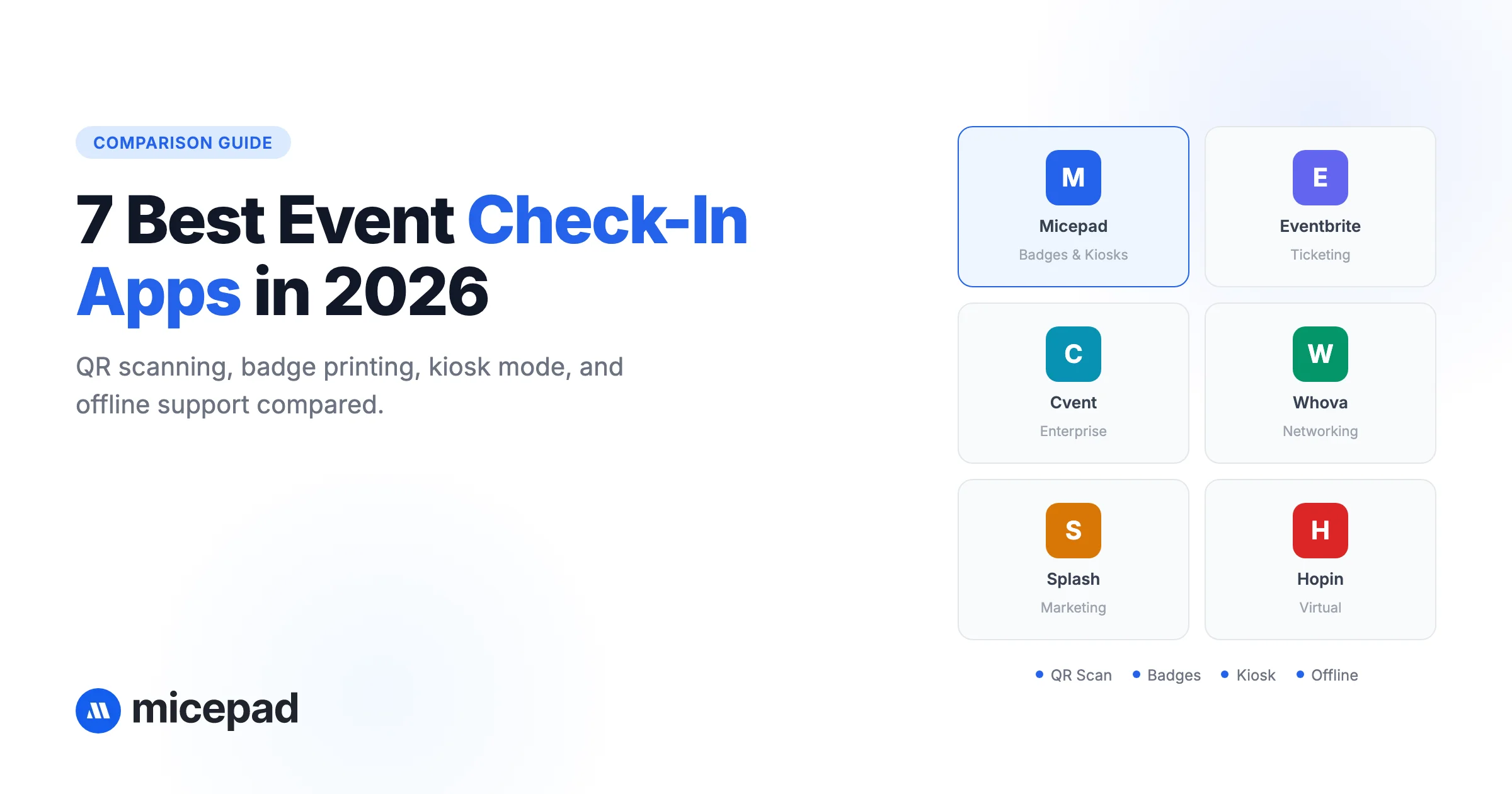
This post reviews seven event check-in apps based on feature depth, ease of setup, badge printing capability, pricing transparency, and whether they actually hold up under pressure. We cover Micepad, Whova, Bizzabo, Cvent, Eventbrite, Splash, and Zkipster.
Quick-pick summary:
| App | Best for | Free tier | Badge printing | Starting price |
|---|---|---|---|---|
| Micepad | Corporate & conference check-in with on-demand badge printing | Yes | Yes (on-demand) | Free |
| Whova | Conference networking apps | No | Limited | Custom |
| Bizzabo | Enterprise event platforms | No | No (integrations) | Custom |
| Cvent | Large-scale corporate events | No | Via partners | Custom |
| Eventbrite | Ticketed public events | Yes (limited) | No | 3.7% + $1.79/ticket |
| Splash | Marketing & brand events | No | No | Custom |
| Zkipster | VIP and gala events | No | No | From ~$199/event |
Last updated: April 2026.
What to look for in an event check-in app
Not all check-in software solves the same problem. Before evaluating options, get clear on what your events actually require.
Speed at the door
The peak arrival window at most conferences is 15–30 minutes. If your check-in app requires staff to type in names or scroll through a list, you will form queues. Look for QR code scanning, self-service kiosk support, or walk-up search that returns results in under two seconds.
Walk-in registration support
Some platforms treat walk-ins as an edge case. They are not. At most events, 5–15% of attendees are walk-ins or bring unregistered guests. Your check-in app should create new registrations on the spot, without a separate device or workflow.
Badge printing integration
If your event requires name badges, the check-in and printing workflow needs to be tightly integrated. Systems that require exporting a CSV and printing separately create delays and errors. On-demand printing — where the badge prints automatically at the moment of check-in — is the right approach for events over 100 people.
Offline mode
WiFi at venues is unreliable. An app that fails when the connection drops is a liability. Every serious check-in tool should have a local data cache that syncs when connectivity returns.
Real-time reporting
Knowing how many people have checked in, which sessions are filling up, and which registrants are still absent is operationally useful during the event. Live dashboards matter — especially for multi-session or multi-track events.
Pricing model
Pricing in this category varies significantly: some charge per event, some per attendee, some as a monthly SaaS subscription. Understand the full cost for your event size before committing. Per-attendee models can become expensive for large events. Monthly subscriptions require forward planning.
The 7 best event check-in apps
1. Micepad — Best for on-demand badge printing
Micepad is built specifically around the check-in and badge printing workflow. It handles the full flow: attendees scan a QR code or present their name at a kiosk, the system finds them, and a badge prints in under 10 seconds. No separate print step, no pre-printed stack to sort through.
Key features:
- Self-service SmartKiosk check-in with QR scanning and name search
- On-demand badge printing on Zebra (ZD621) and other supported printers
- Walk-in registration with instant badge output
- Offline mode with automatic sync
- Real-time attendance dashboard across multiple check-in stations
- AI agents for import, badge generation, and reporting
What we liked: The badge printing workflow is genuinely tight. Most platforms treat badge printing as an add-on; Micepad treats it as a core feature. The kiosk setup is also fast — a single device handles both check-in and printing, which reduces the number of staff needed at the registration desk. The free tier is a real free tier, not a trial.
Limitations: The platform is most at home with corporate events and conferences in Asia-Pacific. If you need a ticketing storefront with consumer payment processing, Micepad is not the right fit. It assumes you already have registrations coming in through your own form or an external registration system.
Pricing: Free for small events. Paid plans scale with event size. No per-attendee fees. See pricing at micepad.co/pricing.
Best for: Corporate conferences, trade association events, banking and professional services events, and any event where badge printing and check-in speed are operational priorities.
See how Micepad handles conference check-in →
Organizations including MongoDB, Standard Chartered, KPMG, and WeWork have used Micepad to check in attendees. Read customer stories →
Try Micepad free for your next event →
2. Whova — Best for conference networking
Whova is a full conference app — attendee networking, agenda management, session Q&A, sponsor listings — with check-in built in. Its strength is not the check-in desk; it is everything that happens after attendees walk through the door.
Key features:
- Attendee networking via app (profile matching, messaging)
- Digital agenda with session tracking
- QR code check-in via staff or self-scan
- Exhibitor and sponsor management
- Post-event analytics
What we liked: Whova's networking features are genuinely strong. For conferences where attendee-to-attendee connections are a core part of the value proposition, it is hard to match.
Limitations: Check-in is a secondary feature, and it shows. Badge printing support is limited and not native. Setup requires attendees to download the Whova app, which adds friction for events with less tech-savvy audiences. Pricing is custom and tends toward the higher end for mid-size events.
Pricing: Custom pricing. No public rates. Generally requires a multi-month commitment.
Best for: Academic conferences, industry associations, and multi-day events where attendee networking is a primary objective.
Looking for something simpler or more affordable? See Whova alternatives.
3. Bizzabo — Best for enterprise event programs
Bizzabo is an enterprise event platform covering registration, event websites, email marketing, session management, exhibitor portals, and analytics — with check-in as one module of a broader system. It is designed for companies running multiple large events annually as part of a managed event program.
Key features:
- Full event lifecycle management (registration through post-event)
- Branded event websites and registration pages
- Hybrid and virtual event support
- Integration with CRM systems (Salesforce, HubSpot, Marketo)
- Check-in via dedicated hardware or staff app
What we liked: The CRM integrations are genuinely useful for enterprise teams where event attendance data needs to flow into sales and marketing workflows automatically. The branded registration experience is polished.
Limitations: Bizzabo is heavy infrastructure. Setup takes weeks, not hours. It is designed for teams with a dedicated events function and IT resources. For a single conference or an organization running fewer than five events per year, the overhead is not justified. Pricing is enterprise-level.
Pricing: Custom. Generally requires an annual contract. Not publicly disclosed.
Best for: Enterprise companies running a coordinated event program across multiple events, geographies, and teams.
4. Eventbrite — Best for ticketed public events
Eventbrite is the dominant platform for public, ticketed events: concerts, community gatherings, fitness classes, fundraisers, and similar consumer-facing events. Its check-in tool is designed for these use cases — fast, simple, and tied directly to ticketing.
Key features:
- Integrated ticketing and payment processing
- QR code scanning via Eventbrite mobile app
- Guest list management and capacity controls
- Basic sales analytics
- Free tier for free events
What we liked: If you are selling tickets to the public and need check-in to match your ticketing data, Eventbrite keeps everything in one place. Setup is fast. The free tier is usable for low-cost community events.
Limitations: Check-in is basic. There is no on-demand badge printing, no kiosk mode, and no walk-in registration workflow beyond manual addition. For corporate or professional events, the consumer-facing interface and Eventbrite branding can feel off-brand. Per-ticket fees add up at volume.
Pricing: Free for free events. 3.7% + $1.79 per paid ticket on the basic plan. Higher-tier plans with lower fees require monthly subscription.
Best for: Public-facing ticketed events: community gatherings, workshops, fitness events, charity fundraisers.
5. Cvent — Best for large-scale corporate events
Cvent is one of the largest event management platforms in the world. It covers venue sourcing, registration, hotel room blocks, mobile apps, check-in, and post-event surveys — with a feature set designed for Fortune 500 event teams managing significant event budgets.
Key features:
- Full event lifecycle platform (venue sourcing through post-event)
- Complex registration with conditional logic and multi-track session selection
- Badge printing via integrated hardware partnerships
- Group and corporate travel management
- Integration with major enterprise systems
What we liked: For genuinely large, complex events — global sales kickoffs, multi-day user conferences with thousands of attendees — Cvent's breadth is hard to match. It handles complexity that smaller platforms cannot.
Limitations: Cost is the primary barrier. Cvent is not priced for organizations without dedicated event budgets. Implementation requires significant time and often a professional services engagement. For events under 1,000 attendees, the overhead is difficult to justify. The platform has a reputation for complexity and a steep learning curve.
Pricing: Custom enterprise pricing. Not publicly disclosed. Expect annual contracts in the five-figure range minimum.
Best for: Enterprise organizations running complex, high-budget events at scale: global conferences, large internal corporate events, multi-site event programs.
6. Splash — Best for marketing and brand events
Splash is built for the marketing events use case: product launches, brand activations, VIP dinners, agency-managed client events, and demand-generation events where visual design and brand consistency are the priority.
Key features:
- Branded event pages and registration with strong design tools
- Guest list management
- Email invitations and automated reminders
- Check-in via staff app with guest list search
- Integration with marketing automation platforms
What we liked: The event page and invitation design tools are genuinely superior to most alternatives. For marketing teams that need event assets to look polished without a developer, Splash delivers. The CRM and marketing automation integrations (Salesforce, Marketo, HubSpot) are solid.
Limitations: Check-in is a guest-list tool, not a conference-grade system. No badge printing. No kiosk mode. No walk-in registration beyond manual addition. For events where operational check-in throughput matters, Splash is not the right fit.
Pricing: Custom. Designed for marketing teams and agencies. No public pricing.
Best for: Marketing-driven events: product launches, VIP dinners, brand activations, demand-generation events.
7. Zkipster — Best for VIP and gala events
Zkipster is a guest management and check-in platform built for high-end events: galas, awards ceremonies, charity dinners, fashion events, and VIP brand events. Its focus is on managing a specific, invited guest list with precision and discretion.
Key features:
- Guest list management with RSVP tracking
- QR code and name-search check-in
- Seating charts and table management
- Real-time check-in reporting
- Companion app for multiple door staff
What we liked: The guest list management and seating tools are purpose-built for the gala and awards market. For events where every guest is pre-screened and the experience needs to feel exclusive, Zkipster handles the operational side well.
Limitations: Not designed for open registration or walk-ins. No on-demand badge printing. Priced per-event in a way that can become expensive for recurring use. If your events involve open registration rather than curated guest lists, this platform is not the right fit.
Pricing: From approximately $199 per event. Plans vary by guest count.
Best for: Galas, awards ceremonies, charity dinners, and exclusive brand events with pre-screened guest lists.
Event check-in app comparison table
| Micepad | Whova | Bizzabo | Cvent | Eventbrite | Splash | Zkipster | |
|---|---|---|---|---|---|---|---|
| QR code check-in | Yes | Yes | Yes | Yes | Yes | Yes | Yes |
| Self-service kiosk | Yes | No | No | Yes (hardware) | No | No | No |
| On-demand badge printing | Yes | Limited | No | Via partners | No | No | No |
| Walk-in registration | Yes | No | Limited | Yes | Limited | No | No |
| Offline mode | Yes | Limited | No | Yes | Yes | No | Limited |
| Free tier | Yes | No | No | No | Yes (free events) | No | No |
| Networking features | No | Yes | Yes | Limited | No | No | No |
| Starting price | Free | Custom | Custom | Custom | 3.7%+$1.79/ticket | Custom | ~$199/event |
Which event check-in app should you choose?
The right tool depends on your event type, size, and what matters most operationally.
If badge printing is required: Micepad is the only platform in this list where badge printing is a native, first-class feature. Other platforms either skip it or handle it via integrations that add complexity and cost.
If you are running a ticketed public event: Eventbrite is the practical choice. Its check-in tool is basic, but the integration with public ticketing is seamless and the pricing is transparent.
If attendee networking is the point: Whova's networking and agenda tools are the strongest in the market. The check-in experience is secondary, but for multi-day academic or professional conferences, the attendee app may justify the trade-off.
If you are an enterprise team with a large event budget: Cvent or Bizzabo can handle the complexity. Both require significant implementation time and budget. Neither is appropriate for small organizations or occasional event programs.
If brand design is the priority: Splash produces the most polished event pages and invitations. The check-in is guest-list only, so it suits marketing events more than operational conference check-in.
If you are running a VIP or gala event: Zkipster is built for this use case. The guest management and seating tools are the right fit for exclusive, invitation-only events.
For most corporate and professional events: Micepad covers the critical requirements — fast QR check-in, walk-in registration, on-demand badge printing, offline support, and live reporting — without the overhead or cost of an enterprise platform. The free tier makes it practical to test before committing.
Frequently asked questions
What is the best free event check-in app?
Micepad offers the most capable free tier for professional events, covering QR check-in, walk-in registration, and badge printing. Eventbrite has a free tier but only for free events, and check-in features are basic.
Do event check-in apps work offline?
Not all of them. Micepad, Cvent, and Eventbrite have offline modes. Whova and Bizzabo have limited offline capability. If your venue has unreliable WiFi — which most venues do during peak arrival — prioritize apps with proven offline support.
Can I print badges with an event check-in app?
Most platforms in this list do not include native badge printing. Micepad is the exception: its badge printing is integrated into the check-in workflow and prints on-demand at check-in. Cvent supports badge printing via hardware partnerships, which adds cost and setup time.
How much does event check-in software cost?
Costs vary widely. Micepad is free for small events with paid plans for larger ones. Eventbrite charges per ticket. Whova, Bizzabo, Cvent, and Splash use custom enterprise pricing with annual contracts. Zkipster is priced per event starting around $199. For most mid-size corporate events, Micepad's pricing is significantly lower than the enterprise alternatives.
Ready to speed up check-in at your next event? Micepad is free to try — no credit card required.
Micepad Team
Micepad - Enterprise Event Management Software